7.3.2 Thumbstick is jittering or drifting
Step1 - If you are experiencing thumbstick jittering, the first thing you
can do is calibrate the thumbstick: 5.3 CALIBRATING THUMBSTICK
Step 2 – then need to reinstall Azeron software / firmware. Make sure
you are installing the correct device firmware (for example, do not install
Classic keypad firmware on Cyborg keypad). See this section after Step 5
on how to reset.
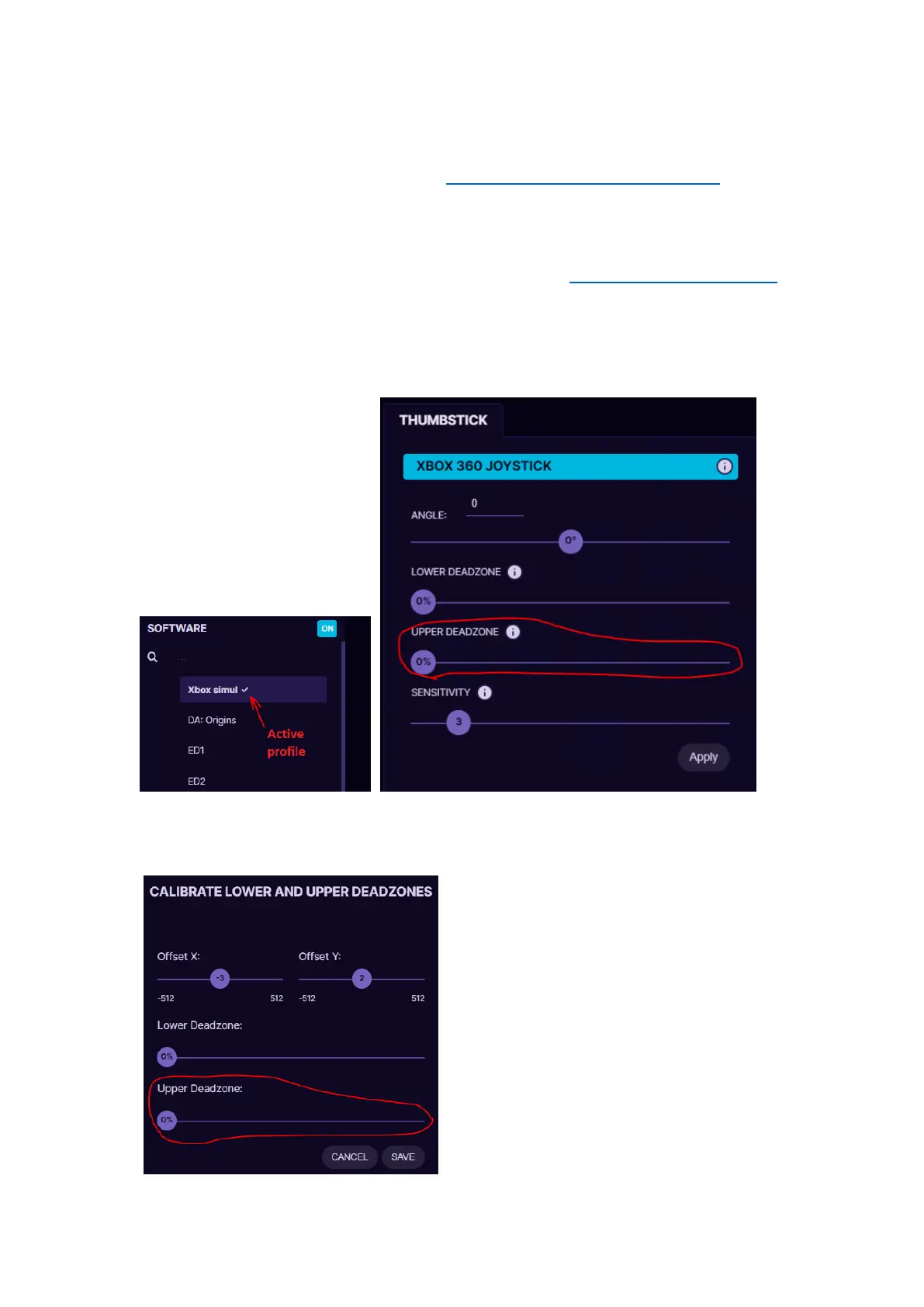
Step 3 – check the deadzones. Make sure in your active profile in
thumbstick settings Upper deadzone is set to 0.
Then go to Settings -> Analog Calibration -> Calibrate -> Adjust it
manually and check if Upper deadzone is set to 0:



 To Next Page