the LED light turn on and device has connected in boot mode. Once the
device is in boot mode, follow the firmware reinstallation guide again.
Skip the first part of unplugging the keypad and re-plugging by holding 3
buttons.
If you are experiencing further issues, please export the log file from
software Settings tab -> Troubleshooting -> Export logs and email it to
us on info@azeron.eu and tell us about the issue.
No USB chime when connecting
Step 1 – unplug Azeron keypad, restart your PC and re-plug the
Azeron. Ensure that the USB cable is securely inserted.
Step 2 - If you are using USB hub or cable extender, attempt
connecting the Azeron directly to the motherboard USB port using
the original cable.
Step 3 – check if USB cable is working by plugging the Azeron keypad
in other PC or device that can recognize standard keyboard.
Step 4 – if you have a spare mini USB cable, please try plugging in
Azeron with this other cable to see if the problem was caused by a
bad cable
If none of the above works, try reinstalling software and firmware. First
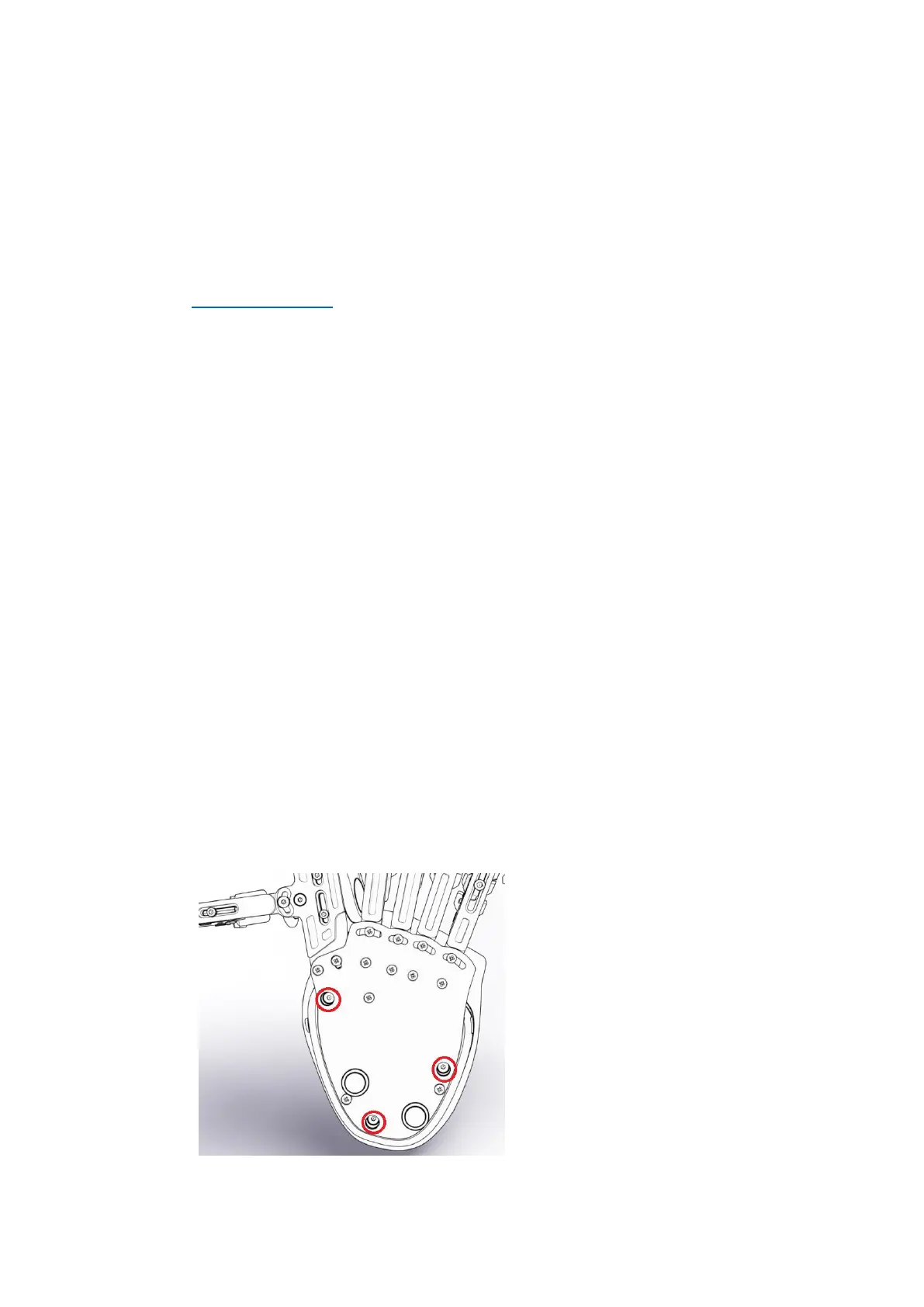
you need to remove the palmrest to see which main board your keypad
has:
Unscrew these 3 screws and
then remove the palmrest.
See if the mainboard is in
green or black color.



 To Next Page