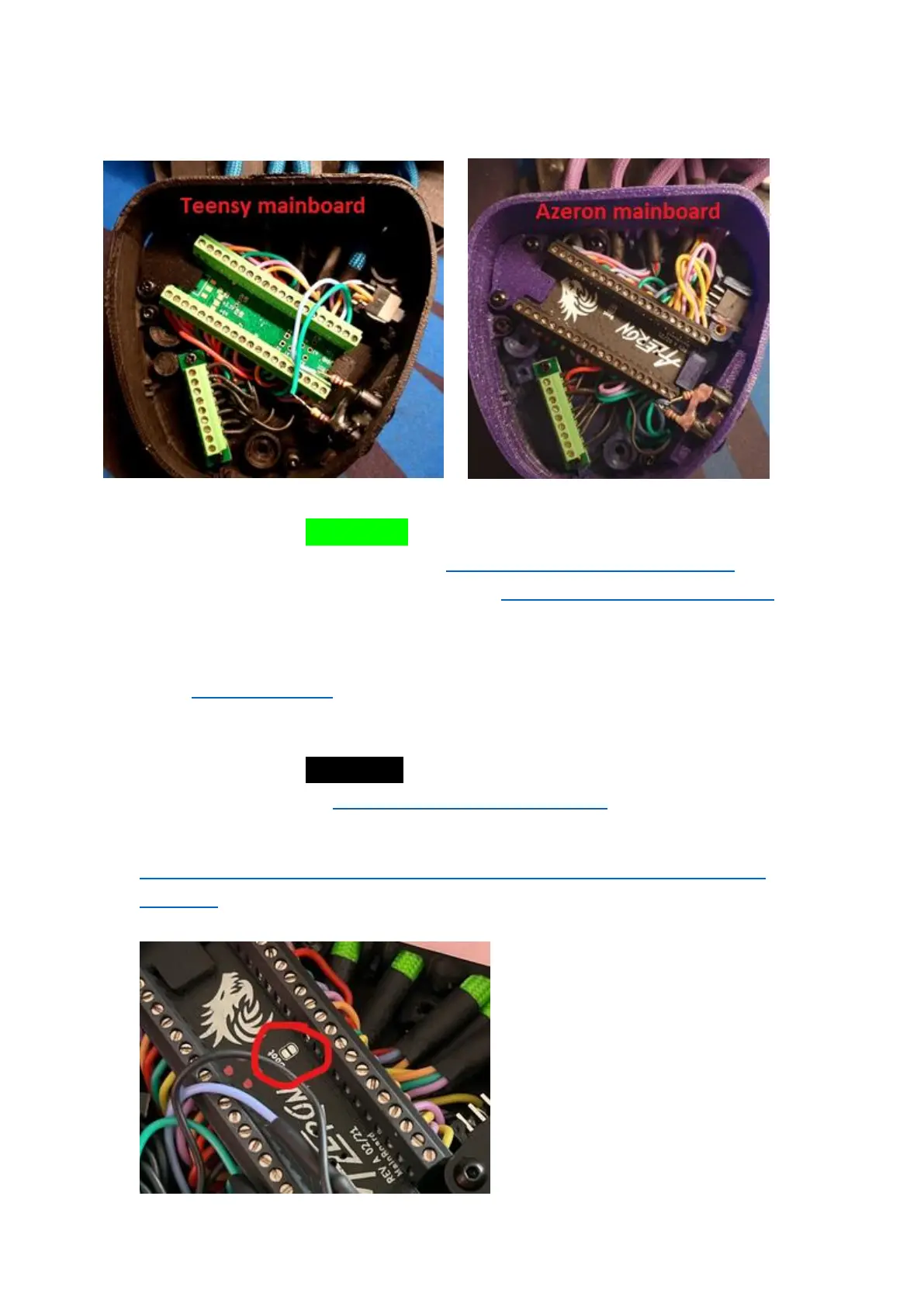
If your keypad has green color mainboard, please follow this video guide
to reset firmware on your keypad: https://youtu.be/8BaiWCWA7Rs or to
do a clean reinstall for the software only https://youtu.be/zRk2aeCzwxc
If you are experiencing further issues, please export the log file from
software Settings tab -> Troubleshooting -> Export logs and email it to
us on info@azeron.eu and tell us about the issue.
If your keypad has black color mainboard, please follow this video guide
to reset your keypad: https://youtu.be/EkQ9YYJuq7E
You can download the STM32 software here:
https://www.st.com/en/development-tools/stm32cubeprog.html#get-
software
If no device can be found in
Device Manager and there is
“no DFU” during firmware
update in STM software, then it
is required to do a hard reset:
hold each end of paperclip or
small piece of wire over boot
plates, whilst plugging in the
USB in the PC. You should see



 To Next Page