Step 4 – if the issue persists, start increasing the lower deadzone little by
little and re-test. Stop increasing the lower deadzone, once the jitter
stops. If the lower deadzone needs to be increased very high to stop the
jittering, that might mean that your thumbstick is having a hardware
issue.
Step 5 – to fix a hardware issue, first you can try to blow a canned air in
the potentiometer on the side of the thumbstick.
Another fix could be to re-seat the wires that are coming from thumbstick
to Azeron mainboard – disconnect the thumbstick wires (X, Y, 5v and
ground) and re-connect them again, making sure the wire is making a
clean contact and no insulation is in the way. See the circuit layout to
know which wires needs to be checked for your keypad model.
If there are still issues, the thumbstick probably is at the end of its life and
needs changing.
7.3.3 Thumbstick is going in diagonal line or in one corner
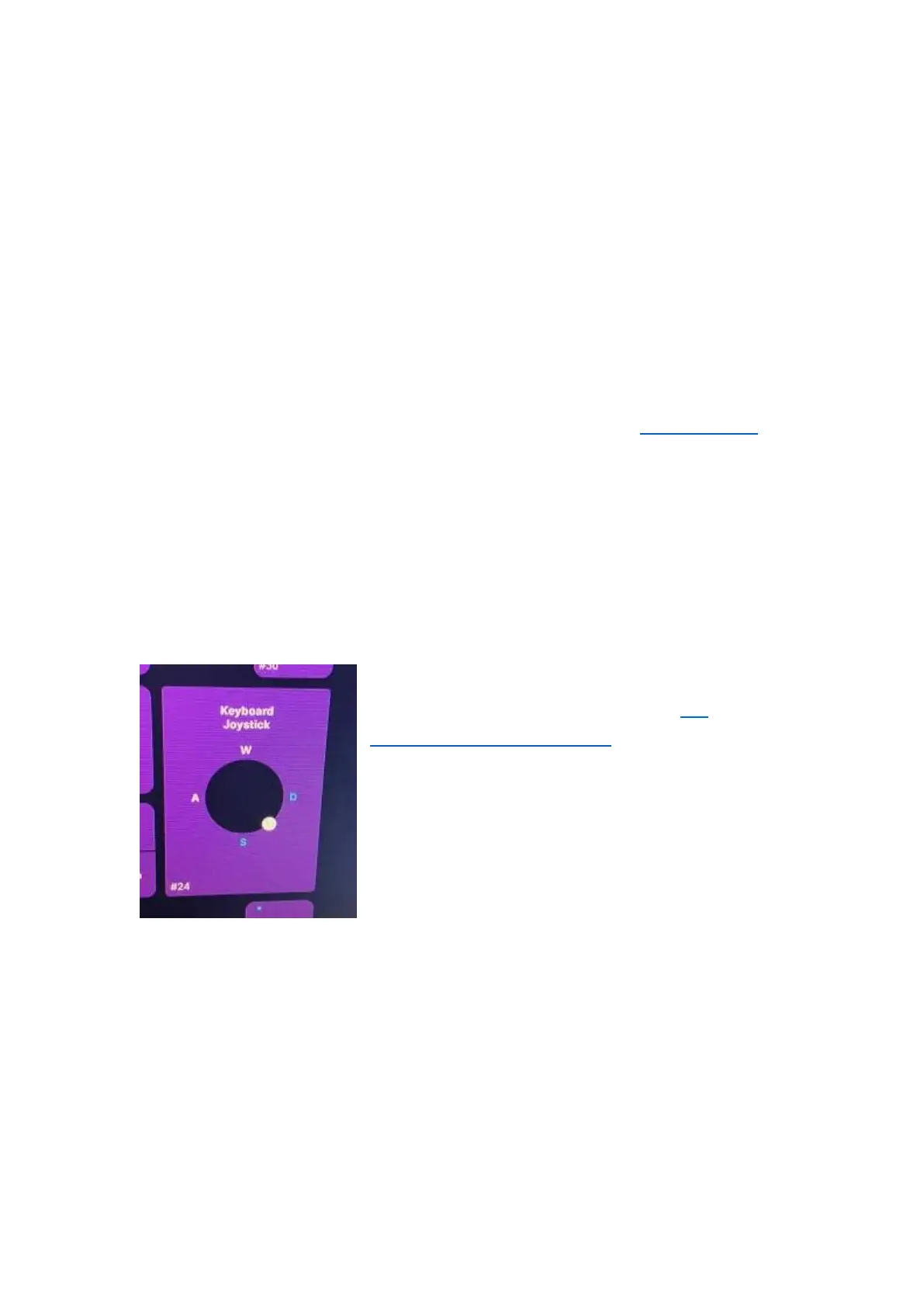
Step 1 – use the automatic re-calibration tool
to re-calibrate the thumbstick (see 5.3
CALIBRATING THUMBSTICK). If the thumbstick
is pointing in a corner already in the
calibration screen, it is either not receiving
signal from wire or incorrect firmware for the
model is installed.
Step 2 – quick way to check the firmware, go
in any of the profiles and see if the button
count is matching your keypad button count. If it doesn’t, reinstall with
the correct firmware. Classic firmware for Azeron Classic and Azeron
Compact models. Cyborg firmware for Azeron Cyborg and Azeron Cyborg
Compact models.
Step 3 – If the firmware is correct, check whether the 5way switch above
the thumbstick is functioning. If it doesn’t, then the problem is with
ground wire (black). If the 5way switch is working, the problem will be
the v5 wire (red).



 To Next Page