5.6 PROFILES
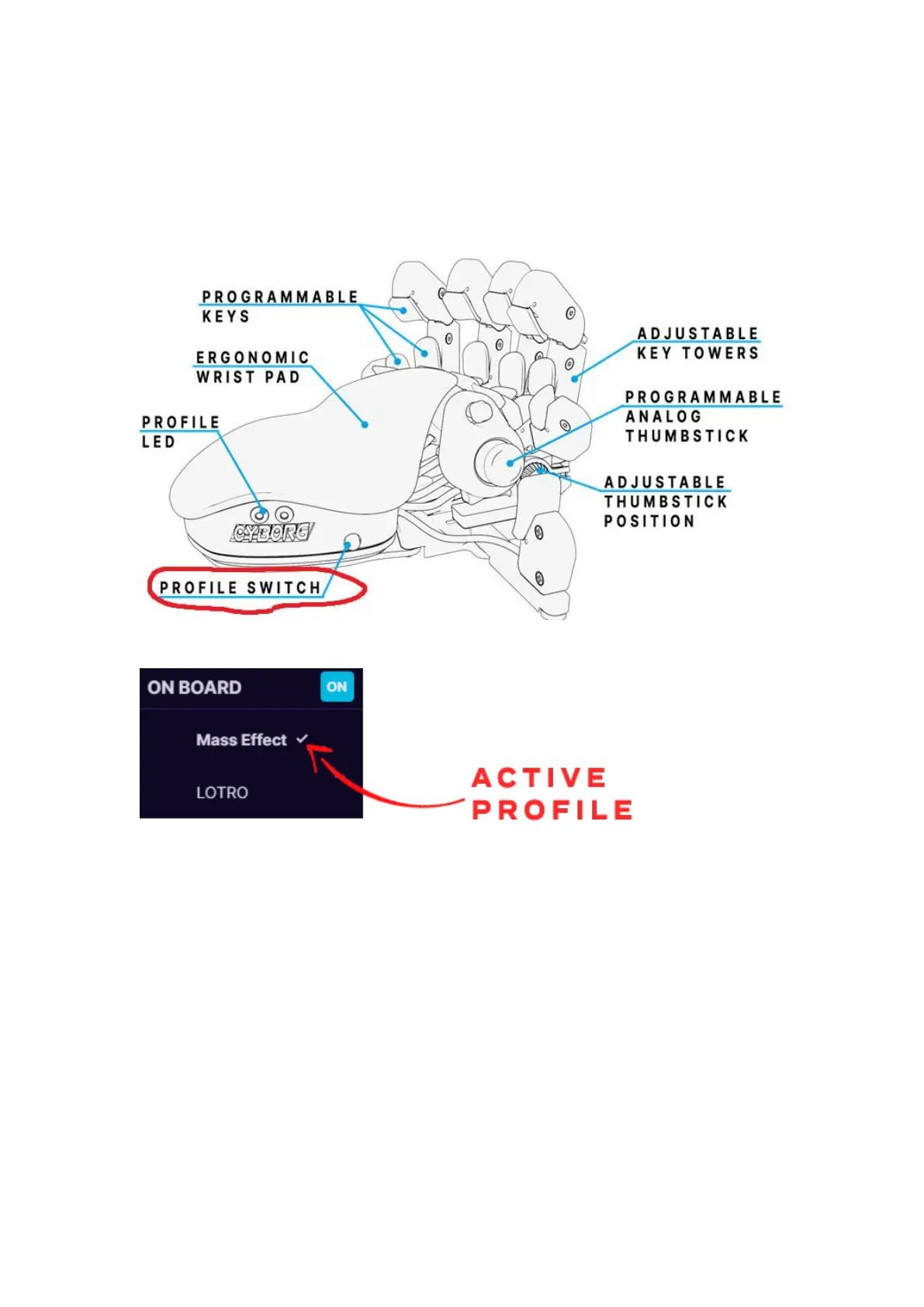
To switch between the two on-board memory profiles, you need to press
Profile switch on the side of the keypad. If you are using first profile, then
it will light up one Profile LED, for second profile it will light up both Profile
LEDs.
To work with software profiles, you need to turn them on by pressing ON
button near “Profiles:”.
Note! When using software profiles, the Azeron software must be running
in the background while playing the game.
If you are using Software profiles, it is possible to choose 2 profiles as
favorite and then switch between them with Profile switch similar as on-
board memory profiles. Or you can activate any selected profile with
Activate button at the top of the keybinds. You can also double click to
switch between active profiles.



 To Next Page