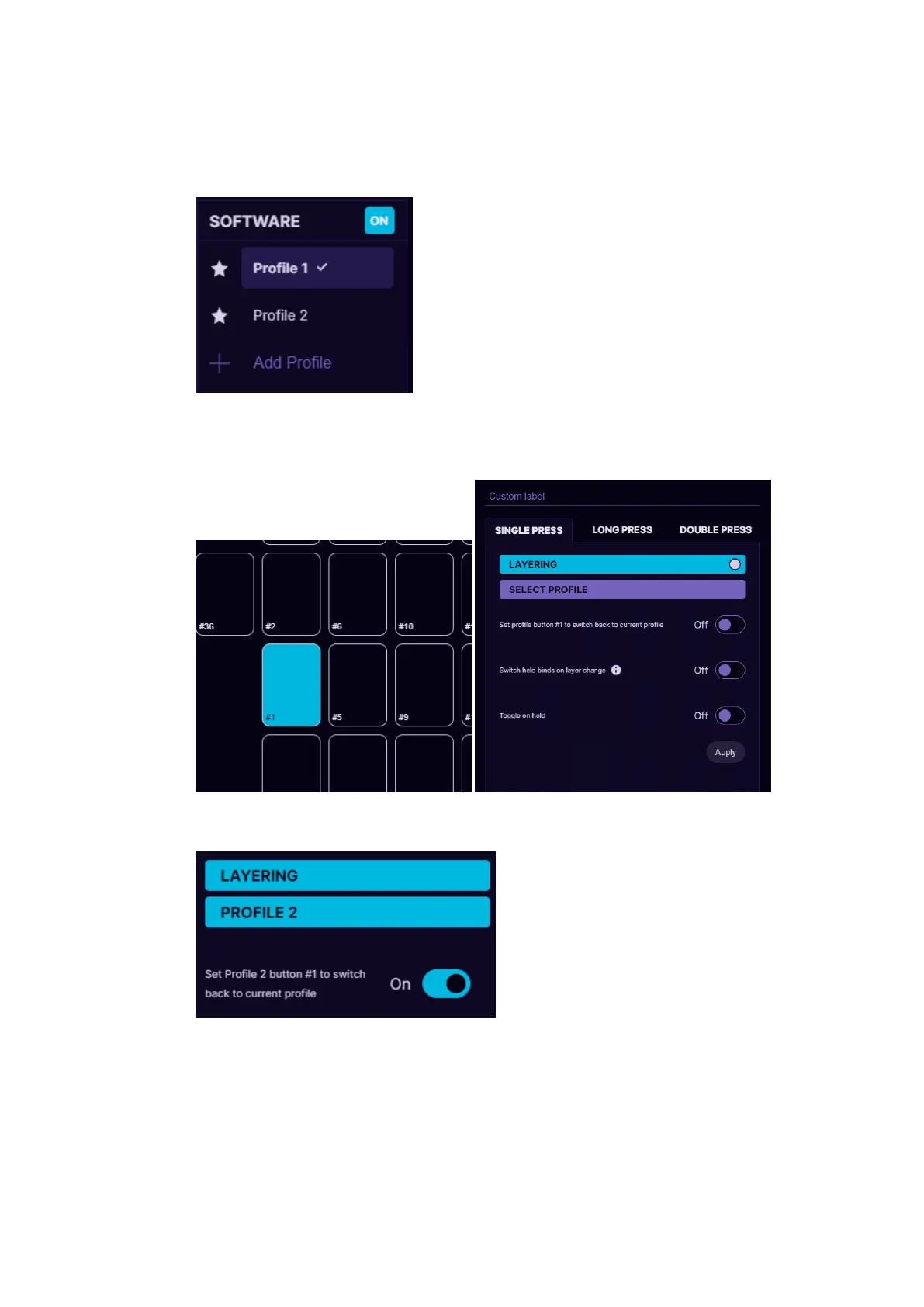
How to setup layering step by step:
1. Create 2 profiles in software section (layering will not work in on-
board memory). We will name them Profile 1 and Profile 2:
2. Activate Profile 1, select on the button you wish to use as layer
shift. Pick Single Press and choose Layering from the dropdown
menu
3. Then under Layering select Profile 2, which will act as our 2nd
layer for buttons.
4. Turn ON the option “Set profile button #1 to switch back to
current profile” to be able to switch back to Profile 1 with the
same button.
5. Setup one set of keybinds in Profile 1 and another set of keybinds
in Profile 2.



 To Next Page