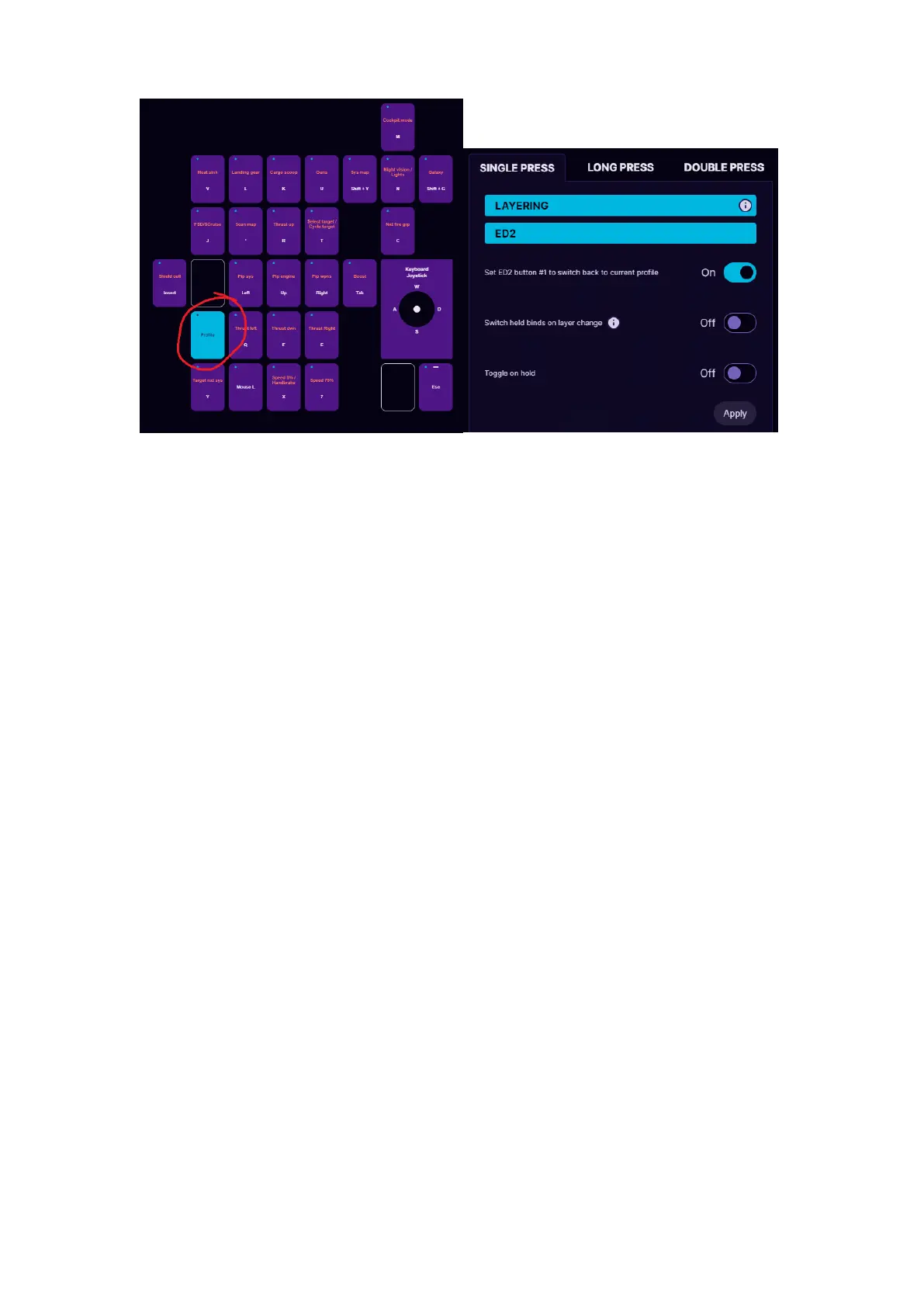
For example, in the picture above, we are editing button #1 as a profile
switch button and we will set it up to switch to another software profile,
which is called “ED2”. Now when pressing button #1 on the keypad, the
keypad will switch to profile named “ED2” and will use the keybinds that
are stored there.
If we want that by pressing again button #1 we switch back to the
previous profile, then we need to choose ON at the option “Set ED2
button #1 to switch back to current profile”.
If we want to access the 2nd layer buttons only while we hold the button
#1, then the setting “Toggle on hold” must be ON.
If we choose ON at the option “Switch held binds on layer change” then
the held keys from the current profile binds will be released and the new
profile binds for the pressed keys will automatically be pressed on
profile change. For example, if on Profile 1 we hold button A, it spams
AAAAAA, then we press profile switch button without releasing A, then it
will start to spam BBBBB from the Profile 2. As soon as we release the
profile switch button, it will continue to spam AAAAA.



 To Next Page