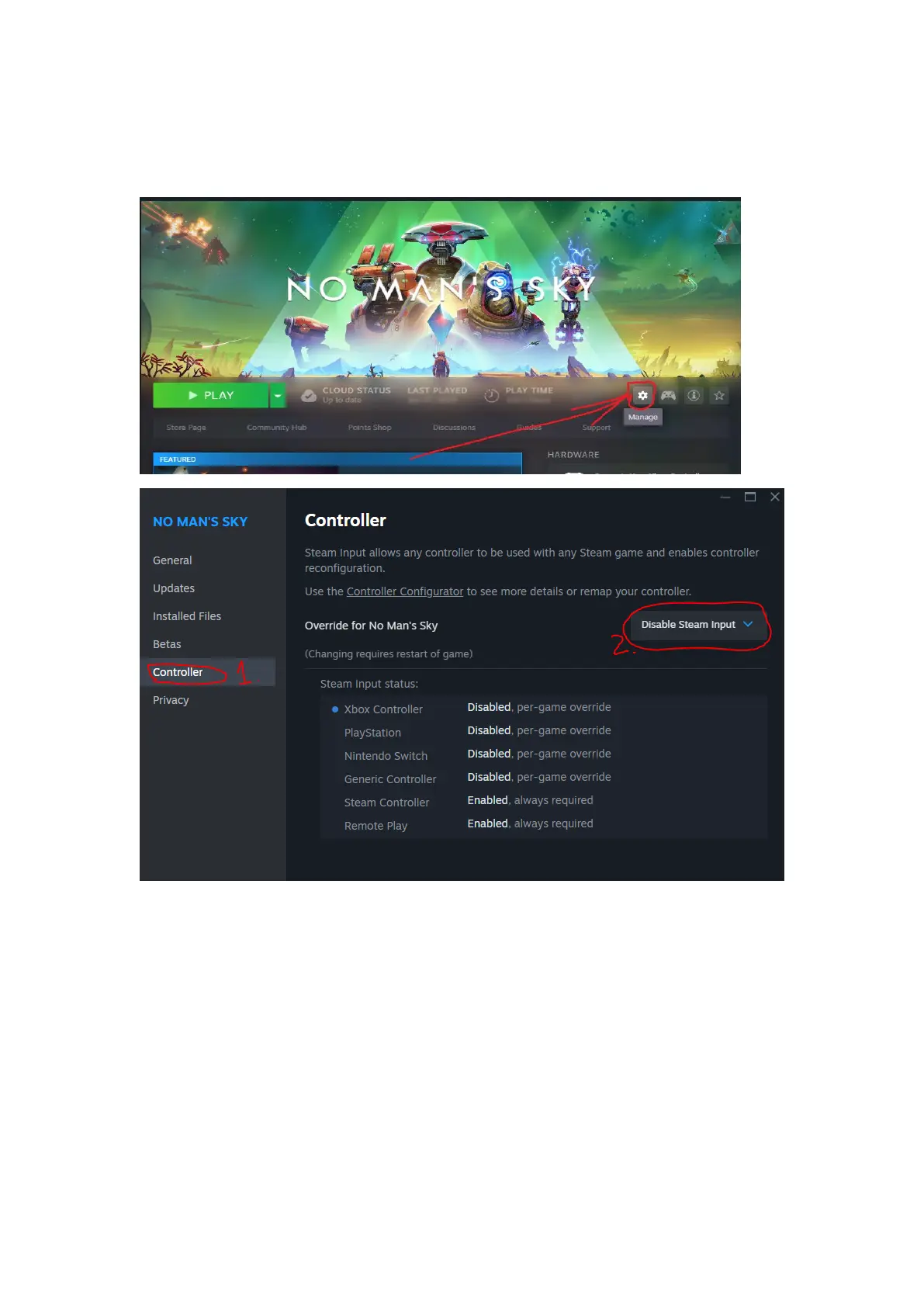
To turn it off for a specific game: open the game page, click on
Gear icon choose Properties, in Controller tab from drop down
choose “Disable Steam Input”:
Or to turn it off in general Steam settings for all games:
Click on Steam -> Settings -> Controller OR go in Big Picture mode and at
the top click on Gear icon, then Controller. Find “Enable Steam Input for
Xbox controllers” and Disable it. Restart Steam.



 To Next Page