Perfusor® compact, 2.1 gb 2 - 1
2
2 - Software
Approved Software Versions
The software and hardware revision level is displayed on the LC-
display when the unit is switched on. The characters on the dis
-
play must correspond with the indication on the instructions for
use.
The software can only be updated by replacing the E-Module.
Unit Software
PLAA00035.5 PLAA00070.0 (Dianet
Star
)
PLAA00040.0 PLAA00071.1 (Dianet
Star
)
PLAA00041.0 PLAA00072.1 (Dianet
Star
)
PLAA00063.3
Version Display during Switch-On Test
1. Switch on unit.
2. The following information is displayed one after the other on
screen:
888.8
111.1
222.2
555.5
AA Reference to the instructions
for use (hard- and soft-
ware group)
3. The Perfusor® compact switches over to normal operation.
Extended Version Display during Switch-On Test
1. Switch on unit.
2. Press the F button and keep the button pressed during normal
switch-on test. The following information (examples) appears
on screen after the information displayed during normal
switch-on test:
00 Hardware identification
0711 Software version
1234 1234 operating hours
9999 Maintenance interval timer
3. Release the F button to exit. The Perfusor® compact switches
over to normal operation.
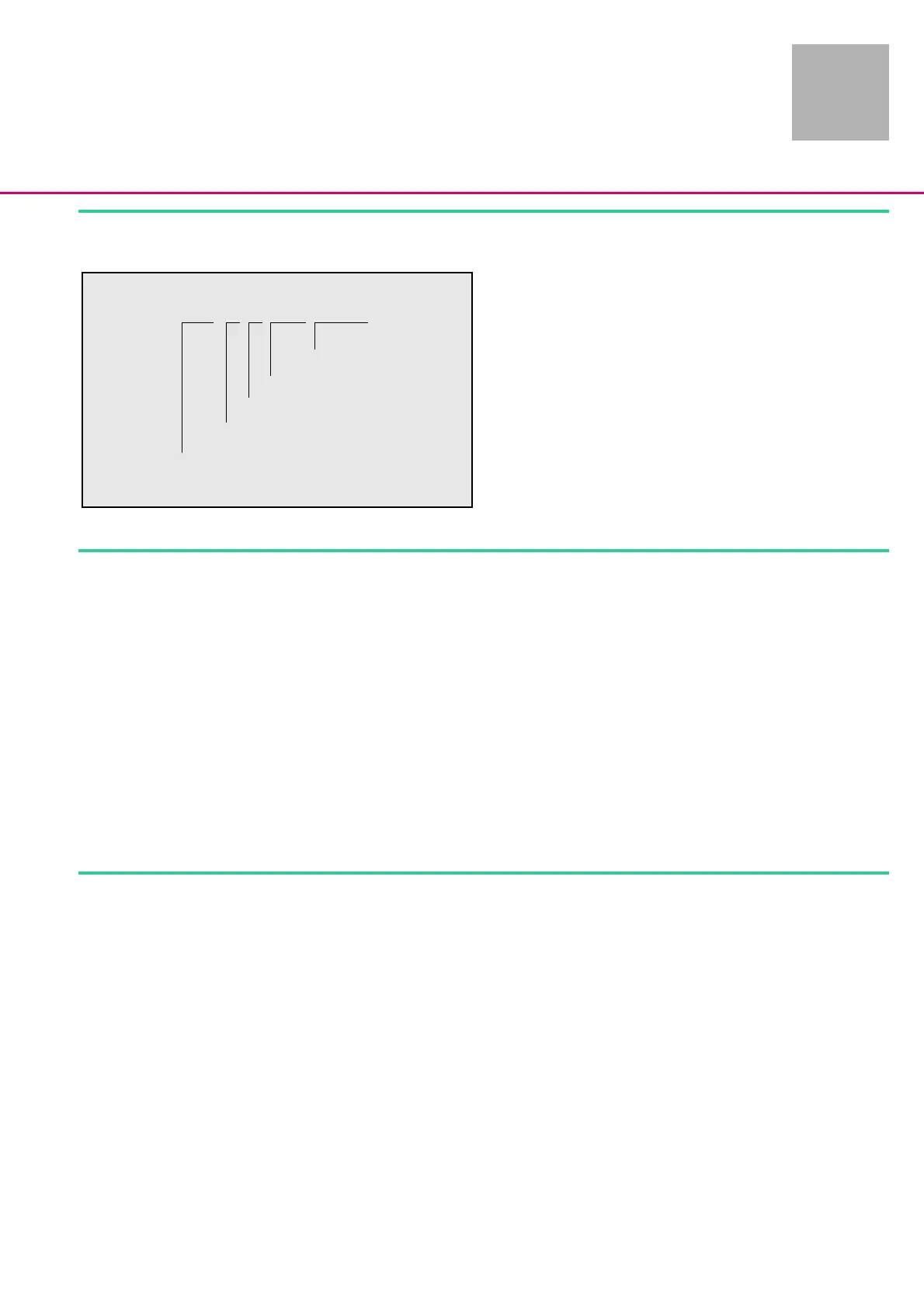
Fig.: 2 - 1
Position 123456789
Digit PLAA00721
Revision level
Hardware identification
Software group
Hardware group
Perfusor® compact
2 - 6












 To Next Page