Service Program
3
3 - 6 Perfusor® compact, 2.1 gb
Menu Description
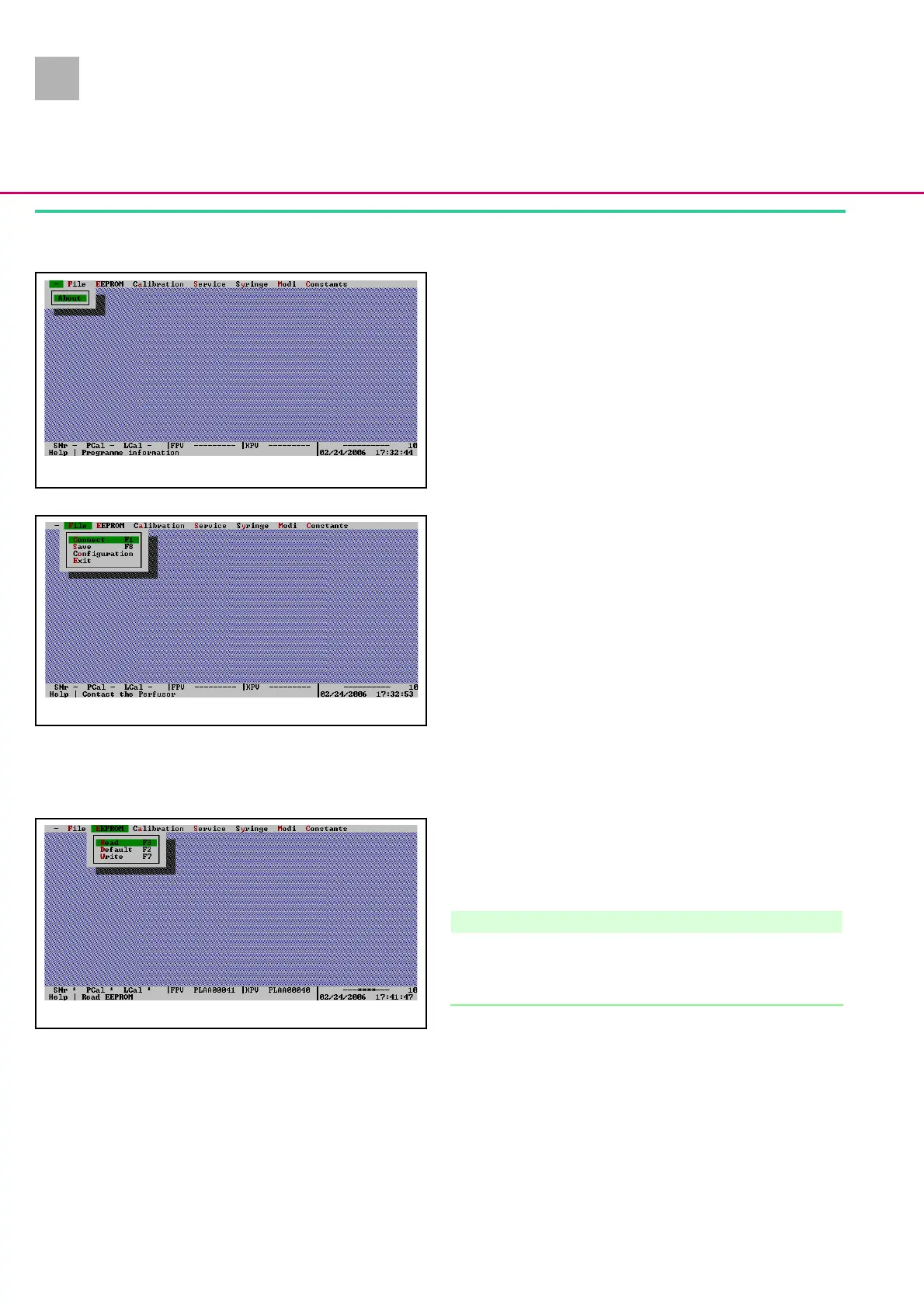
Info Menu
1. Version number of the Service Program
Click on the line before
File
, then click on
Info
.
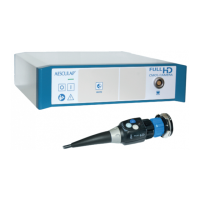
File Menu
1.
Connect
(F1)
Starts communication with the Perfusor® compact.
2.
Save
(F8)
Saves the unit data, e.g. on the hard disk. Enter the user
number 0 upon query.
3. Configuration
To select the language, interface and the screen display de-
sired. Changed parameters are saved in the PLC_SERV.CFG
configuration file.
4. Exit
Exits the Service Program.
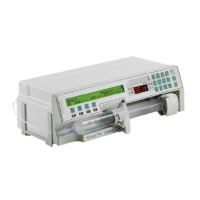
EEPROM Menu
1.
Read
(F3)
The data of the Perfusor® compact can be checked and mod-
ified in the Service Program after they were read out.
Note
The hyphens after the menu items SNr, DAbg and LAbg in the
footer are deleted and replaced by the figure 1. This means that
calibration data is now transmitted to the program.
2.
Default
(F2)
Loads data of the Default file in the Service Program and
overwrites all previous settings. Therefore, settings which can
be changed should be read out and noted down
(see „Check-
list after Operation of the Service Program“ ➨ p. 3 - 16).
Recalibrate the unit and enter serial number.
Fig.: 3 - 3
Fig.: 3 - 4
Fig.: 3 - 5












 To Next Page