Service Program
3
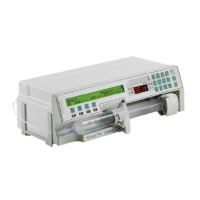
3 - 14 Perfusor® compact, 2.1 gb
Syringes 50 ml Free Type / Syringe Type Number
1. Press keys 7 C {number of the 50 ml free type} F – syringe is
accepted (if an alarm is triggered, then the syringe selection
setting is not correct!) Check whether the free type was
marked on the unit (please see syringe table).
2. Reset syringe types after the test is finished!
Syringe Selection
Reset syringe selection according to the condition as the unit was
delivered.
Unit Calibration
General
1. Connect unit to PC and start the Service Program (see „Wor-
king with the Service Program“ ➨ p. 3 - 3).
Calibration
1. Start communication via menu
File
➨
Connect
(F1).
2. After activities on the drive:
Transfer data via menu
EEPROM
➨
Read
(F3) from the unit
to PC.
3. After replacement of the E-Module:
Call in default data from the PC via menu
EEPROM
➨
De-
fault
(F2). The existing values are deleted.
4. Check or input the serial number in menu
Calibration
➨
Se-
rial Number
. Default data cannot be transferred to the device
if the serial number was not input.
5. Calibrate length via menu
Calibration
➨
Length Calibration
(F5).
a) Insert zero point gauge in OPS slot.
b) Push drive manually to gauge and lock.
c) Start calibration.
6. Pressure calibration:
a) Open drive lock before starting pressure calibration.
b) Calibrate pressure via menu
Calibration
➨
Pressure Ca-
libration
(F6). Insert calibration gauge (66-80N) in Ops
slot when prompted.
c) Check PWM values
Calibration point 1: Force 20 N, PWM max. 45%












 To Next Page