Perfusor® compact, 2.1 gb 3 - 1
3
3 - Service Program
Software Compatibility
Designation Ord. No.
Interface cable . . . . . . . . . . . . . . . . . . . . . . . . . . . . . . . 0871 1661
Compatibility
Unit Software Service Program Ord. - No.
PLAA00035.5 5.3502
PLAA00040.0 5.4003
PLAA00041.0 5.4003
PLAA00063.3 5.5004 . . . . . . . . . . . 3450 7302
PLAA00070.0 (Dianet
Star
) 6.0001 . . . . . . . . . . . 3452 0473
PLAA00071.1 (Dianet
Star
) 6.0001 . . . . . . . . . . . 3452 0473
PLAA00072.1 (Dianet
Star
) 6.0001 . . . . . . . . . . . 3452 0473
Note
The following description refers to the Service Program version
6.0001.
Introduction
The Service Program runs on a PC. All functions are easy to oper-
ate in the pulldown-menus as in Windows.
The special keys on the keyboard have the following functions:
- ESC Escape
-F1 Start
- F2 Default EEPROM
- F3 Read-out EEPROM
- F4 Serial number
- F5 Length calibration
- F6 Pressure calibration
- F7 Write EEPROM
-F8 Save
- Alt + A Alternatively: Alt + bold
letter
- Tab to jump to a field
- < to move the cursor
- > to move the cursor
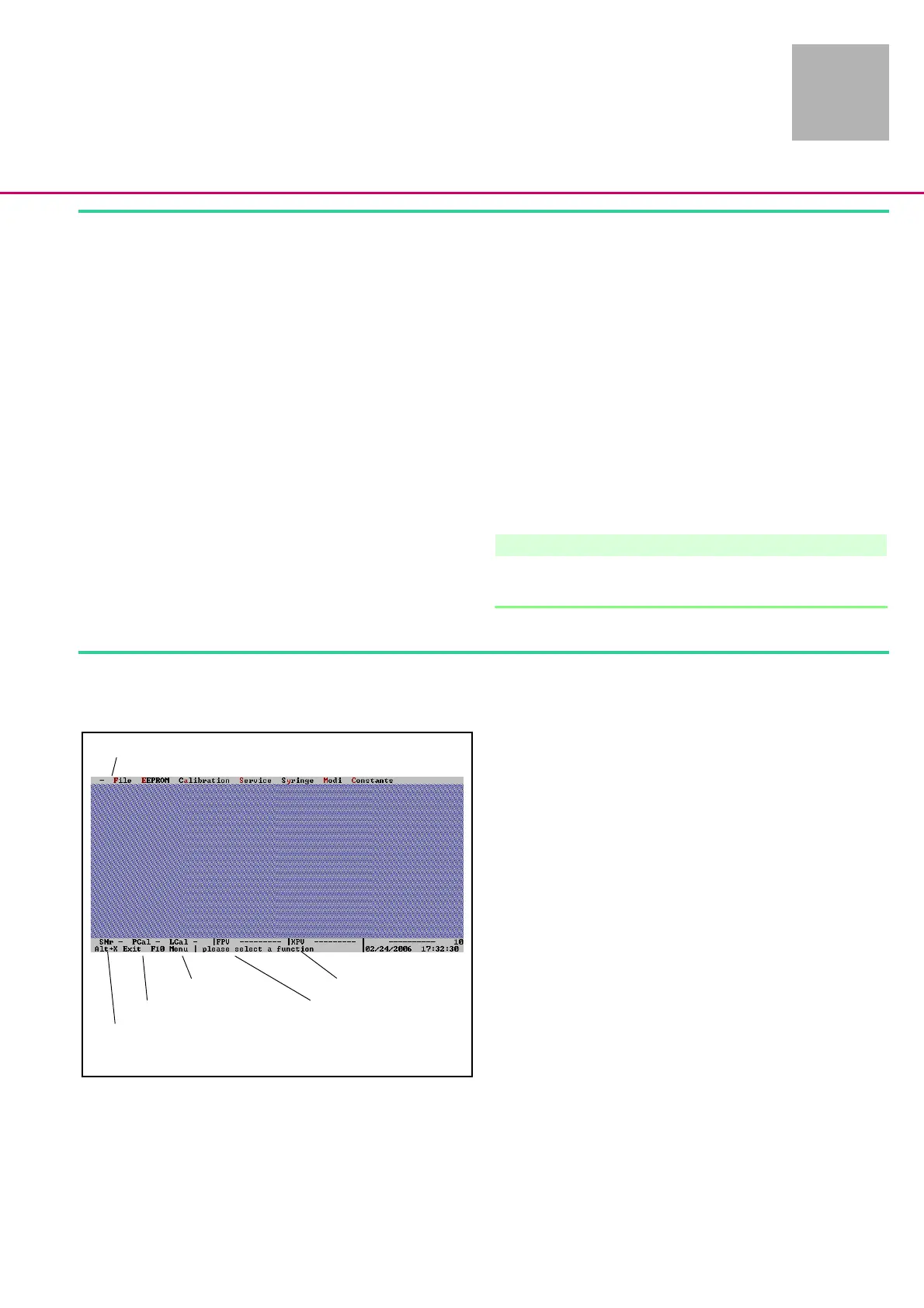
Fig.: 3 - 1
Serial number
Pressure calibration
Length calibration
Function processor
Control microprocessor
Selection menu
3 - 16












 To Next Page