39
A
B
C
D
F
E
CLIM8ZONE
TM
Heat Pump
BALBOA | Your Single Source Solution Document No. 42418 Rev. B1 - 04/16/24
Language: English
TP740 User Guide
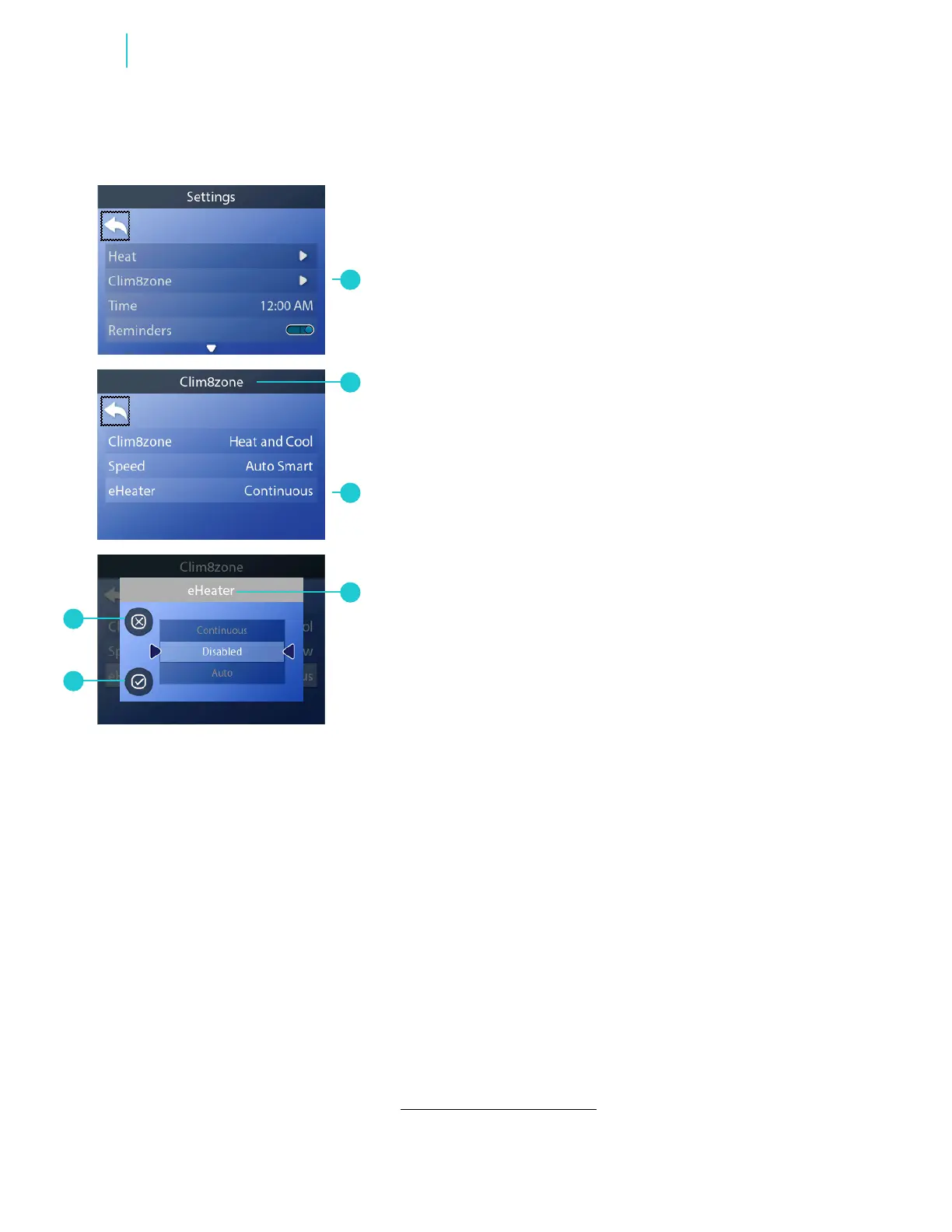
Follow these steps to set the eHeater mode:
1 - Go to the Main menu, Settings and Clim8zone
TM
(A) to view the
Clim8zone
TM
screen (B).*
2 - Go to eHeater (C) to view the eHeater screen (D).
3 - Select a mode.
4 - Cancel your setting (F), or save your setting (E).
eHeater Modes:
Continuous
Disabled
Auto
NOTE: eHeater mode is not available when Clim8zone
TM
is set to
“Cool Only” or “Disabled” (view page 38).
SET eHeater MODE
* View “Navigate Settings Menu” on page 7.



 To Next Page