40
CLIM8ZONE
TM
Heat Pump
BALBOA | Your Single Source Solution Document No. 42418 Rev. B1 - 04/16/24
Language: English
TP740 User Guide
A
B
C
D
F
E
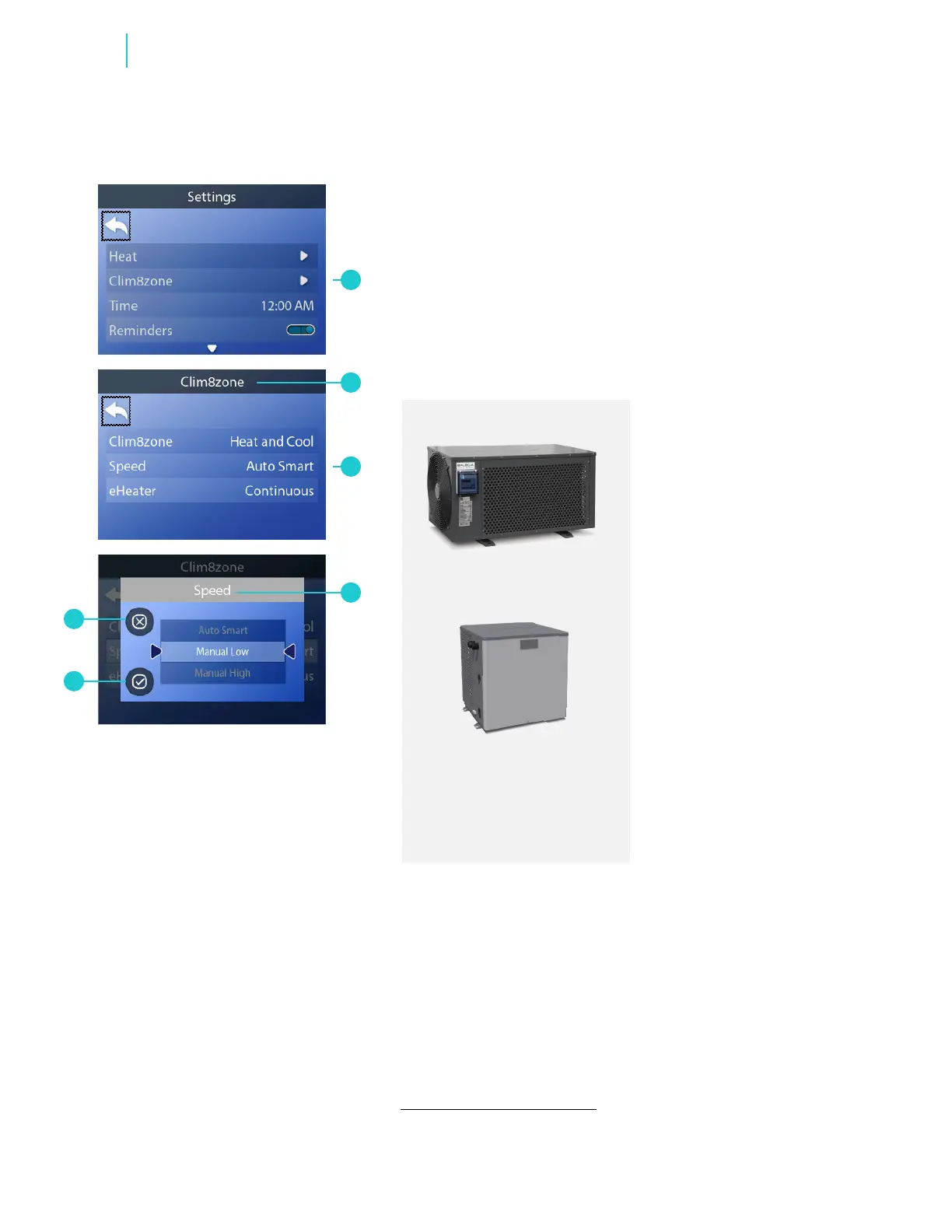
Follow these steps to set the Speed mode:
1 - Go to the Main menu, Settings and Clim8zone
TM
(A) to view the
Clim8zone
TM
screen (B).*
2 - Go to Speed (C) to view the Speed screen (D).
3 - Select a mode.
4 - Cancel your setting (F), or save your setting (E).
SET THE SPEED MODE
Clim8zone
TM
supports
speed modes.
Clim8zone
TM
II does not
support speed modes, so
Speed (C) will not appear in
the Clim8zone screen.
* View “Navigate Settings Menu” on page 7.



 To Next Page