6-2 Using the Keypad MN762
6.2 Keypad Display Parameters
The following display values can be viewed from the keypad while operating the drive.
6.2.1 Default Configuration
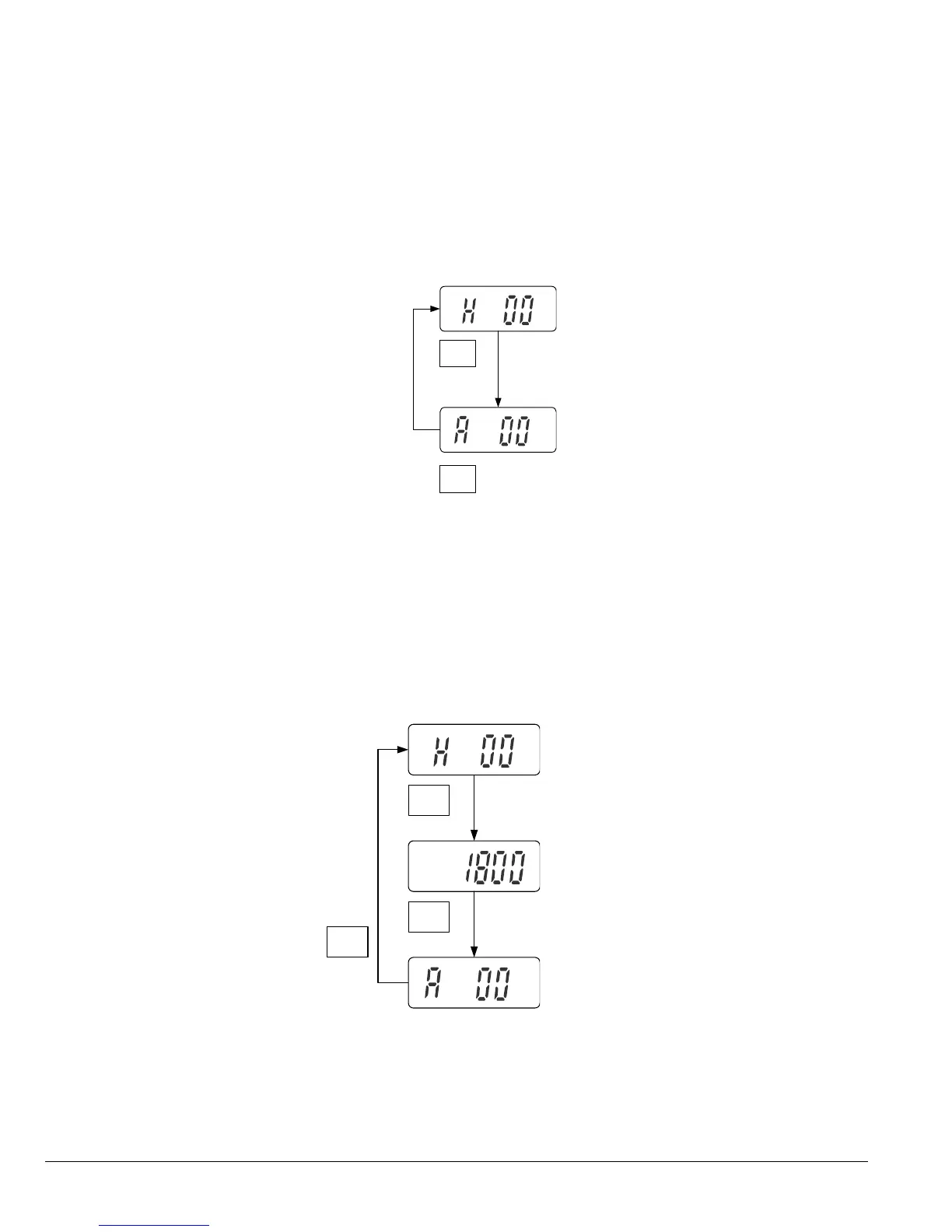
Speed and Amps can be displayed by the drive in its default conguration.
Press the ENT/PROG key momentarily to toggle between Hertz and Amps on the display.
Figure 6-1 Standard Display Screen
P-04 = 0, P-23 = 0
ENT
PROG
ENT
PROG
6.2.2 RPM Display
Setting P-04 to a value other than zero will set units for the VS1MX in RPM. This will enable a third display screen in
operational mode to show the RPM units set in parameter P-04.
Figure 6-2 RPM Display
P-04 = 1800, P-23 = 0
ENT
PROG
ENT
PROG
ENT
PROG











 To Next Page