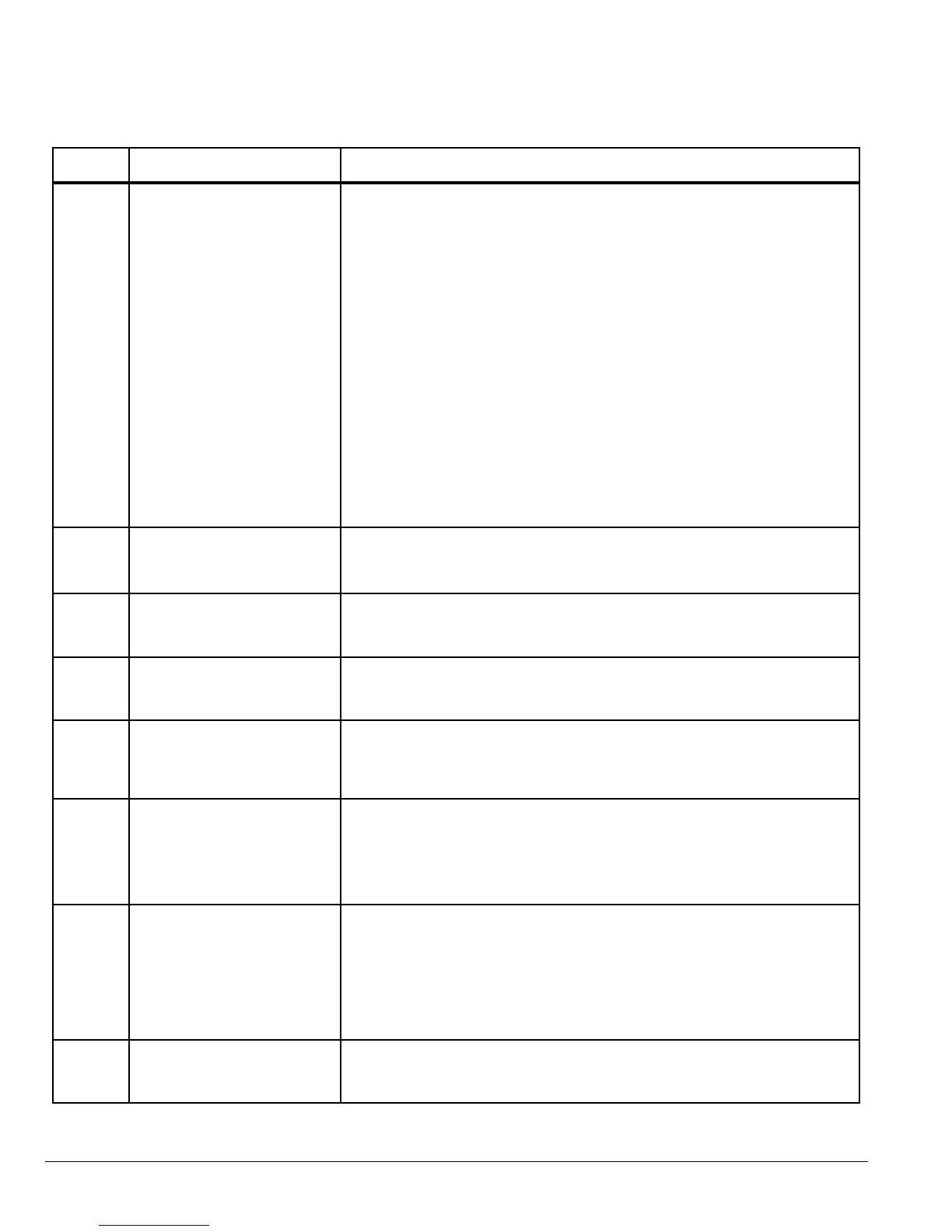
7-8 Parameter Descriptions MN762
Number
Name
(Display Level)
Value Range, Description and Preset Value
P-35 Serial Comms address Range: Adr: 0 (disable) to 63
Preset: Adr: 1
Sets a unique drive address for communication network
Modbus enable / baudrate
select
Range: OP-buS, 9.6, 19.2, 38.4, 57.6, 115.2 kBPS
Preset: OP-buS
When set to OP-buS, MODBUS disabled. Setting a baudrate enables MODBUS
at that baudrate and disables OP-buS (Also called MXSTBus)
Trip enable / delay Range: 0 (no trip)
t 30, 100, 1000, 3000 (ms)
r 30, 100, 1000, 3000 (ms)
Preset: t3000 (3 second trip)
The time before a trip in the event of a communication loss can be set in
milliseconds.
Setting 0 disables the communications trip.
t indicates the drive will trip if time exceeded.
r indicates the drive will ramp to stop if time exceeded.
P-36 V/F Frequency Adjustment Range: 0 to P-03Hz
Preset: 0.0
Sets the frequency at which the adjustment voltage set in P-37 is applied.
P-37 V/F Voltage Adjustment Range: 0 to P-01V
Preset: 0
Sets the applied motor voltage at the frequency set in P-36.
P-38 User PI Proportional Gain Range: 0.1 - 30.0
Preset: 1.0
Increase the value for high inertia. Too large a value gives instability.
P-39 User PI Integral Time
Constant
Range: 0.0s - 30.0seconds
Preset: 1.0
Higher values gives slower, more damped response.
P-40 User PI Feedback Mode Range: 0 or 1
Preset: 0
0: Direct
1: Inverse (When set to 1, the bipolar analog input is used)
Sets the source for the PI control reference signal.
P-41 User PI Reference Select Range: 0 or 1
Preset: 0
0: Digital
1: Analog (The bipolar analog input is used)
Sets the source for the PI control reference signal.
Note: Parameter setting is ignored (irrelevant) when P-07 is set to 5 and P-08 is
set to 9.
P-42 User PI Digital Reference Range: 0 to 100.0%
Preset: 0.0
Sets the preset reference used when P-41 = 0.
Table 7-1 Parameter Descriptions Continued











 To Next Page