9-2 Troubleshooting MN762
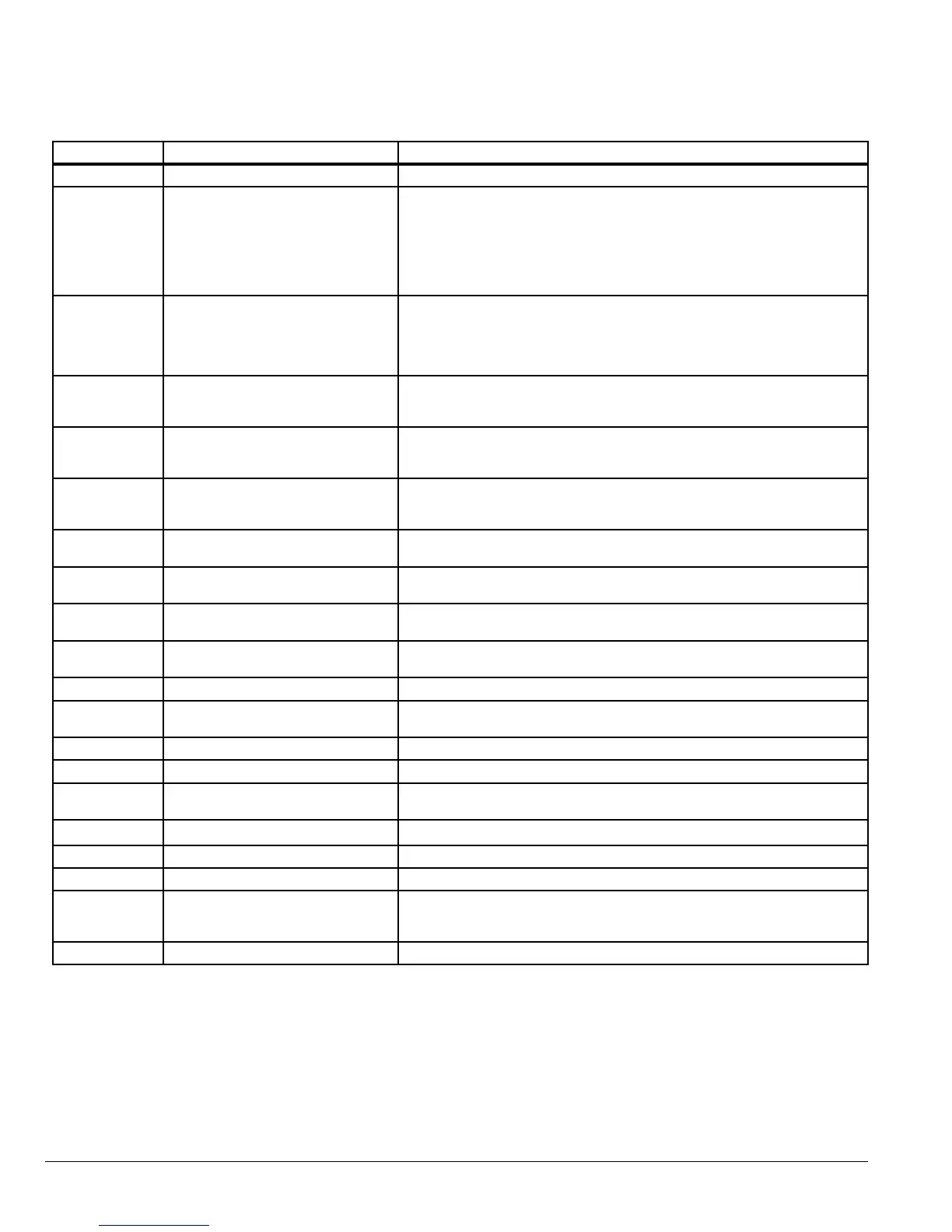
Table 9-1 Fault Descriptions and Corrective Actions
Fault Code Description Corrective Action
Default parameters loaded Press STOP key, drive is ready to congure for particular application.
Output over current condition.
Excess load on the motor.
Over temperature on the heatsink.
Motor at constant speed: investigate overload or malfunction.
Motor starting: load stalled or jammed.
Check for star-delta motor wiring error.
Motor accelerating/decelerating: The accel/decel time is too short
requiring too much power. If P-10 or P-11 cannot be increased, a bigger
drive is required.
Cable fault between drive and motor.
.
Drive has tripped on overload after
delivering >100% of value in P02
for a period of time.
Check to see when the decimal points are ashing (drive in overload) and
either increase acceleration ramp (P-10) or decrease motor load.
Check cable length is within drive specication.
Check the load mechanically to ensure it is free, and no jams, blockages
or other mechanical faults exist.
Brake circuit over current
Check the cabling to the brake resistor.
Check the brake resistor value.
Ensure minimum resistance values from the rating tables are observed.
Brake resistor overload
Increase deceleration time, reduce load inertia or add further brake
resistors in parallel.
Ensure minimum resistance values from the rating tables are observed.
Internal power stage fault
Check wiring to motor, look for phase-phase or phase-Earth short circuit.
Check drive ambient temp, additional space or cooling is needed.
Check drive is not forced into overload.
.
Over voltage on DC bus
Check to see if the input supply voltage exceeds the rating, or increase
deceleration ramp time P-11.
.
Under voltage on DC bus
This occurs routinely when power is switched off. If it occurs during
running, check power supply voltage.
Heatsink over temperature
Check drive ambient temp.
Additional space or cooling required.
Under temperature
Trip occurs when ambient temperature is less than -10°C.
Temperature must be raised over -10°C in order to start the drive.
Faulty thermistor on heatsink. Refer to your Baldor District Ofce.
Comms loss trip
Check communication link between drive and external devices.
Make sure each drive in the network has its unique address.
Input phase loss trip Drive intended for use with a 3 phase supply has lost one input phase.
Spin start failed Spin start function failed to detect the motor speed.
Internal memory fault.
Parameters not saved, defaults reloaded.
Try again. If problem recurs, refer to your Baldor District Ofce.
Analog input current out of range Check input current in range dened by P-17.
Internal drive Fault Refer to your Baldor District Ofce.
Internal drive Fault Refer to your Baldor District Ofce.
i
External trip (on digital Input 3)
E-trip requested on digital input 3. Normally closed contact has opened
for some reason.
If motor thermistor is connected, check to see if motor is too hot.
9__
Internal drive Fault Refer to your Baldor District Ofce.











 To Next Page