114 ImagePRO-II • User’s Guide
5. Web Remote Control Operations
Working with the Home Page
tçêâáåÖ=ïáíÜ=íÜÉ=eçãÉ=m~ÖÉ
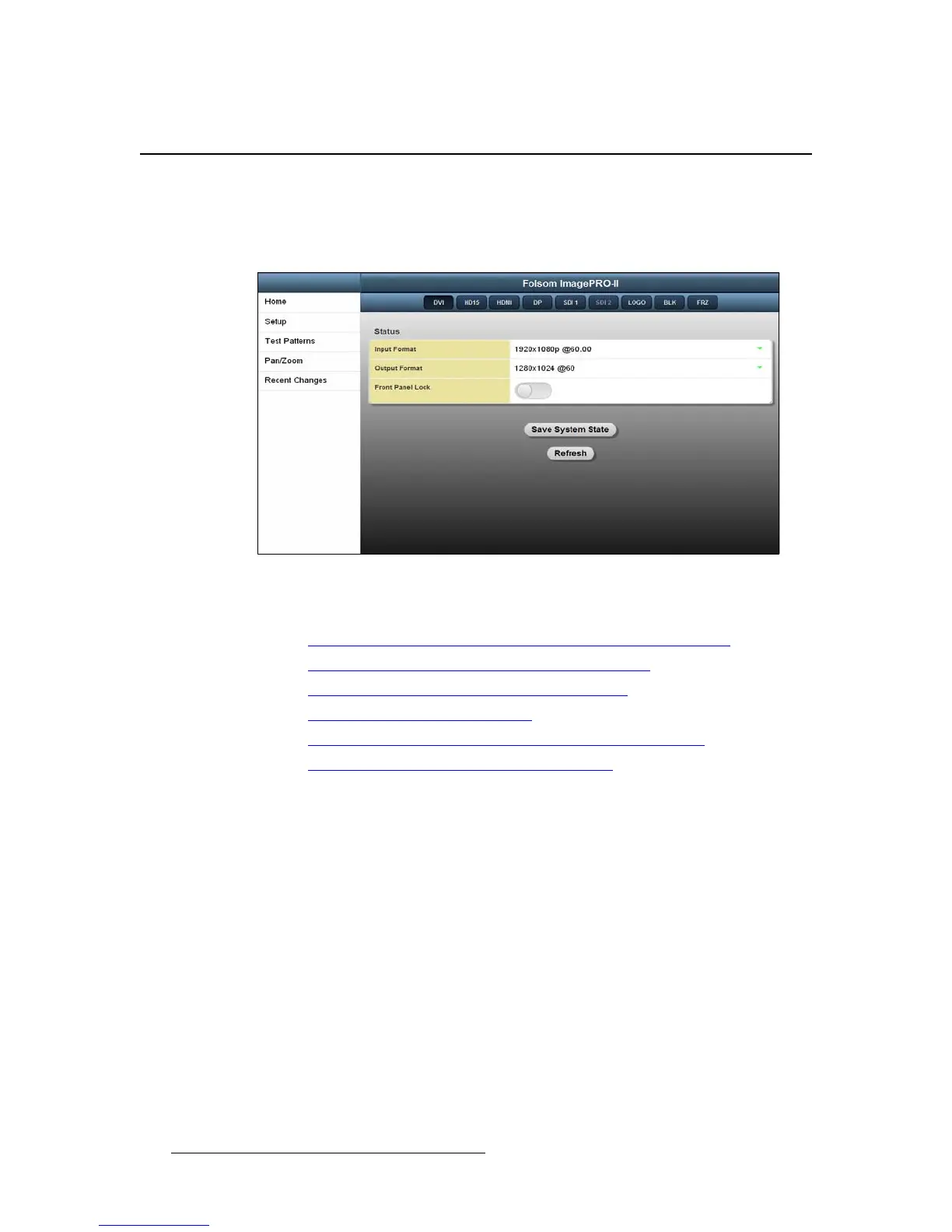
From the Web App Interface Home page, you can make quick adjustments to the input or
output format, lock the front panel, save custom settings, refresh the page, or navigate
anywhere in the interface.
Figure 5-17. Web App Interface Home Page
This section includes the following topics:
• Changing Input and Output Formats with the Web App Interface
• Locking the Front Panel with the Web App Interface
• Saving System State with the Web App Interface
• Refreshing the Web App Interface
• Transitioning to a Logo or Black with the Web App Interface
• Freezing an Image with the Web App Interface
`Ü~åÖáåÖ=fåéìí=~åÇ=lìíéìí=cçêã~íë=ïáíÜ=íÜÉ=tÉÄ=^éé=
fåíÉêÑ~ÅÉ
The Web App Interface provides three locations from which you can change both input and
output formats:
• You can set both input and output formats on the Home page.
• You can set input formats on the Input Main page.
• You can set the output format on the Output Main page.



 To Next Page