ImagePRO-II • User’s Guide 49
4. Menu Orientation
Configuring Outputs
`çåÑáÖìêáåÖ=lìíéìíë=
The Output Menu enables you to configure the ImagePRO-II’s outputs and save your
settings if you wish.
This section provides detailed information about setting up and using outputs. To quickly
position and size video on an LED wall or monitor, refer to Setting up an LED Wall
on
page 94 of this chapter.
lìíéìí=jÉåì=qêÉÉ
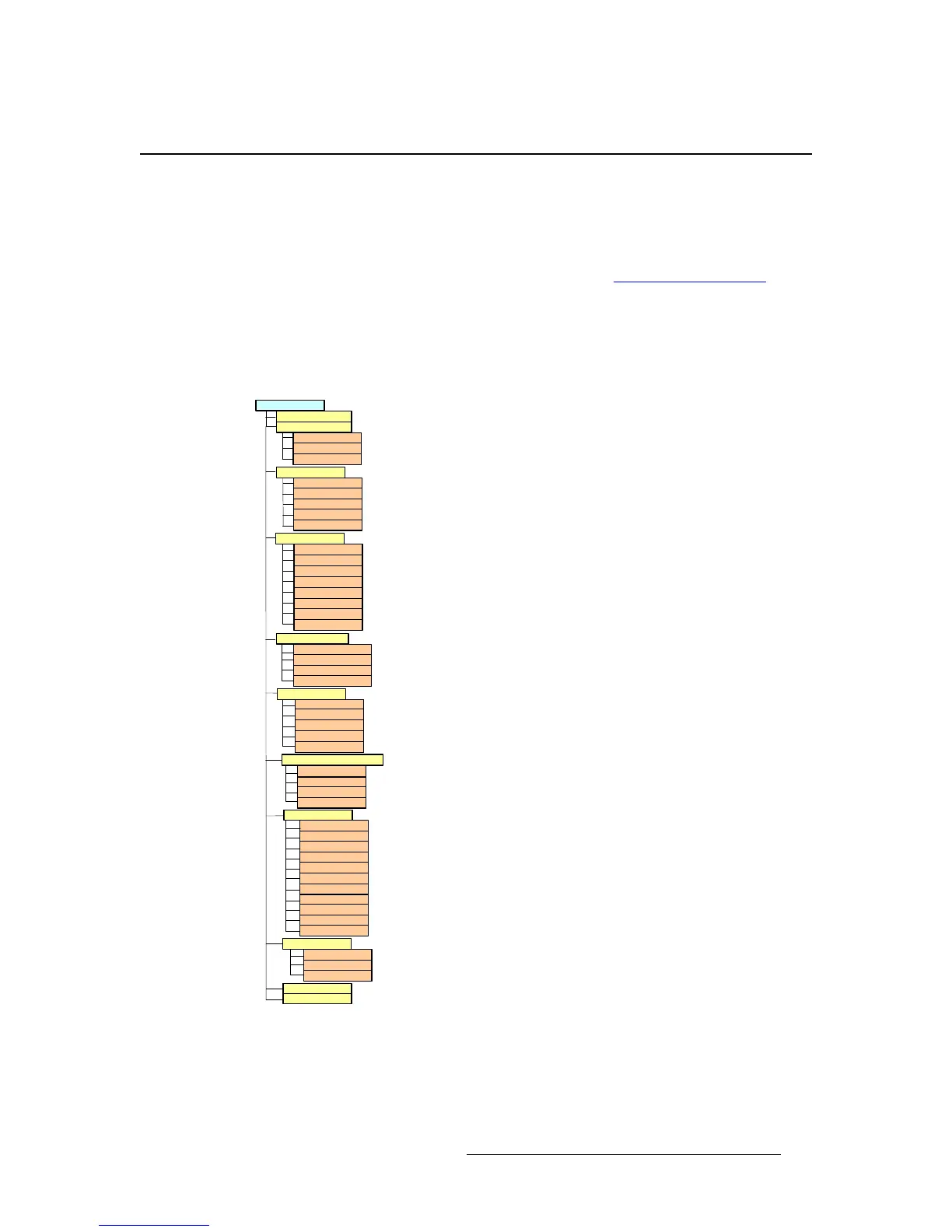
The following figure illustrates the Output Menu tree.
Figure 4-21. Output Menu Tree
Output
Output Format
O ut Auto C onfig
Auto C onfig
Status
Select O utput
Timing Adjust
H Total
H Position
H Active
V Total
V Position
V Active
H Sync
V Sync
Area of Interest
H Size
V Size
H Pos
V Pos
Reset
Contrast
Brightness
C olor Bala nce
Gamma
Flicker Reduce
Monochrome
Invert
Sharpness
Strobe Rate
Strobe M ode
Effects
Image Flip
Genlock
Source
H/V Offset
Save Config
Reset Config
Sync Settings
DP Sync
DVI Sync
HDMI Sync
HD-15 Sync
HD-15 SOG /Y
C olorSpac e /S am ple /B it
HD15
HDMI
DP
DVI
HD-15 Pedestal
Comp Pedestal
C om p/S -V id Adj
HD-15 SC Phase
Comp SC Phase
Status



 To Next Page