11. Maintenance
11.1 Remove and clean the front dust filter
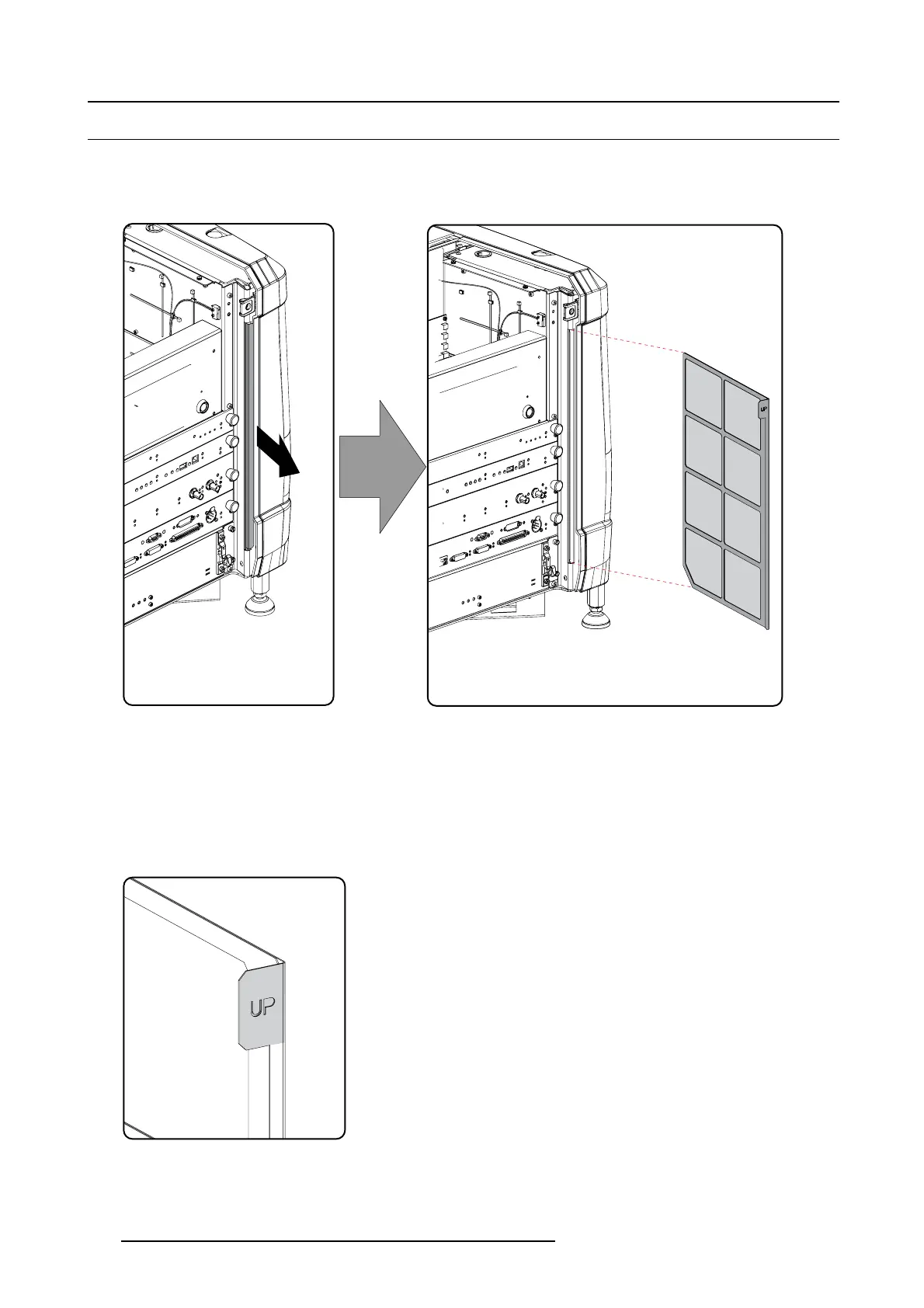
How to remove
1. Remove the input cover.
2. Slide out the filter frame.
Image 11-1
Front dust filter
Clean the dust filter
1. Remove most contamination with a vacuum cleaner in an other room or outside.
2. Blow remaining dust away with compressed air in an other room or outside.
Mount the dust fi lter
1. Insert the dus t filter with the “up” indication to the top of the projector.
Image 11-2
Up indication
2. Push the filter completely in.
3. Reinstall the input cover.
150
R5905963 PROMETHEUS SERIES 09/03/2015


 To Next Page