6. Input & communication
6.1 Introduction
General
The Input & Communication side of the Prometheus consists of a Local Keypad and a c ard cage with four slots. T he rear side of
the projector is equipped with a tail light which reflects the status of the projector.
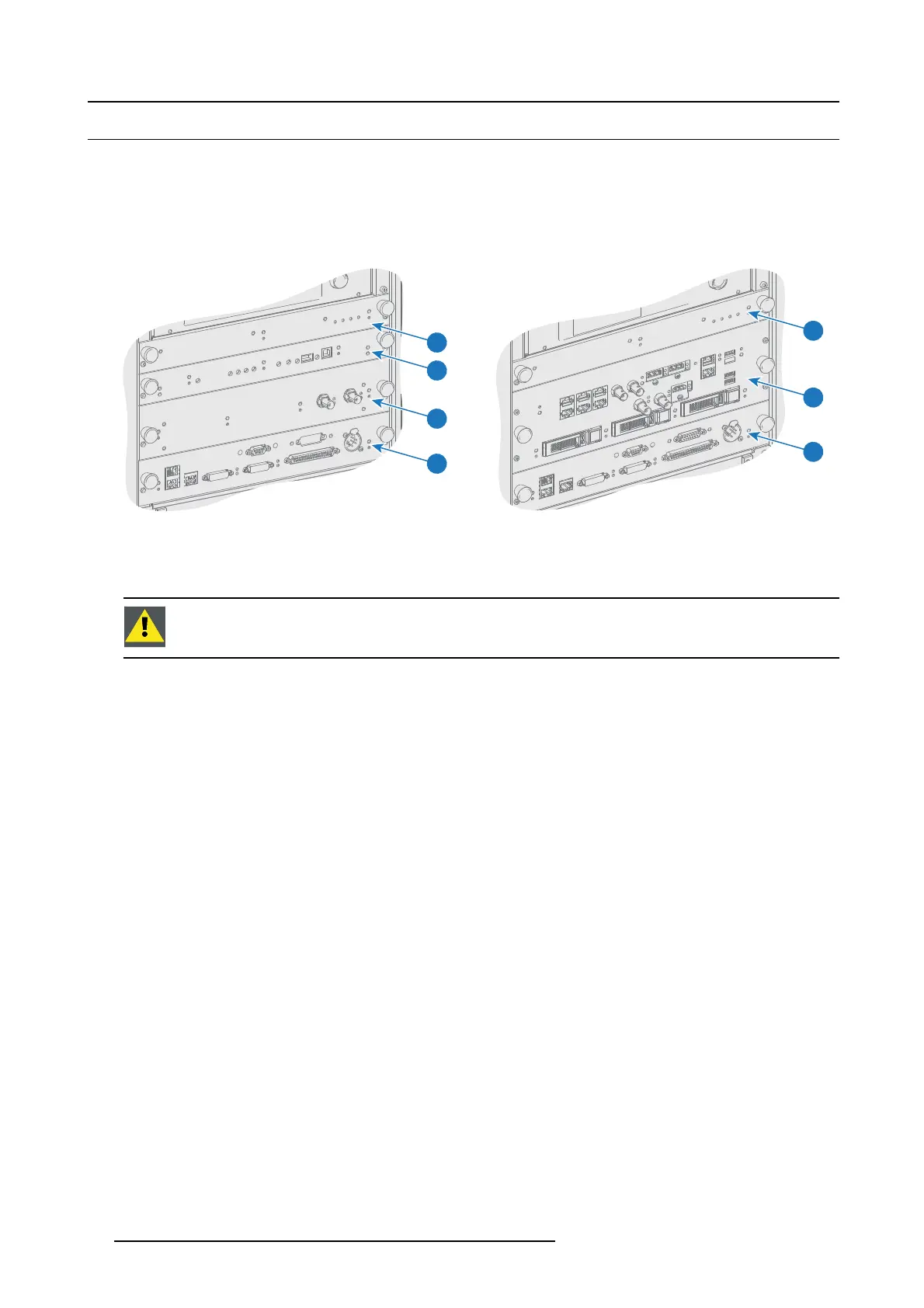
Depending o n the p rojector configuration the projector card cage is equipped with an ICP or ICMP. See illustration below. In case
an ICP is installed then an IMB, IMS , or HDS DI input module can be optionally inserted into the slot below the ICP. Note that all
information about the ICMP is gathered into one separated chapter called ICMP.
1
5
4
1
3
2
4
Image 6-1
1 Fan Control Board (FCB).
2 Integrated Cinema Processor (ICP ).
3 Optional slot for either IMB, IMS or HD-SDI input module.
4 Barco Cinema Controller.
5 Barco ICMP (inserted in ICP slot and optional slot).
CAUTION: A unit may only be removed from the car d cage by qualified service personnel. Removing one of
the boards (except for the C inem a Co ntroller) will result in an authorization request u pon starting.
90 R5905963 PROMETHEUS SERIES 09/03/2015


 To Next Page