5. Lenses & lens holder
5.6 Back Focal Length adjustment
When to adjust the Back Focal Length?
If a lens is used with a throw ratio suited for the a pplication, (lens selection depends on projection distance and screen size) typically
one w ould NEVE R need to adjus t the Back Focal Length of the projector.
A B ack Foc al Length adjustment is only required in case the Focus range of the installed lens does not capture the projection
screen either for FLAT and/or for SCOPE. In other words, when it is impossible to focus the image on the screen for FLAT and/or
for SCOPE . Note that the lenses for the P rom etheus are varifocal. So, switching b etween FLAT and S CO PE (zoom ac tion) requires
a readjustment of the focus.
What is Back Focal Length adjustment?
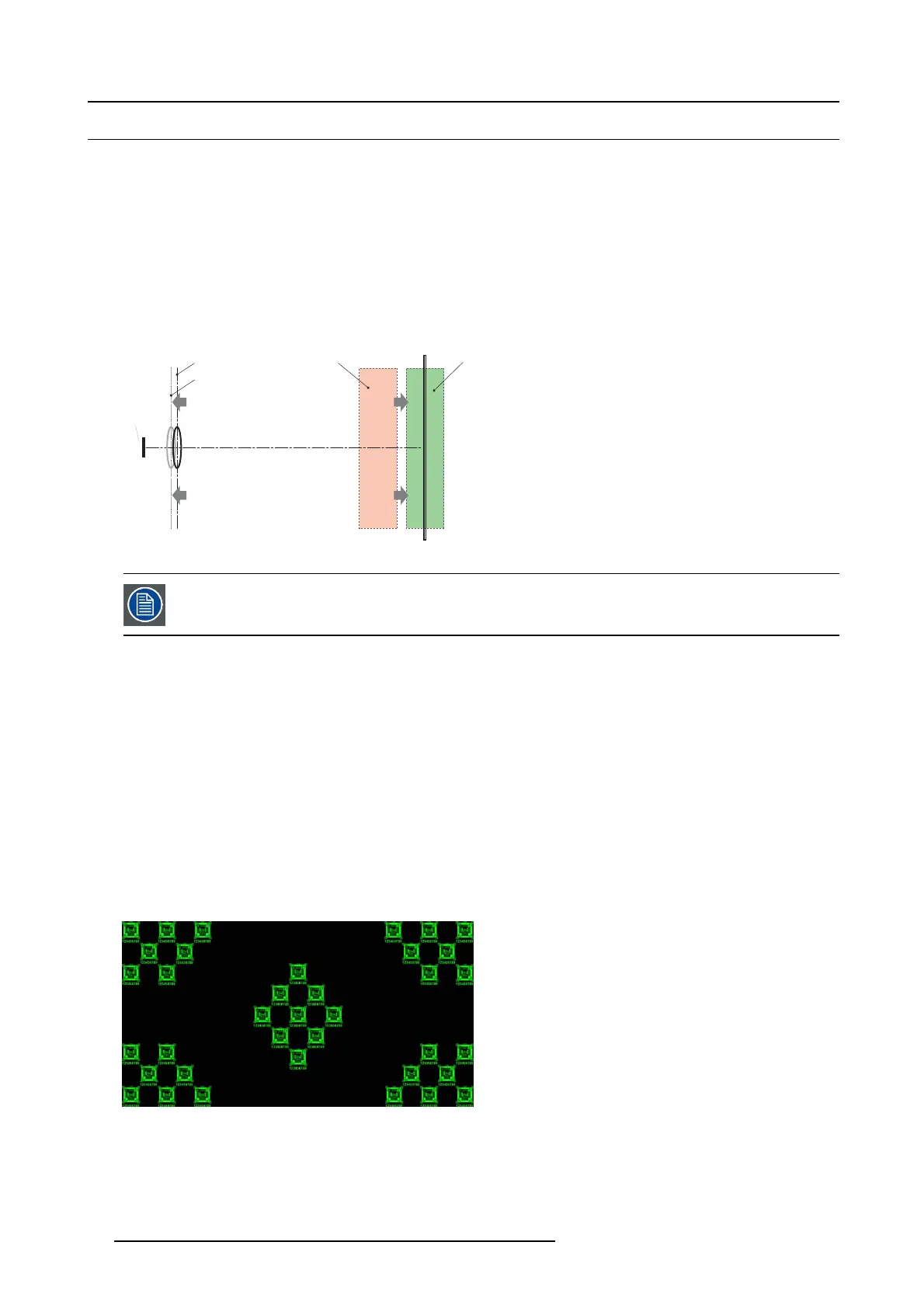
Back Focal Length a djustment means moving the lens plane (Lp), thus the Lens Holder front plate, c loser to or further from the DMD
plane. The closer the lens plane to the DMD plane the further the focus range (Fr) of the lens will b
e.
SCREEN
DMD
Lp1
Lp2
Fr1
Fr
Image 5-26
Do not abuse the Back Focal Length adjustment of the Lens Holder. Neglecting this w ill result in loss of image
quality because of the len s design. Cases requiring Back Fo cal Length adjustment normally indicate incorrect
lens choice (throw ratio).
Necessary tools
• Nut driver 10mm.
• Allen w rench 3mm.
• Nut driver 13mm.
How to check the Back Focal Length
1. Ensure that the throw ratio of the installed lens matches with the requirements of the application ( projection distance and screen
size).
2. Ensure that the correct lens parameters are ac tivated. (See user guide of the Communicator ch apter Installation > Advanced >
Lens parameters)
Caution: Not us ing the c orrect lens parameters could result in lens dam age.
3. Perform a lens HOME & RETURN operation. (See user guide of the Comm unicator chapter Installation > Advanced > Lens
parameters)
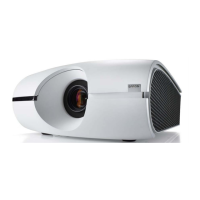
4. Project the gr een focus t est pattern. (screen fi
le “ no masking” or “no “crop”)
Image 5-27
5. Zoom the lens for maximum image on the sc reen (WIDE).
6. Is it possible to focus the c enter of the projected image?
If yes, the Back Focal Length is OK .
If no, the Back Focal Length need s realignment. Proceed with the next pr ocedure.
78
R5905963 PROMETHEUS SERIES 09/03/2015


 To Next Page