5. Lenses & lens holder
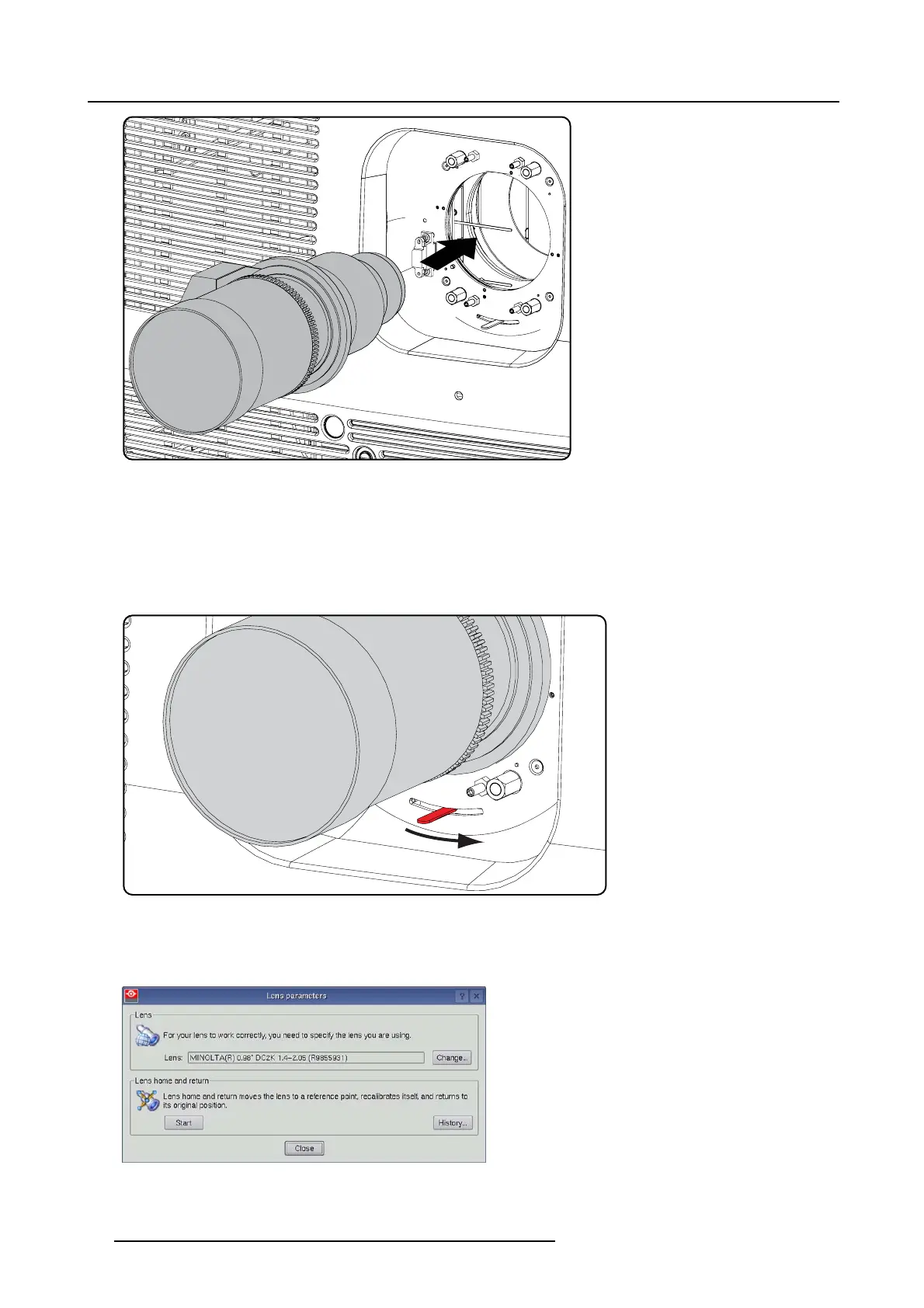
Image 5-18
Mount lens
6. Insert the lens until the connec tor seats into the s ocket.
- the pin ( 3) on the lens holder matches with the sleeve in the lens.
- the connector seats into the socket (2)
Warning: Do not release the Lens yet, as the L ens may fall out of the Lens H older.
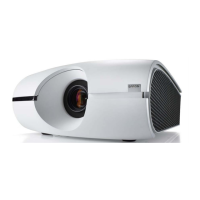
7. Secure the lens in the lens holder by sliding the lens lock handle into the “locked” pos ition, which is away from the lens power
supply socket. E nsure the lens touches the f ront plate of the lens holder.
Image 5-19
Fix lens
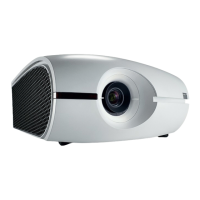
8. Activate the corresponding lens parameters for the ins talled lens. (See user guide of the Communicator c hapter Installation >
Advanced > Lens parameters)
Caution: Not us ing the c orrect lens parameters could result in lens dam age.
Image 5-20
74 R5905963 PROMETHEUS SERIES 09/03/2015


 To Next Page