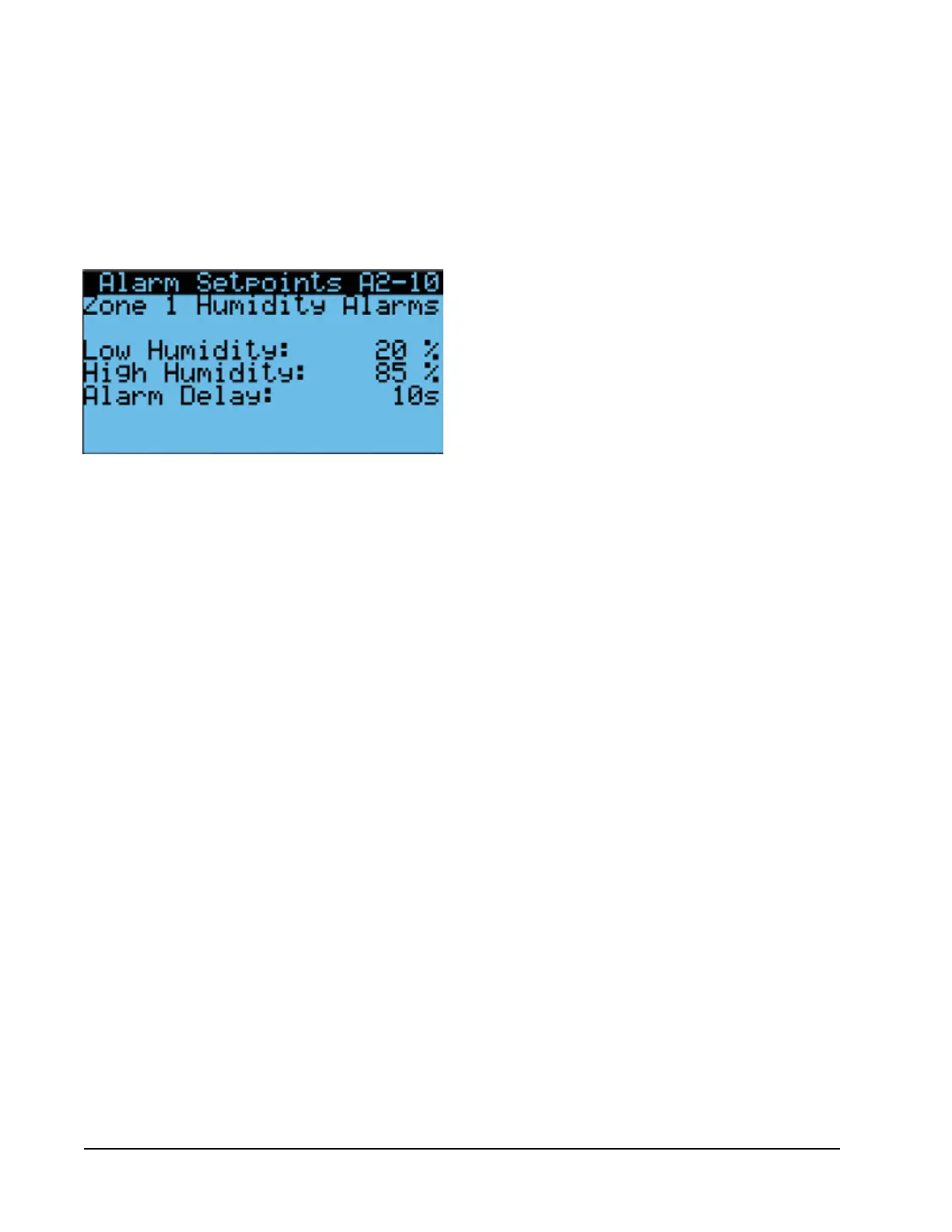
6. Press ENTER key to scroll to Low Humidity, High
Humidity or Alarm Delay (delay in seconds from
the time the alarm is sensed until the alarm is
displayed). See Figure 19.
7. Press UP and DOWN keys to adjust setpoints or
delay.
To adjust the direction of the remote notification relay
output:
1. Press MENU key to go to the Main Menu screen.
2. Use UP or DOWN keys and ENTER key to enter
USER password 2000.
3. Press UP or DOWN keys to scroll to IO Config;
press ENTER key.
4. Press UP or DOWN keys to scroll to Digital Out
Config C3.
5. Press ENTER key to scroll to the variable in the
table that intersects HumAl and Dir (see Figure 14
on page 15).
6. Press UP or DOWN key to change direction.
When the direction is set to NO, the relay output will
be closed when the alarm is active and open when not
active. When the direction is set to NC, the relay output
will be open when alarm is active and closed when not
active.
FIGURE 19
Adjust Humidity Alarm Setpoints
Manual 2100-669F
Page 20 of 37



 To Next Page