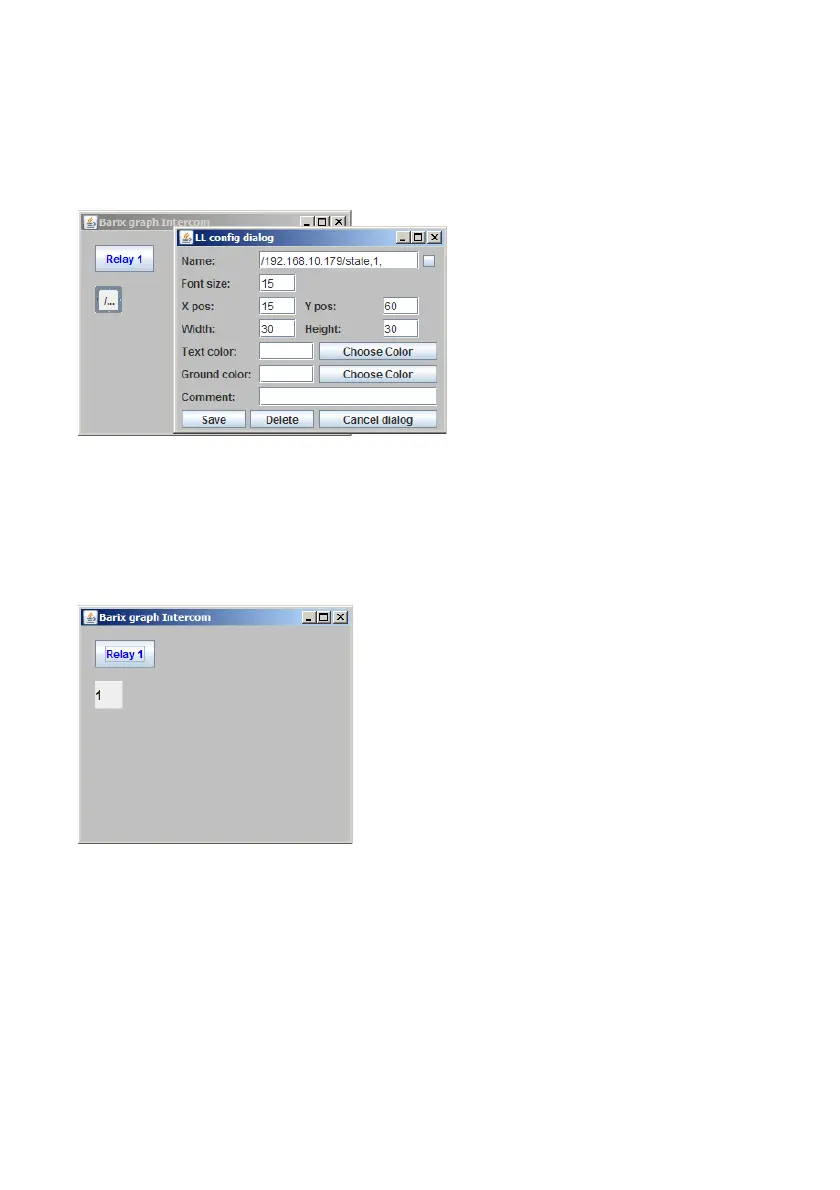
Now the label to display the relay state can be created.
In the “Name” field the sender
IP address must be defined and
for which content of the
incoming UDP message
ICgraph should look. This
defined part will be not
displayed in ICgraph, but all
characters after “state,1,” from
the incoming UDP network message will be displayed in this label field on
Icgraph.
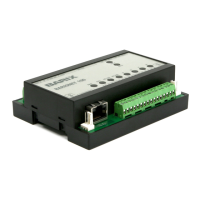
As final result there is a button to switch
the Barionet relay and a little status field
showing the current state after last relay
switching.
Such state information can be requested
from ICgraph also periodically e.g. every 3
seconds. In the ICgraph software package
is a Barionet demo configuration that
allows a much better Barionet control over UDP.
BARIX AG | 17. Oct. 2013 | Barionet Hands-on Training Guide | Page 19/38


 To Next Page