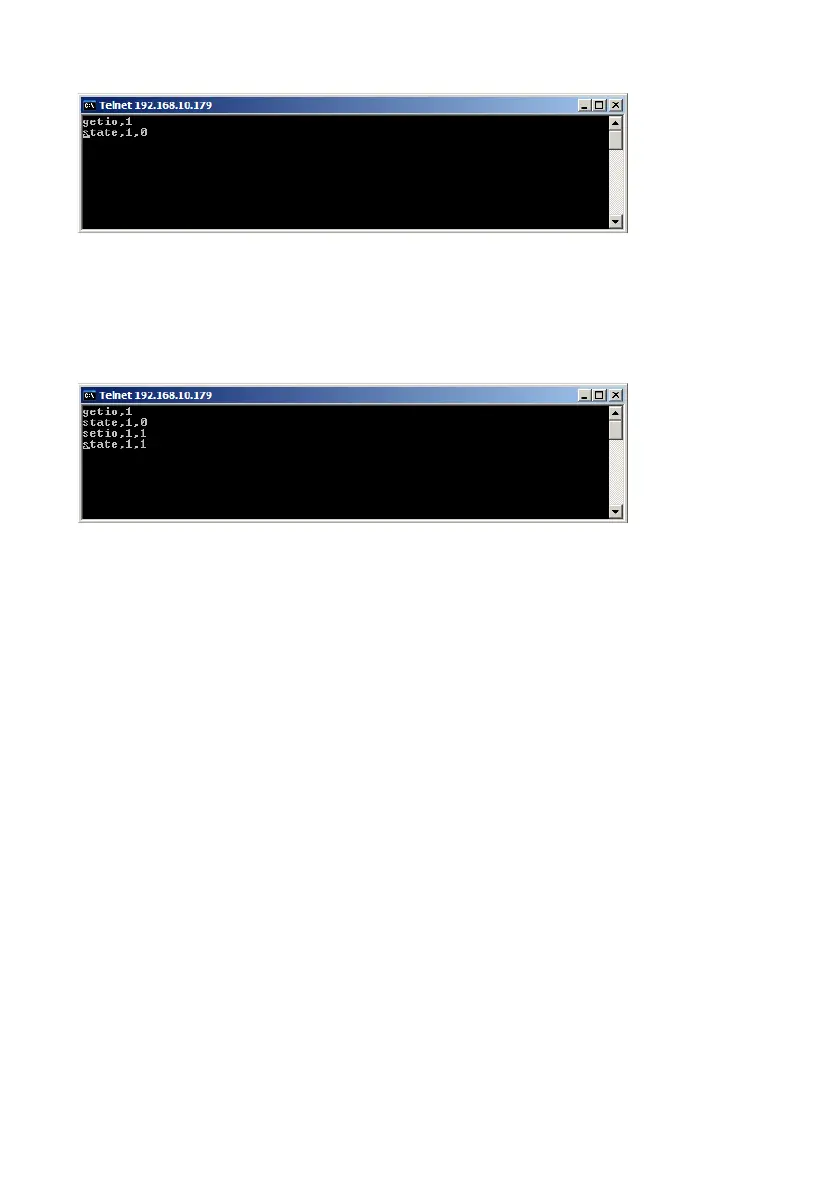
The Barionet will respond with the current state of register 1. As you see the
value is 0 , means the relay is off.
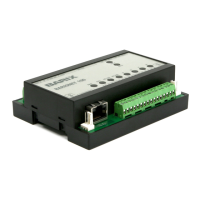
In the next picture below the command “setio,1,1” is sent.
This means a command to switch register 1 to value 1 is sent. After sending
the command the Barionet will change register value and automatically
respond with the new state. The relay is now switched ON.
The relays/outputs can be switched ON (1), OFF (0), toggled (999) and can
be also pulsed (2-9999 ,switched on for a defined period in 1/10 seconds).
3.2 How to use the UDP control interface ?
To use the UDP control interface are probably not so much standard
applications existing as for the TCP Control interface, that could make it a
little bit more complicated. But using the UDP control interface has some
advantages, e.g. many network clients can use this UDP interface at the
same time, that is not possible with TCP. Before you can use this function the
UDP command port must be enabled in the Barionet setup, please define a
valid port number (e.g. 12301) to enable it.
BARIX AG | 17. Oct. 2013 | Barionet Hands-on Training Guide | Page 17/38


 To Next Page