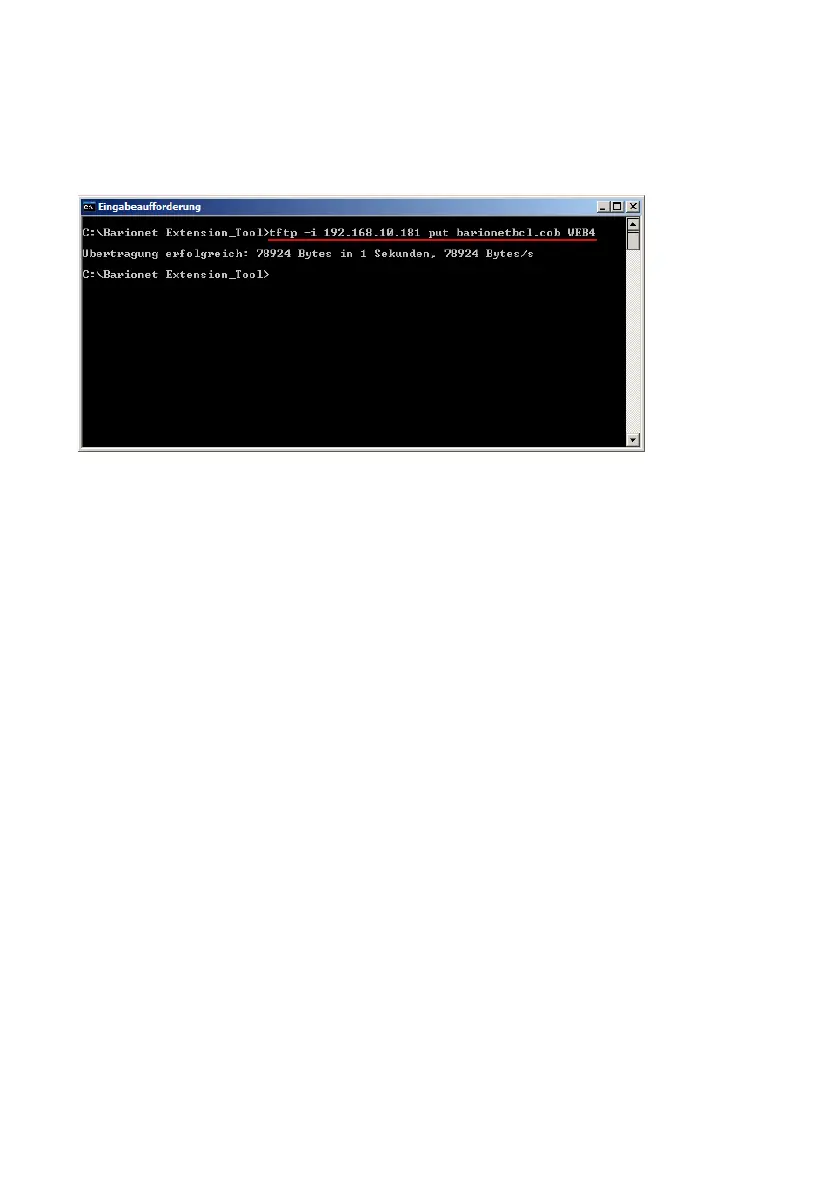
For the Barionet100 you have to use the TFTP update. This you can start
from the command prompt (see picture below) or with any third party TFTP
tools.
When the upload is finished then please reboot your Barionet50/100 !
5.4 Using Barionet Extension Addressing Tool
First make sure the Barionets RS485 port is configured to the following
settings :
9600 baud, 1 stop bit , 8 data bits, even parity (enabled) and local port number = 0
That are the default settings of the extension units.
If set correctly, then click the “APPLICATION SETUP” button and change to
the “Modbus addressing page”.
At the beginning all your extensions can be connected at the same time.
When you have multiple extension devices connected to your Barionet then
you need to address these. Please use the upper part of this page to assign
a Modbus address between 255 and 249 (default is 255) to your extension
devices. The required Serial number can be found on the backside of the
extension device. When multiple devices using the same Modbus address
then they are not displayed in the “Addressing table”.
BARIX AG | 17. Oct. 2013 | Barionet Hands-on Training Guide | Page 28/38


 To Next Page