page 25page 25
page 25page 25
page 25
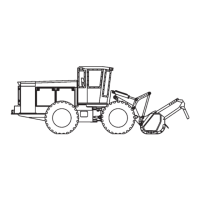
930/937 Mulcher (O)
800-00256
OPERATION OF FLOAT
FIXED FLOAT (STANDARD)
Control
The locking switch on the dash, FLOAT, enables the float option. Pressing the lower left button on
the right joystick activates the float. Pushing the same button again will de-active the float.
Function
By enabling and activating the fixed float, the head, if in the air will drop slightly (a few inches), until
the accumulator catches it. While in fixed float, you can override by using the joystick lever to raise/
lower the head.
VARIABLE FLOAT (OPTIONAL)
Control
Again, the locking switch on the dash enables the float option. Pressing the lower left button on
the right joystick activates the float. Pushing the same button again will de-active the float.
Function
By enabling and activating the variable float, the position of the head will be determined by
adjusting the potentiometer on the lower right dash.
Turning the potentiometer clockwise raises the final height of the head.
Turning the potentiometer counter-clockwise lowers the final height of the head.
The variable float cannot be overridden in "float" operation with the joystick lever.
Height of the head can be overridden by pressing the "override button", lower right button on the
right joystick.
Pressing this button will raise the head slightly, repeated pushing will incrementally raise the head.
This is to be able to avoid obstacles.
The head will slowly lower to its set height once the "override" button is not being pushed.
Note: Both locking switches for the attachment and float must be in the "off" position in order to
start the engine.
INSTRUMENT PANEL RIGHT SIDE OF CAB - CONTINUED
INSTRUMENT PANEL RIGHT SIDE OF CAB
CONTINUED - NEXT PAGE


 To Next Page