Scanning channels
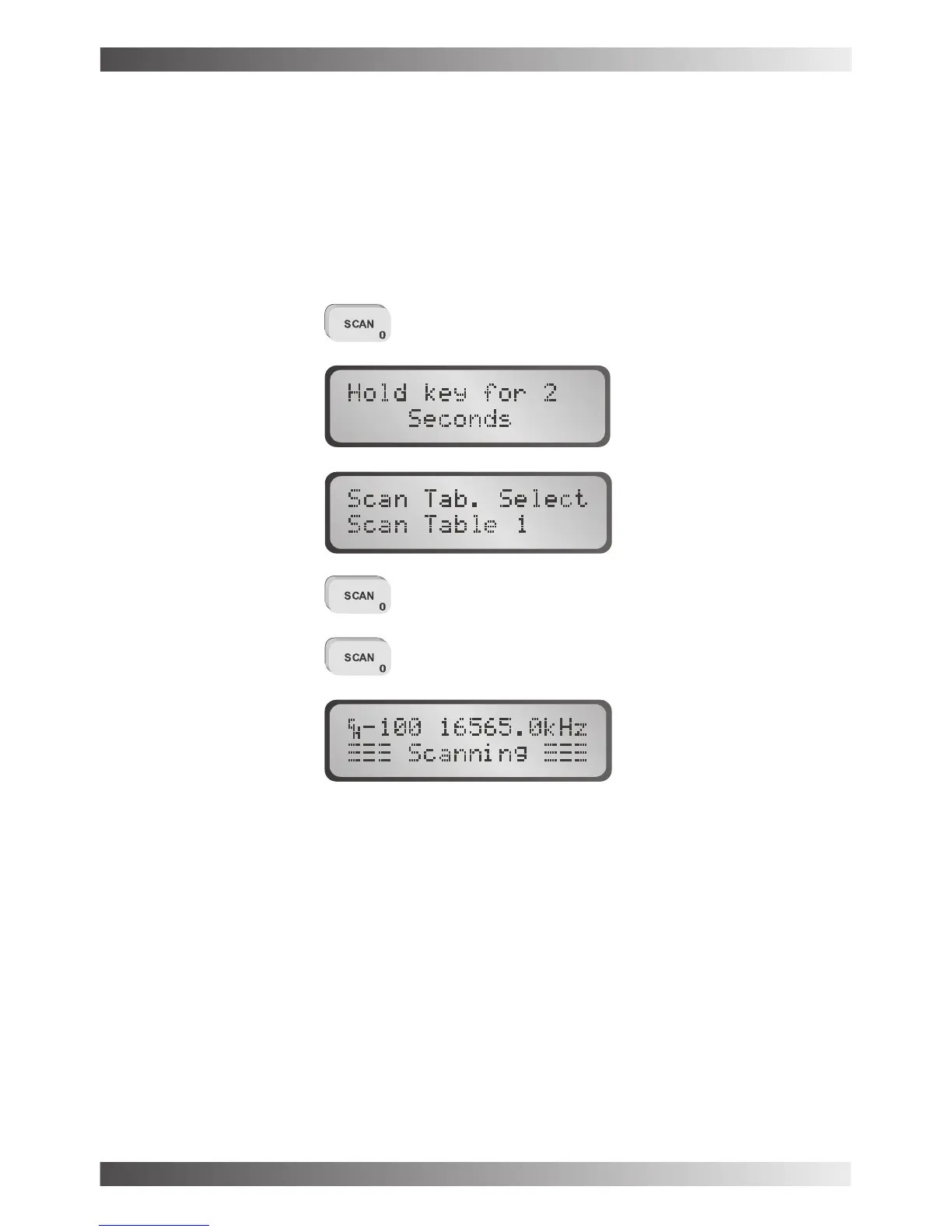
The Barrett 950 can be programmed to scan up to 450 channels. Pressing the scan key
initiates scanning. Only channels that have been enabled will be scanned. Holding the scan
key down for 2 seconds or more will allow the user to select which scan table is to be
scanned. Use the scroll keys to select the scan table required then press the scan key again
to select it.
... to start scan
The Barrett 950 will halt scanning for the following reasons:-
- The channel has selcall enabled and a selcall signal is received.
- Signal strength level mute is selected and a signal with a level greater than the
pre-set threshold level is received.
- Audio (syllabic) mute is selected and a voice signal is detected.
Selecting scan table one and initiating scanning - example
To abort scanning press PTT or any other key other than the scan key.
Halting scan
BARRETT 950 HF TRANSCEIVER
PAGE 25



 To Next Page