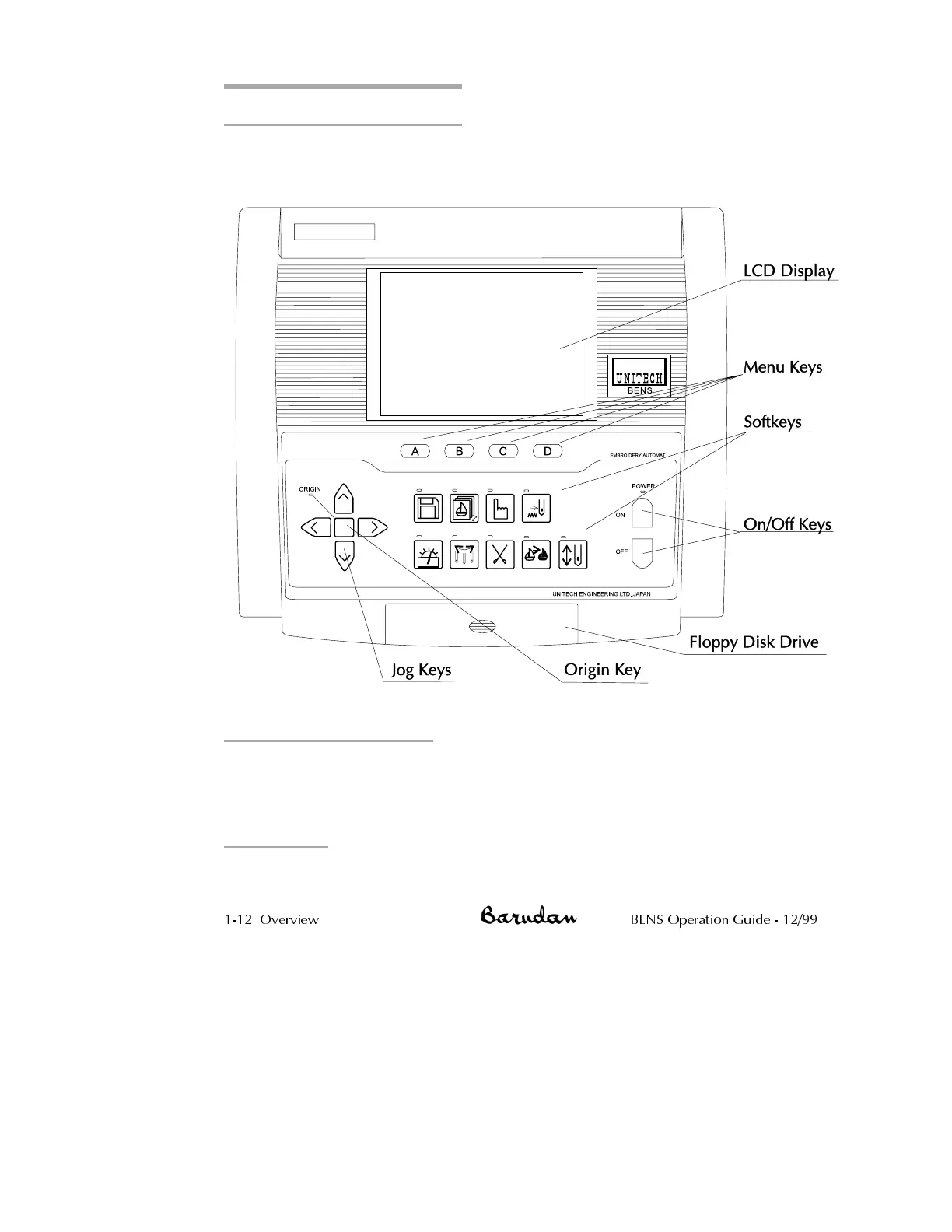
Automat Components
The BENS automat contains all the tools you need to operate the machine, move
through various menus and execute menu commands.
Liquid Crystal Display
The automat has a 40-character, 30-line liquid crystal display that shows information
about patterns read into memory and provides a command line of menu selections,
using easily recognized icons.
Menu Keys
Menu keys (A-D) correspond to the icon command line displayed above them on the
LCD. The icons change accordingly, as you advance through the various functions.
1-12 Overview BENS Operation Guide - 12/99



 To Next Page