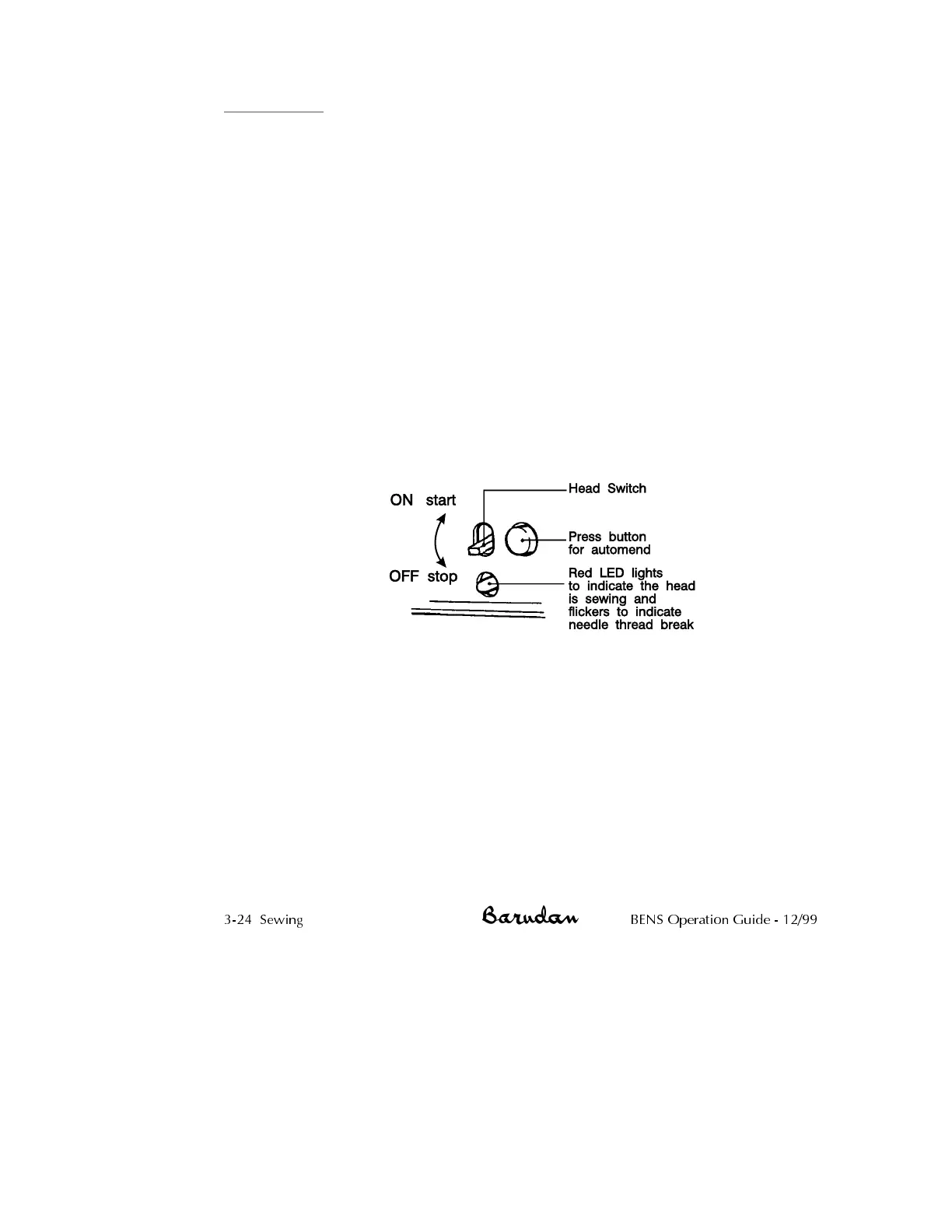
Automend
Automend repairs stitches missed by only one head but not the others.
•
Press the Automend button, located on the front of the head, on the
head concerned. See the illustration above. Keep pressing the button
until you reach the point required, then move the Start/Stop bar to
the left to begin sewing. Only the head doing the repair embroiders,
other heads do not sew. When the machine reaches the point where
backup began, it stops. Move the Start/Stop bar to the left, all heads
continue sewing.
•
You can also automend several heads at once. Once backed up to
the required position using the automend button on one of the
heads, press the Automend buttons on the other heads needed.
Their lights will turn on. When you move the Start/Stop bar, only the
heads with the lights on will sew up to the point of reversal.
•
It is also possible to automend several heads by moving the
Start/Stop bar to the right holding it there until the machine backs
up to the desired point. Lower the switches on the front of the heads
where embroidery is satisfactory. Only heads with the switches lifted
sew when you move the Start/Stop bar to the left.
NOTE: Automend identifies any needle changes in the backup and
automatically executes them.
The BENS also has an automatic Automend feature. When a thread break occurs, the
machine stops and automatically backs up a certain number of stitches.
NOTE: Unless it is turned off, MC parameter 13, Auto Start,
automatically starts all heads without the operator moving the Start/Stop
bar when it returns to the point where Automend began. See the
Mechanical Guide for information on MC parameters.
NOTE: Both Automend and Stitchback function after using High Speed
and Digital Float or when the machine is powered up after Standby.
3-24 Sewing BENS Operation Guide - 12/99



 To Next Page