EasyManua.ls Logo

Barudan BEXS - User Manual

Default Icon
233 pages
Print Icon
To Next Page IconTo Next Page
Loading...
B E X S
Instruction Manual

Table of Contents

Questions and Answers

Summary

Safety Instructions

Important Safety Instructions

Essential precautions for safe operation and user protection. Read manual thoroughly and follow all instructions.

Grounding Instructions

Procedures for proper electrical grounding to prevent shock hazards. Ensure machine is grounded to prevent electric shock.

Warning Labels

Identification and meaning of safety warning labels on the machine. Give attention to labeled parts during operation.

Introduction

Specifications

Technical details and capabilities of the embroidery machine. Includes design capacity, stitch capacity, and display.

Features

Overview of the machine's key functions and operational advantages. Covers easy operation, USB, networking, and memory.

Before Use

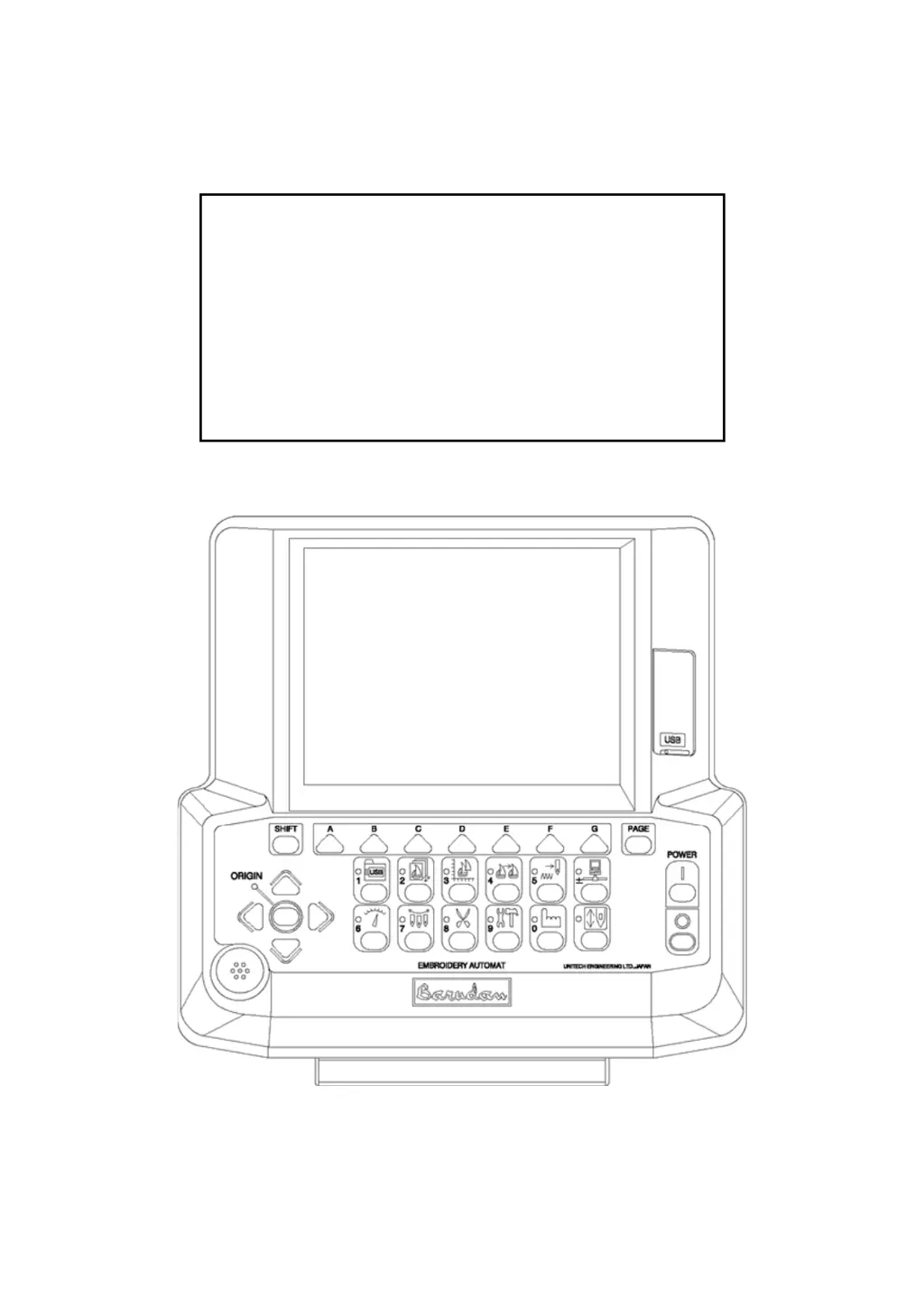
Appearance and Components

Visual identification and description of the machine's parts and controls. Details key components of the control panel.

Panel Switches

Details on the function and operation of each panel switch. Explains keys for loading, memory, editing, and more.

Powering the Machine On; Off

Step-by-step instructions for safely starting and shutting down the machine. Covers turning on the power source and pressing buttons.

Origin Set

Procedure for setting the machine's origin point before operation. Involves powering on and pressing the 'G' key.

Screen Structure

Explanation of the layout and elements of the machine's display screens. Covers main screen, visual display, and function keys.

Error Messages

List of error codes, descriptions, and troubleshooting steps for common issues. Covers various error scenarios and solutions.

Manual Operations

Color (Needle) Change

Instructions for manually changing the needle or color during operation. Covers manual and direct needle selection.

Trimmer

Procedures for using and maintaining the thread trimming function. Includes trimming top and bobbin threads.

Lubrication (Machine Maintenance)

Guidelines for regular lubrication to ensure optimal machine performance. Covers bobbin case and hook assembly maintenance.

Loading; Saving Designs

Loading Designs from a USB Flash Drive

Step-by-step guide for transferring designs from a USB drive to the machine. Covers selecting folders and designs.

Saving Designs to a USB Flash Drive

Instructions for storing designs from the machine onto a USB drive. Covers selecting folders and saving selected designs.

USB Administration

Procedures for managing folders and files on USB drives connected to the machine. Includes creating and deleting folders.

Memory Designs

Selecting a Design

How to choose and load designs stored in the machine's memory. Use Design Memory or Edit key to access.

Design Information

Viewing details such as stitch count, size, and name of stored designs. Displays design data and program changes.

Changing Design Names

Steps for renaming designs stored in the machine's memory. Uses the Character Entry dialogue box.

Programs

Changing Program Settings

Adjusting operational parameters for selected embroidery designs. Covers scaling, rotation, and origin settings.

Program List

Detailed list of programmable parameters and their functions. Includes settings for scale, rotation, and frame types.

Setting the Sub-Soft Limit

Programming embroidery area limits to prevent pantograph movement issues. Sets corners for defined embroidery areas.

Embroidery

Drive Mode

Instructions for activating the mode where the machine performs sewing operations. Machine sews only in Drive mode.

Speed

How to adjust the machine's sewing speed during operation. Speed can be changed using the Speed key.

Trace

Using the trace function to preview the design path before sewing. Traces the design's 4 corners for placement.

Network

Before Using the Network System

Prerequisites and setup for connecting the machine to a network. Requires LAN board and server software.

Registering the Operator Code

Process for assigning operator codes for tracking and management. Involves selecting and sending code to server.

Downloading Designs (Direct Downloading)

Instructions for downloading designs saved on the server. Requires correct folders and Direct Download Mode.

Editing Memory Designs

Color Change Function Codes

Modifying color sequences within memory designs. Operation not available in Drive mode.

DSP (Design Stitch Processor)

Adjusting design scaling, stitch length, and spacing parameters. Allows making designs larger or smaller.

Preference

Changing Machine Conditions (MC)

Modifying machine parameters for optimal performance. Accessed via Preference key and MC icon.

MC List

Comprehensive list of Machine Condition parameters and their settings. Details functions, ranges, and default values.

Setting the Screen Color

Instructions on setting the machine's display screen color. Allows adjustment of RGB color values.

System

System Software Update

Instructions for updating the machine's operating and control system software. Requires USB drive with update files.

Initializing Memory

Instructions to reset the machine's memory to factory defaults. Backup data before initializing.

Appendix

Function Codes

List of codes used for various machine functions. Includes codes for stitches, tension, and special operations.

Error Messages

Detailed list of error codes, their descriptions, and troubleshooting steps for common issues. Covers various error scenarios.

Barudan BEXS Specifications

General IconGeneral
Needles9
Thread Break DetectionYes
Bobbin Thread DetectionYes
TypeEmbroidery Machine
ConnectivityUSB
Power Supply220V, 50/60Hz

Related product manuals