11‐2
1. Changing Machine Conditions (MC)
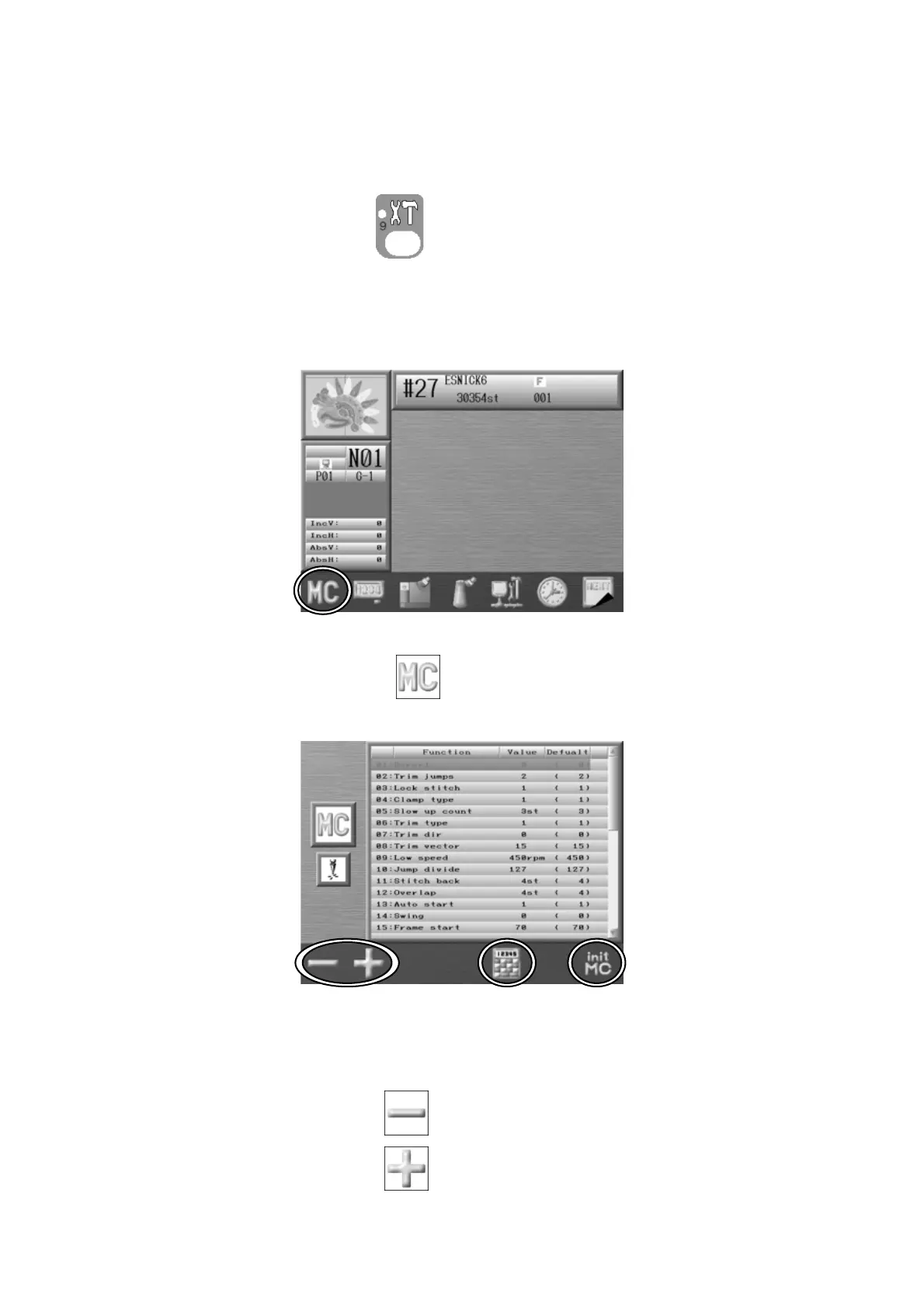
Instructions on how to change the Machine Condition
1. Press the Preference key
.
2. Preferences setting screen below displays with various options.
3. Press the A-key below the icon. The Machine conditions displays MC set up
screen.
4. Use the Jog keys and select the parameter to change from MC setting list.
5. Press the A-key below the
icon for smaller number.
Press the B-key below the
icon for larger number.



 To Next Page