10‐3
2. All Function Codes
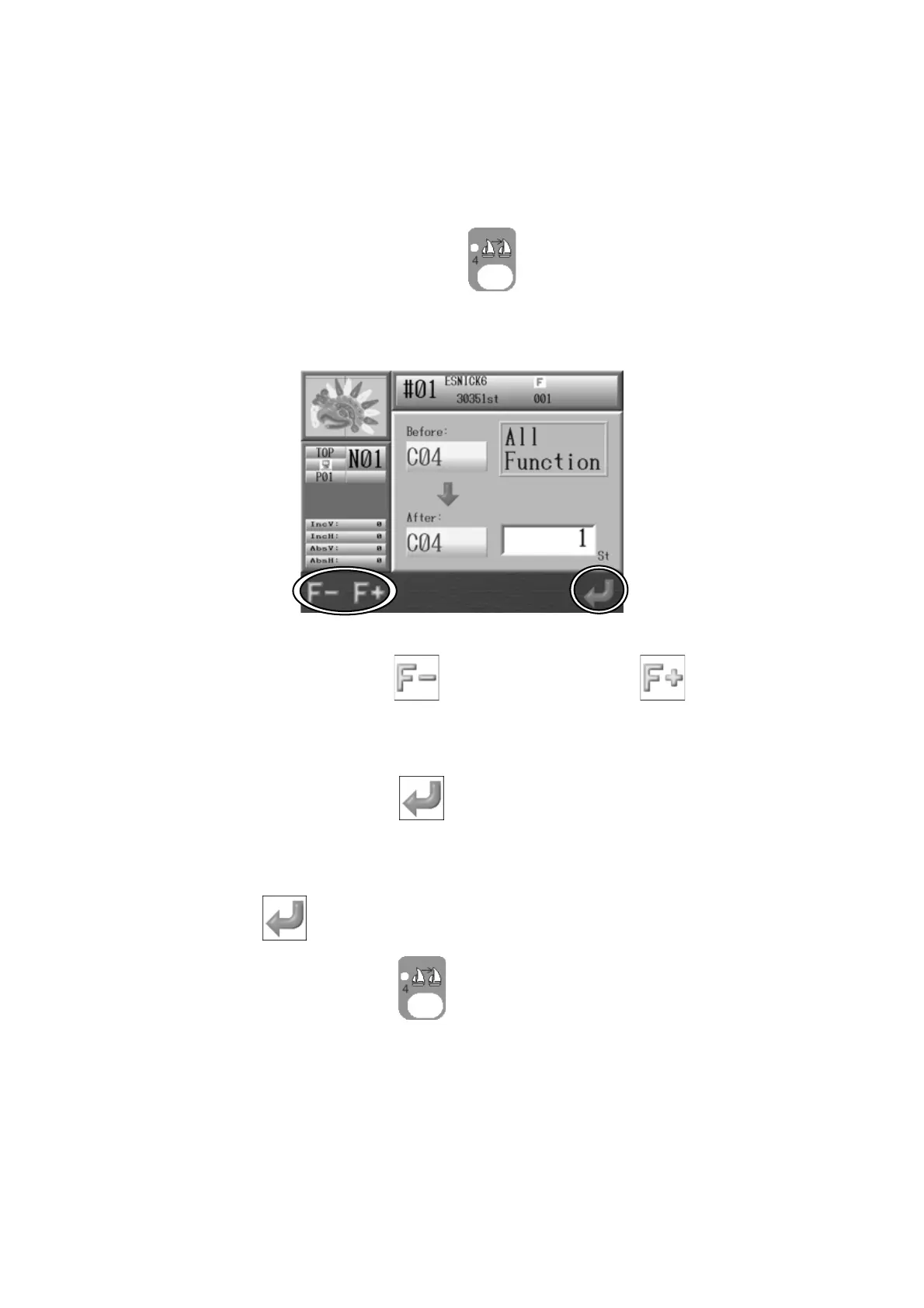
Instructions for searching and changing All function codes in the memory design selected. This
operation is not available in Drive mode.
*Please refer to
Chapter 13 1. Function Codes
for
information on function codes.
1. Press and hold the Color Change key
until it beeps.
2. The function code change screen appears for the selected Memory design.
3. Press the A-key below the
icon or B-key below the
icon to change the
function code.
4. Press the G-key below the
icon to save the change and search for the next
function code in the design.
* An A24 message appears after the last color code in the design is found. Press the G-key
below the
icon to exit.
Press the Color Change key again to go back to the Start Menu.



 To Next Page