6‐15
8. Thread Consumption
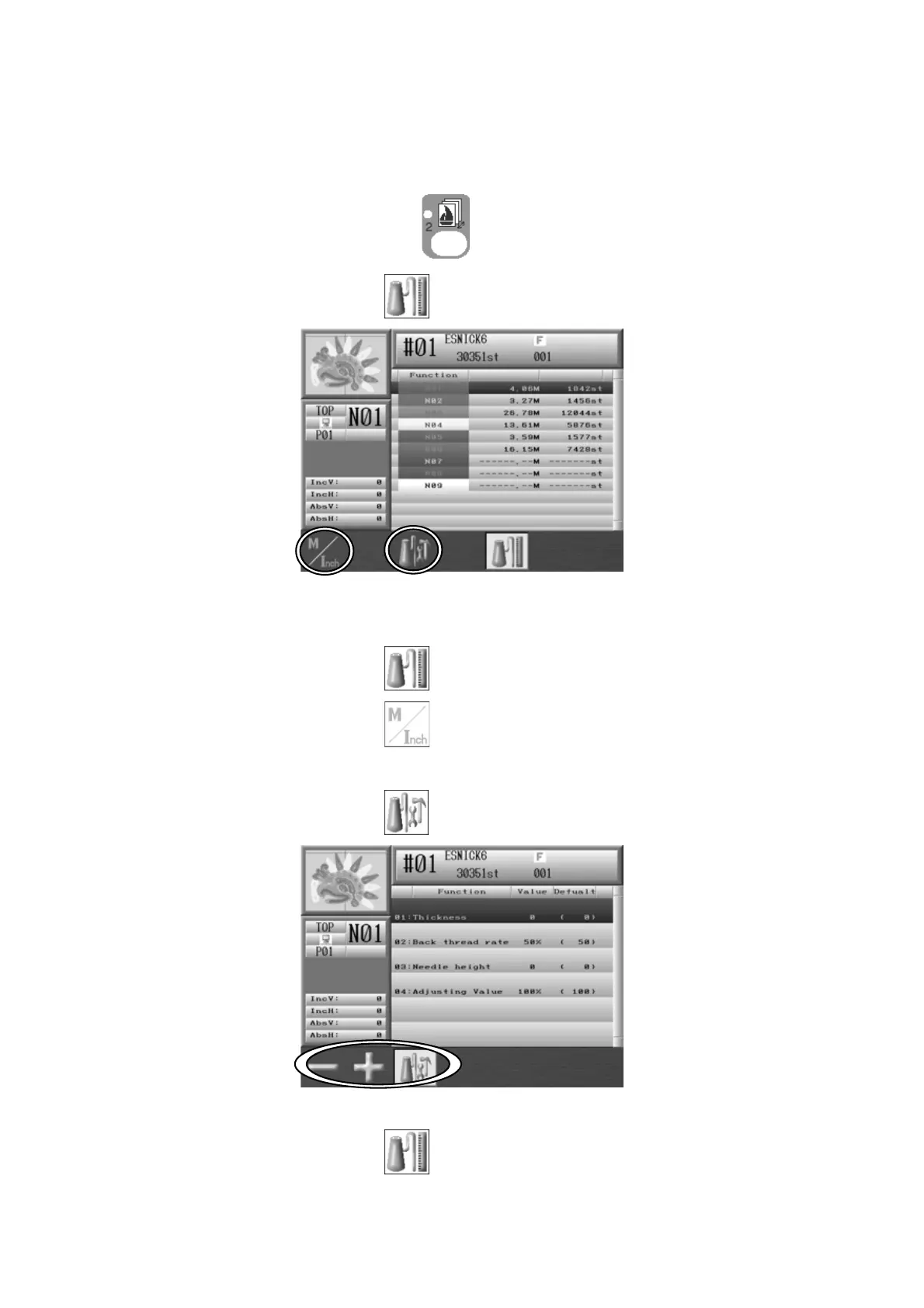
Instructions for thread consumption simulation
1. Press the Design Memory Key,
.
2. Press the E-key below the
icon and the Thread consumption screen appears.
Simulates thread consumption for each needle.
Press the E-key below the
icon to go back to the Memory design data list.
3. Press the A-key below the
icon to change the result shown in meters or inches.
4. Press the C-key below the
icon and the Thread consumption settings display.
Press the C-key below the
icon to go back to the Thread consumption screen.



 To Next Page