5‐7
3. Loading Designs from a USB Flash Drive
Instructions for loading a design from a USB Flash Drive to the XS Automat.
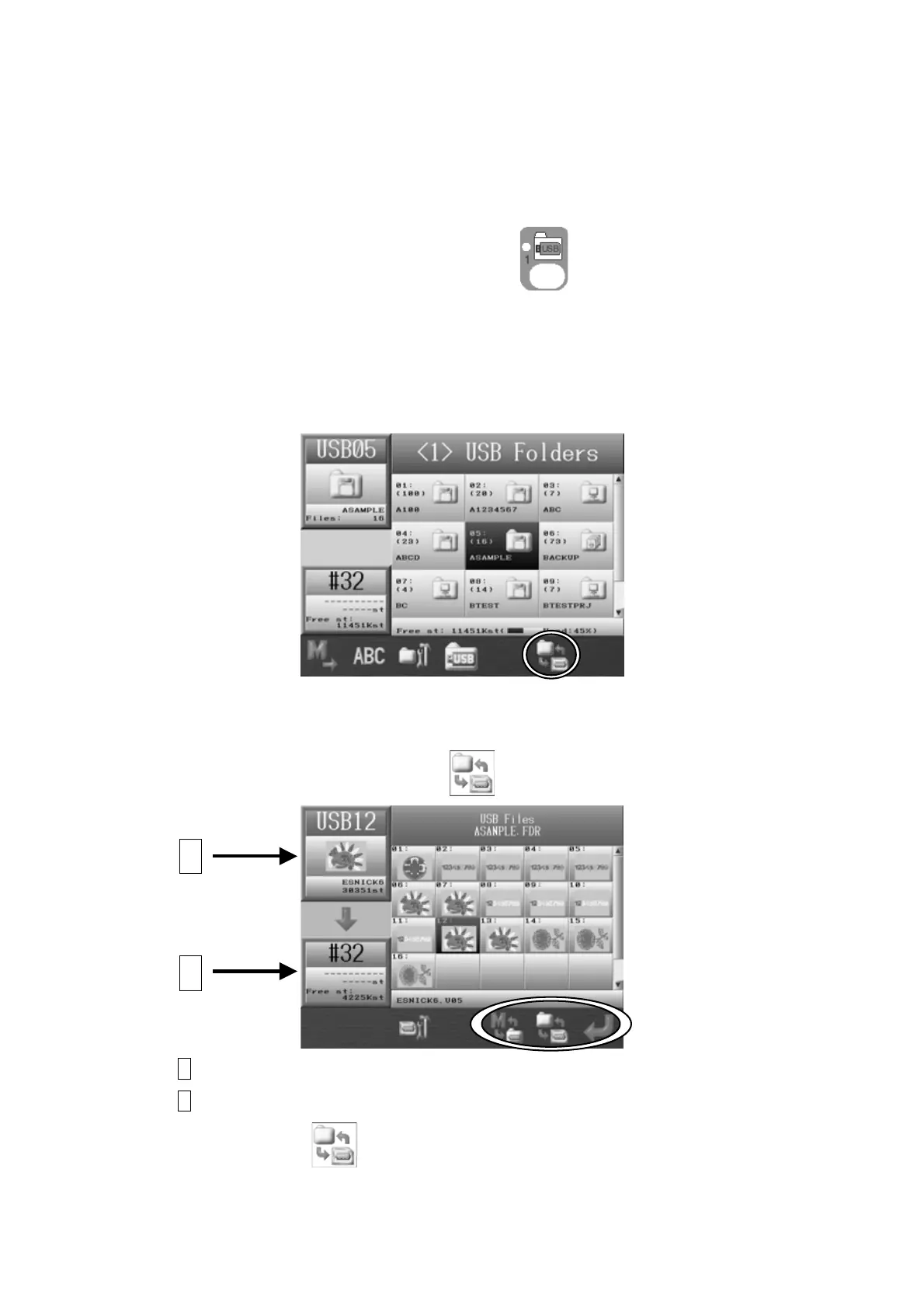
3-1. Loading a New Design
1. Press the Design Loading/Downloading Key .
2. Check that the USB Flash Drive is selected. Press the D-key is to access the other USB
ports if necessary (There are 3 USB ports available).
*Refer to
1. Before Loading/Downloading Designs.
3. The Design Loading/Downloading screen will appear.
4. Select the folder that has the design you want to load to the Automat.
5. Press the Origin key, or the F-key,
to display the designs in the folder selected.
A Shows the design information of the selected design on the USB device.
B Shows the design information and data capacity of the selected memory location.
Press the F-key, again to go back to the Design loading/downloading screen.
A
B



 To Next Page