5‐2
1. Before Loading / Downloading Designs
These instructions explain how to use the Design Loading Key and are not necessarily repeated
over and over again in the following chapters of Loading /Download Designs. So please refer to
these instructions for details using this key.
1-1. Selecting a device to load or download designs
1. Press the Design Loading/Downloading Key .
2. Press the B-key and select the device to load or download designs from the Design
Loading / Downloading screen.
USB ABC COM USB
*The icon shown above the B-key is the icon for the device that will be selected when
you press the B-key. The device that is currently selected is shown on the left side of
the information window.
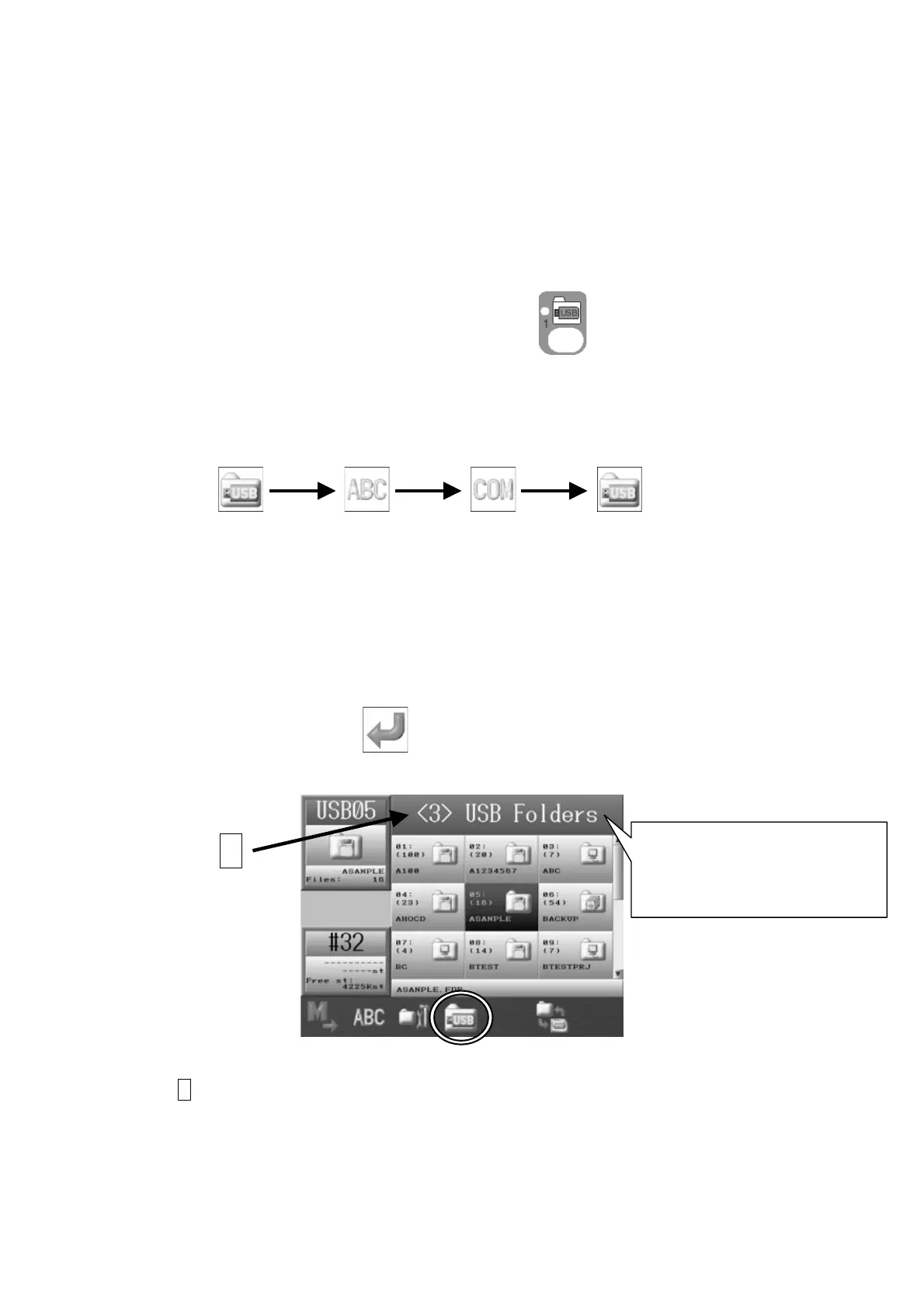
3. When the USB icon is selected, press the D-Key to cycle through the 3 USB Ports
available on the Automat.
* If no USB device is installed on the selected port, an A38 message displays. In this
case, Press the G-key
to clear the A38 message.
A : As shown, the 3
rd
USB port is selected.
A
The Automat has
3 USB Ports.
(One in the front, and two in
the back.)



 To Next Page