7‐2
1. Changing Program Settings
Instructions for changing Program settings for a selected design
*Program settings cannot be changed while in Drive mode.
1. Press the Design Edit Key,
.
2. Select a design and press the B-key below the
icon.
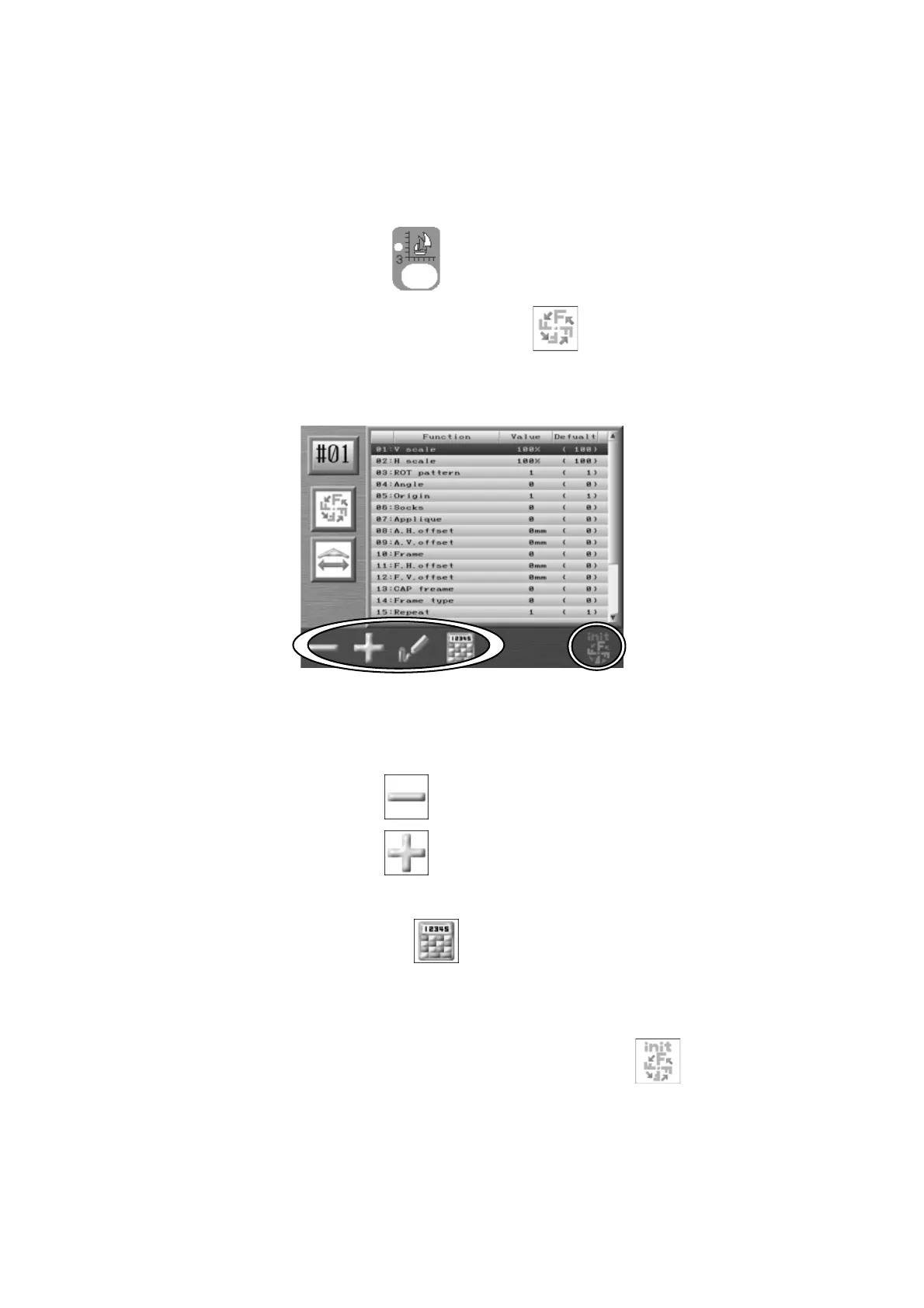
3. Program list of the selected design displays.
4. Select the item you want to change with the Jog keys.
5. Press the A-key below the
icon for smaller numbers.
Press the B-key below the
icon for larger numbers.
Note: Press the D-key below the icon to change values using the Numeric Entry
Menu. *Refer to
Chapter 3 10. Numeric Entry Dialogue Box
.
Note: To initialize Program settings, press the G-key below the
icon.



 To Next Page