3‐18
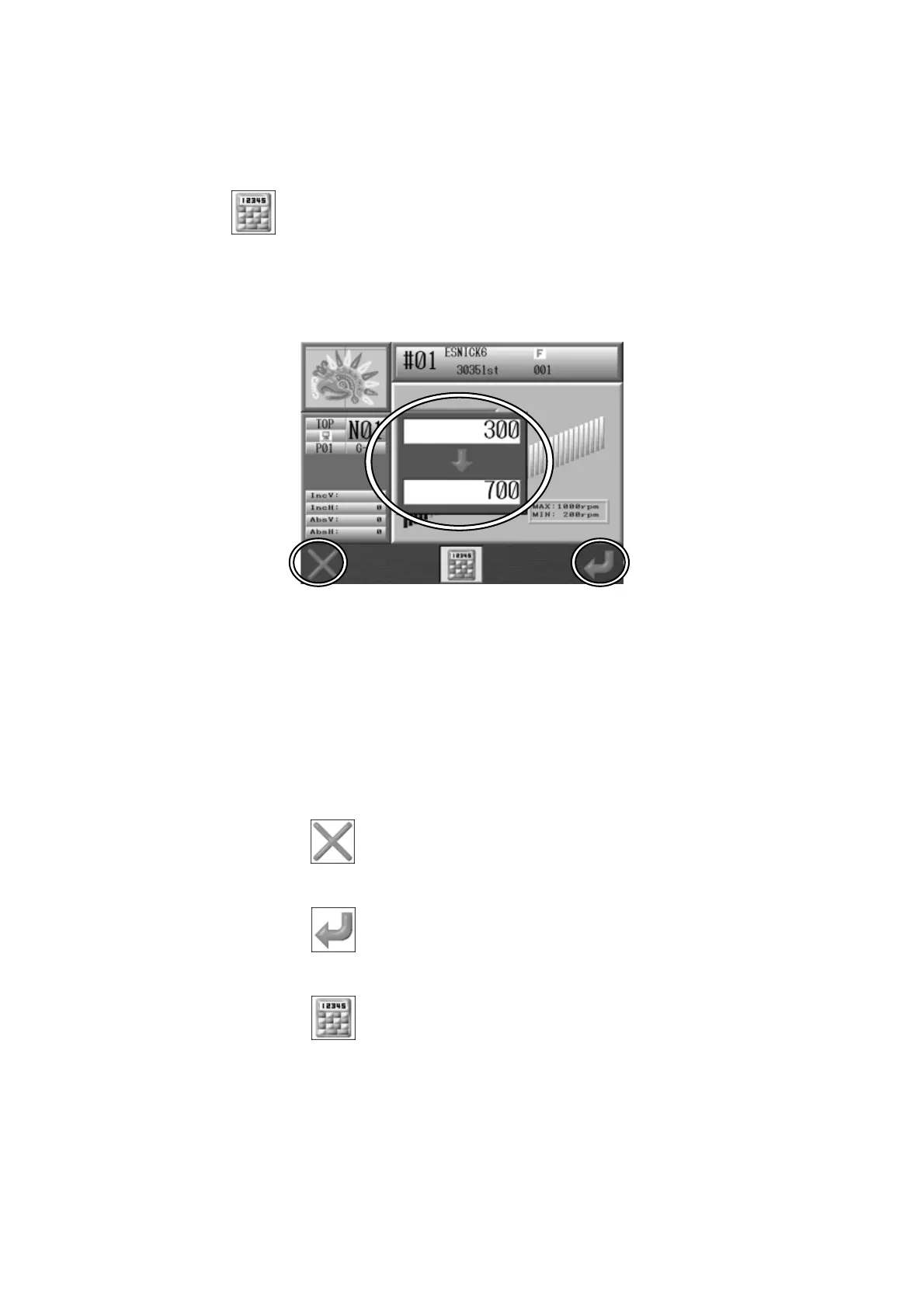
10. Numeric Entry Dialogue Box
When changing values, the Numeric Entry Dialogue Box displays.
Press the
icon.
By using the panel keys on the Automat as Numeric keys, you can enter a new value.
The Upper box with the value 300 is the current value in the system.
The Lower box with the value 700 is the value that is being entered.
*The screen above is the Speed setting screen.
1. Use the Automat Panel keys as Numeric keys to enter values.
For number references, see
2. Panel Switches.
2. Press the A-key,
to delete the last digit (backspace).
3. Press the G-key, to enter a new value.
4. Press the D-key,
to close the Numeric Entry Dialogue Box without saving a new
value.



 To Next Page