10‐6
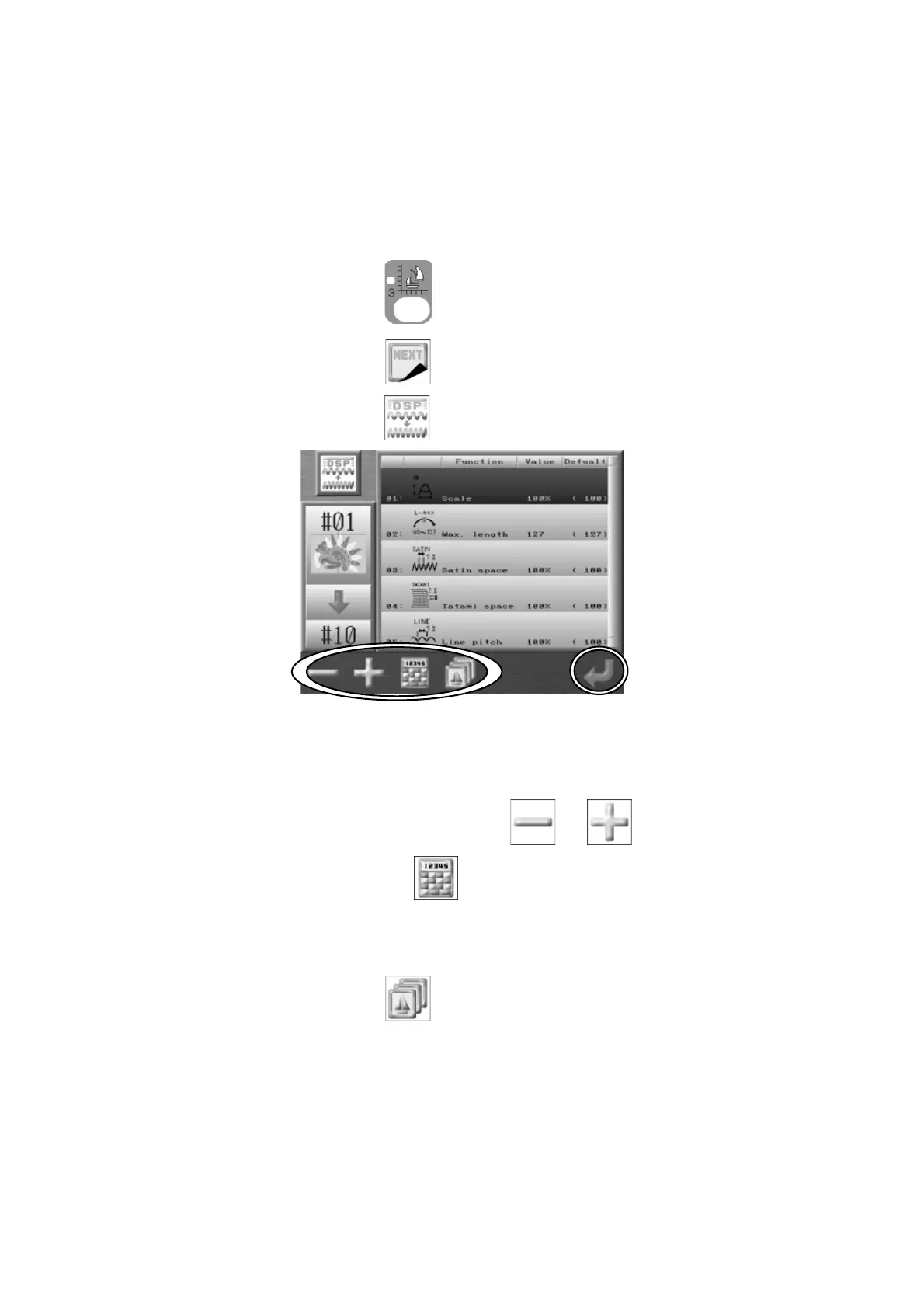
4. DSP (Design Stitch Processor)
4-1. Changing DSP
Instructions for making the selected design larger or smaller without changing the density of
the design. Also, the Maximum stitch length, Satin and Tatami spacing, and Running stitch
length can be changed.
1. Press the Design Edit key
.
2. Press the G-key below the
icon.
3. Press the A-key below the
icon
and the DSP design list displays.
4. Use the Jog keys and select the item that you want to change values.
The value can be reduced/decreased by the
or icons.
Note: Press the C-key below the icon to change values using the Numeric Entry
menu. *Refer to
Chapter 3 10. Numeric Entry Dialogue Box
.
5. Press the D-key below the
icon to see the Memory design list.
6. Use the Jog Keys and choose a memory location to create the new DSP design in.
*If the memory location you chose already has a design in it, the old design will be
overwritten.



 To Next Page