8‐10
8. Color Code Change (Teaching)
Instructions on changing the color sequence while sewing
1. Press the Drive Key
and the Drive mode screen appears.
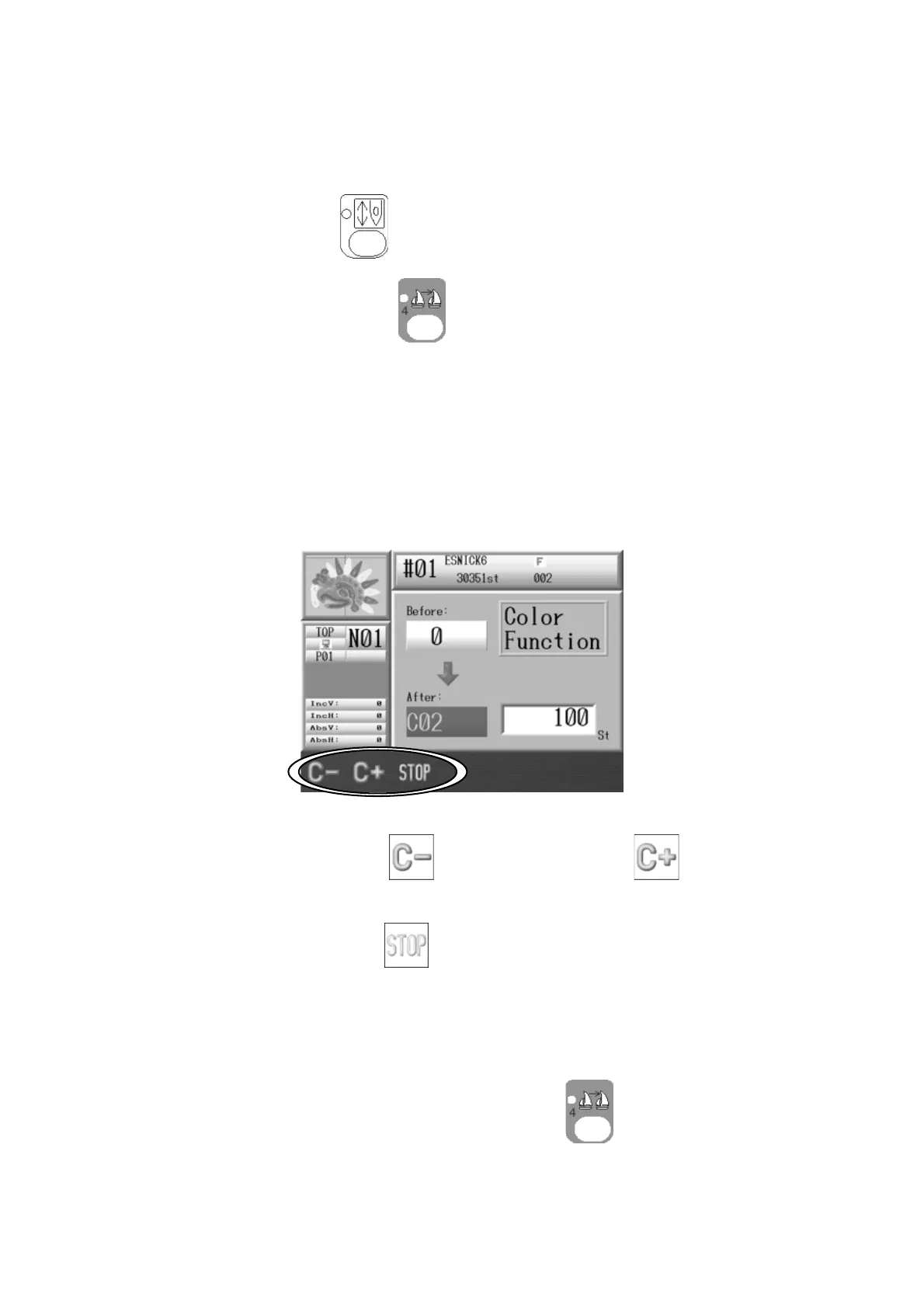
2. Press the Color Change key
.
3. Push the Start Switch.
4. The sewing stops at the stitch count where the Color Codes or the Stop Codes are set in
the pattern.
5. The controller shows the current code assigned.
6. Press the A-key below the
icon, or B-key below the to change the Color
code.
Press the C-key below the
icon to convert the code to a Stop code.
7. Push the Start switch to resume sewing with the new code.
8. Stop the machine and press the Color Change key
to exit the teaching mode.



 To Next Page