5‐15
5. USB Administration
Administration instructions for USB Flash Drives on the BEXS Automat
5-1. Creating a Folder
Instructions for creating folders on a USB Flash Drive
1. Press the Design Loading/Downloading Key
.
The Design Loading/Downloading screen will display.
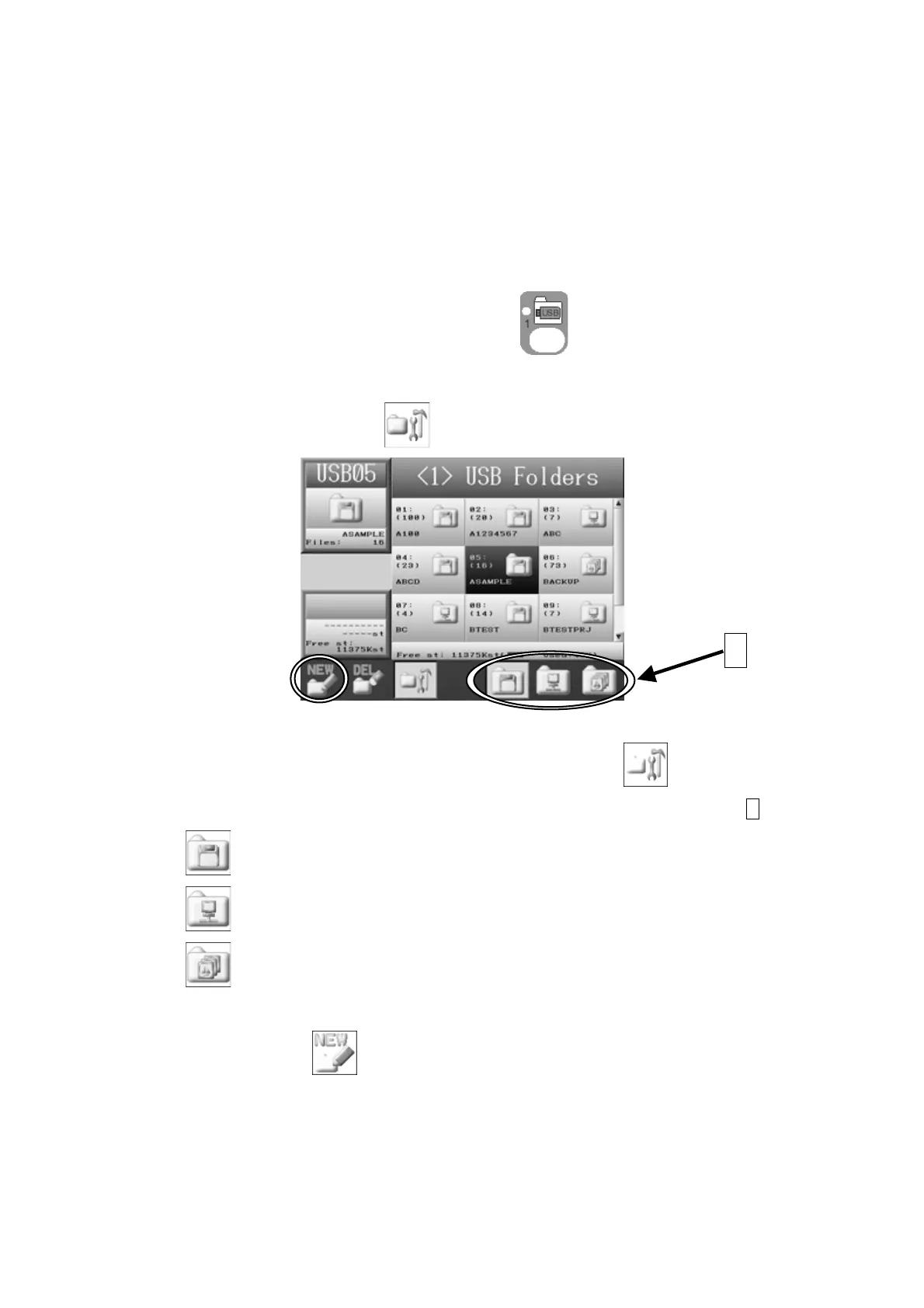
2. Press the C-key below the
icon and the USB Administration screen displays.
To go back to the Design Loading screen, press the C-key,
again.
3. Select the folder type that you want to create from the folders icons circled A.
(E-key):for creating a FDR folder.
(F-key):for creating a PRJ folder.
(G-key):for creating a XSB folder.
4. Press the A-key,
and the Character Entry Dialogue box will appear.
Enter a folder name referring to
Chapter 3. 11. Character Entry Menu
”.
A



 To Next Page