7‐4
2. Program List
No. & Icon Parameter Function
Default
Value
Range of Values
1
V scale
Width Scale
2
H scale
Height Scale
Scales the pattern size between 50%
and 200% of its original size.
100
50% ~200%
3
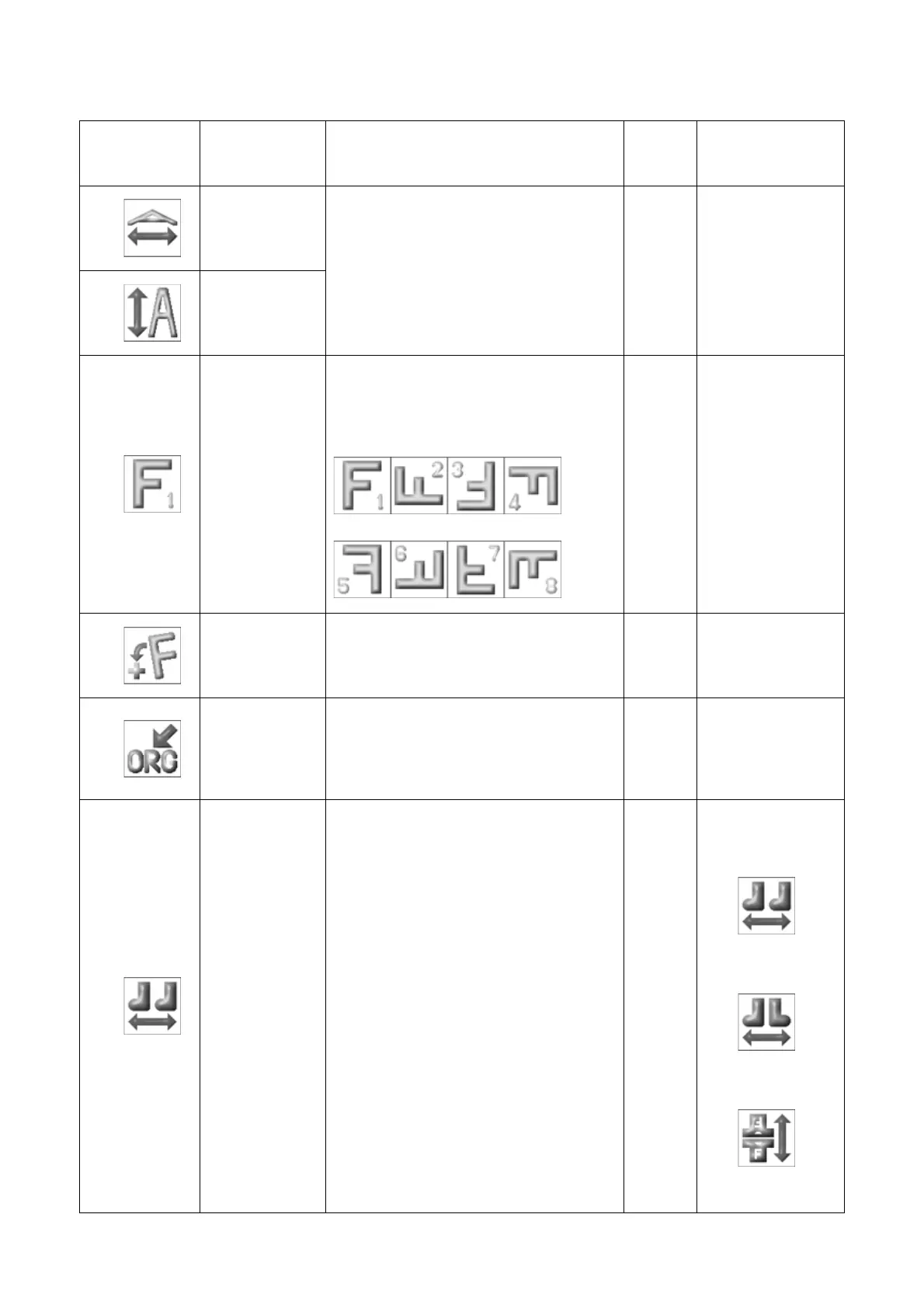
ROT pattern
Rotates pattern counterclockwise,
in 90 degrees increments.
Settings 5-8 add mirror imaging to
the rotation.
1
1: 0°
2: 90°
3:180°
4:270°
5: 0°
6: 90°
7:180°
8:270°
4
Angle
Rotates pattern counterclockwise,
in 1°increments.
0
0 ~89°
5
Origin
When On, automatically returns the
pantograph to the pattern origin,
when sewing has been completed.
1
1: ON
2: OFF
6
Socks
Used for the sock frame attachment.
Automatically sews two repetitions of
a pattern, by manually setting two
origin points for the same pattern.
To set the 2 origins:
1. Move the frame to where the
second item is to be sewn, and then
Press the Drive key to enter Drive.
2. Then move the frame to where the
first item is to be sewn, and press the
start bar to sew.
0 = Off
1 = On - Normal setup
2 = On – Second repetition mirrored
3 = On - Second repetition rotated
180°
0
0:Off
1:Normal setup
2:Mirror
3:Rotation



 To Next Page