10‐4
3. Running Stitch Additions
Instructions for adding running stitches in a design
This function is not available during Drive mode.
3-1. Adding running stitches using the Jog keys
Using the Jog keys adds running stitches, and at the same time, moves the pantograph.
1. Press the Design Edit key
.
2. Press the A-key below the
icon to open the Running stitch addition menu.
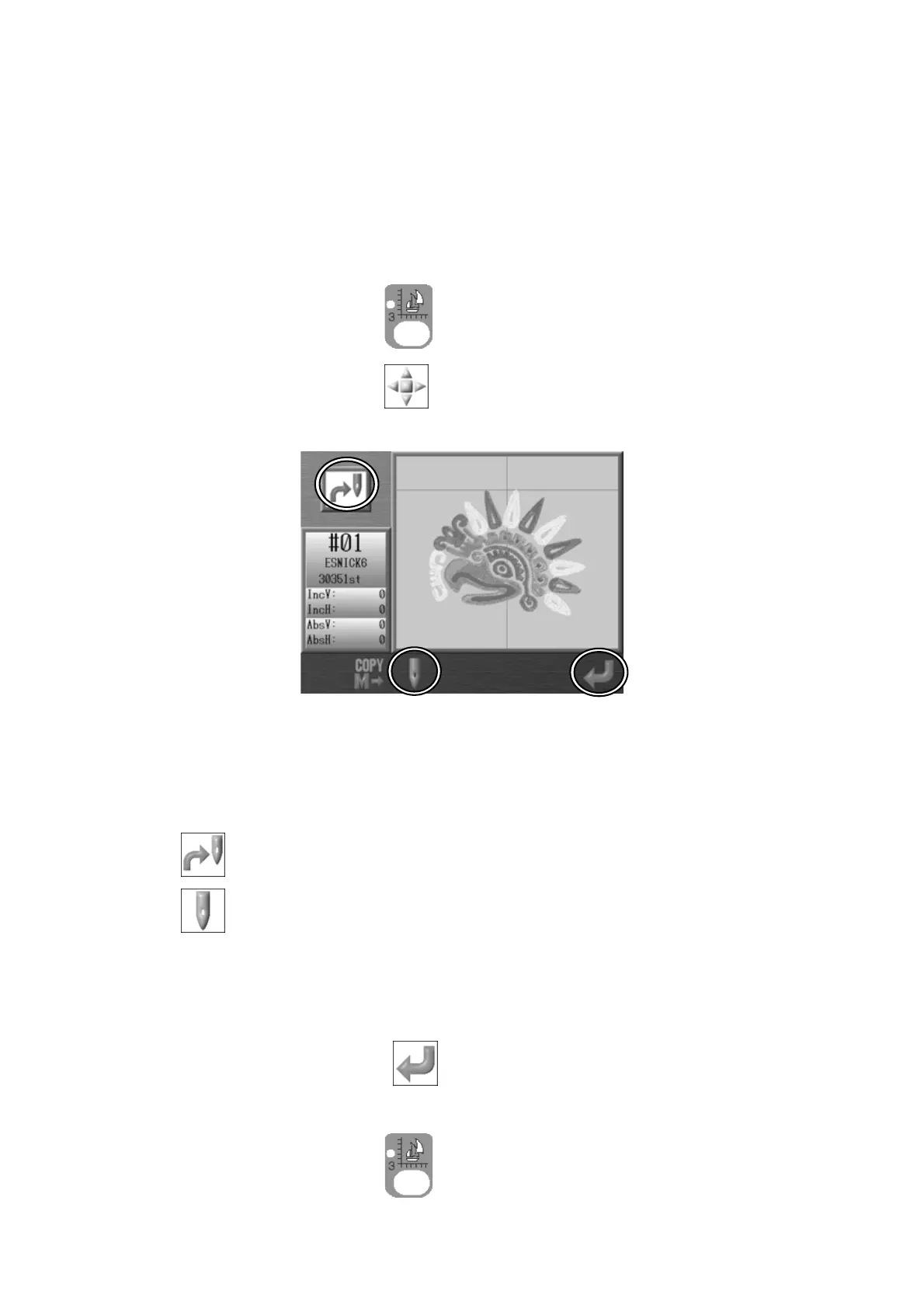
3. Press the C-key to change the mode of adding Jumps or Needle drops.
You can see what mode you are in by looking at the Icon in the top left corner of the
display. The screen above shows the mode to add needle drops.
: Mode to add jumps
: Mode to add needle drops
4. Use the Jog keys to move the cursor to the point where you want to make an addition.
5. Press the G-key below the
icon
to save the added data to the Memory design
data.
Press the Design Edit key
again to go back to the Start Menu.



 To Next Page