3‐13
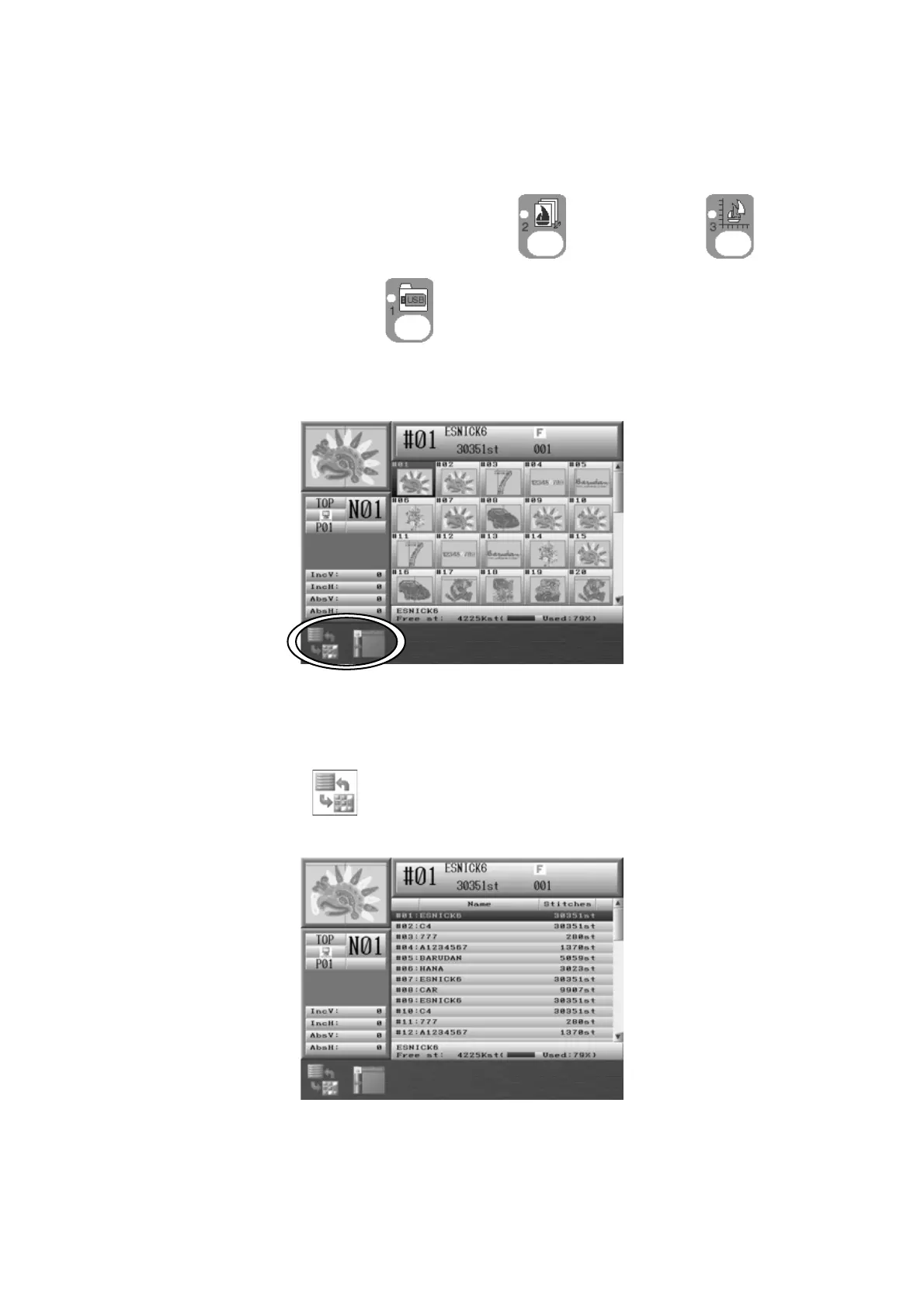
7. Design List Display Settings
Settings for the Design list display.
*Memory design list and USB design list are individual settings.
1. Press either one of the Design Memory key
, Design Edit key , or Design
Loading/Downloading key
.
2. Press the Shift key.
Press Shift key again to go back to the previous screen.
3. Press the A-key,
to switch the Design list display to Design name list display.



 To Next Page