8‐3
2. Drive Mode
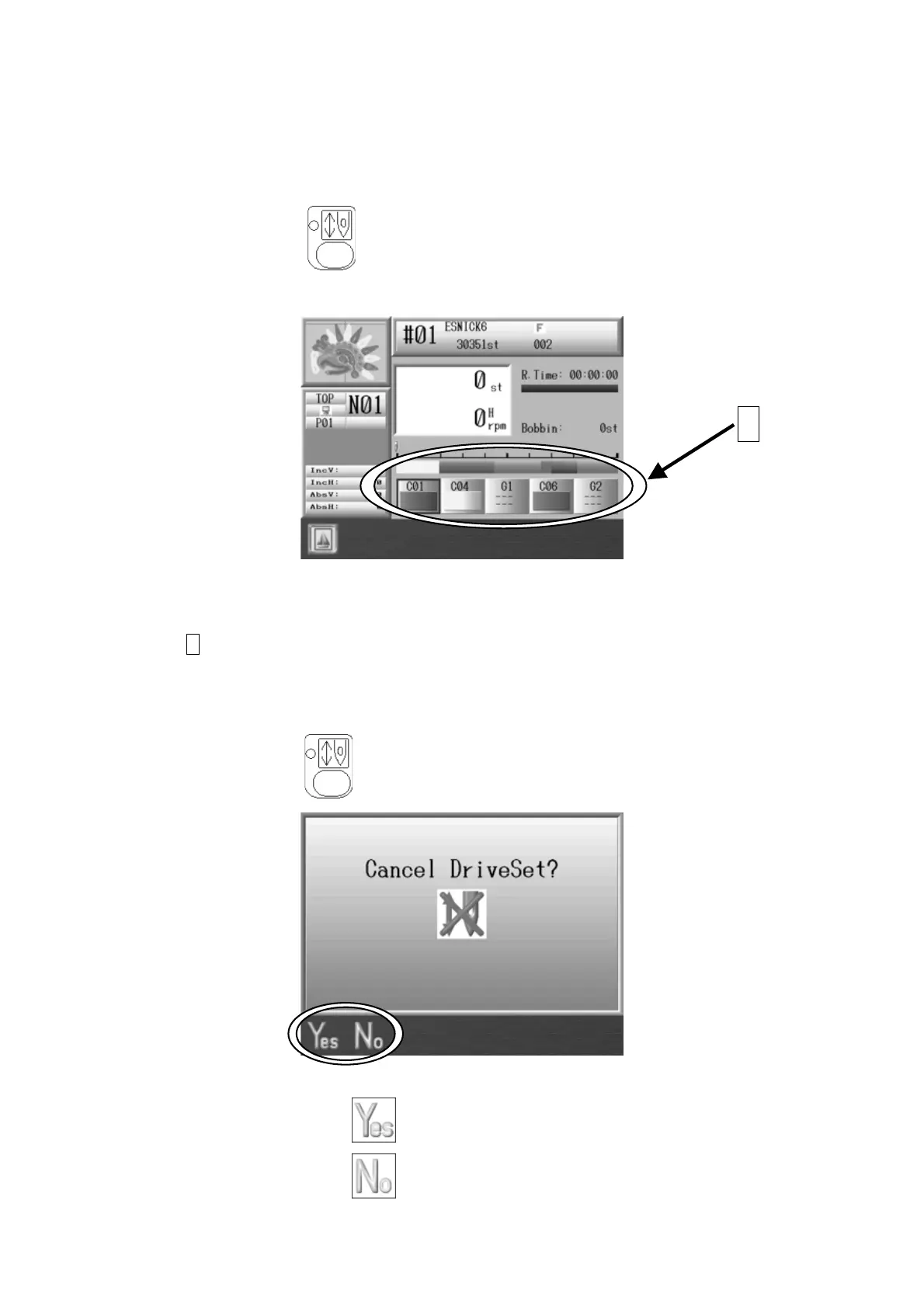
Instructions for putting the machine in Drive mode
The machine can only sew when the machine is in Drive mode.
1. Press the Drive Key
.
2. The following Drive mode screen appears. *The screen color changes.
R.Time :Estimated remaining time to the end of sewing
Bobbin :Remaining stitch count for Bobbin counter
A shows the Color Change Function Codes.
3. Push the Start or Stop Switch to start/stop the sewing.
4. Press the Drive key
and the following message appears.
5. Press the A-key below the icon to put the machine in Stand-By mode.
Press the B-key below the
icon to cancel and leave in Drive Mode.
A



 To Next Page