4‐10
7. Bobbin Counter
The Bobbin Counter stops the machine and trims the bobbins, when a preset number
of stitches are sewn.
By setting the number of stitches where a particular design normally runs out of bobbin,
the bobbins can be replaced, avoiding missed stitches in the final sew out piece.
When the machine stops for the bobbin counter, it shows the Bobbin counter message
below and the Green LED on the Tension assembly is lit. By pushing the Start Switch,
the counter is automatically reset.
Set the counter to 0 to cancel the Bobbin Counter feature.
*Bobbin Counter setting can only be done by 100 stitches.
(For example, if you set a value 250, the counter stops at 300 stitches.)
1. Press the Manual Key
to open the Manual operation screen.
2. Press the D-key,
.
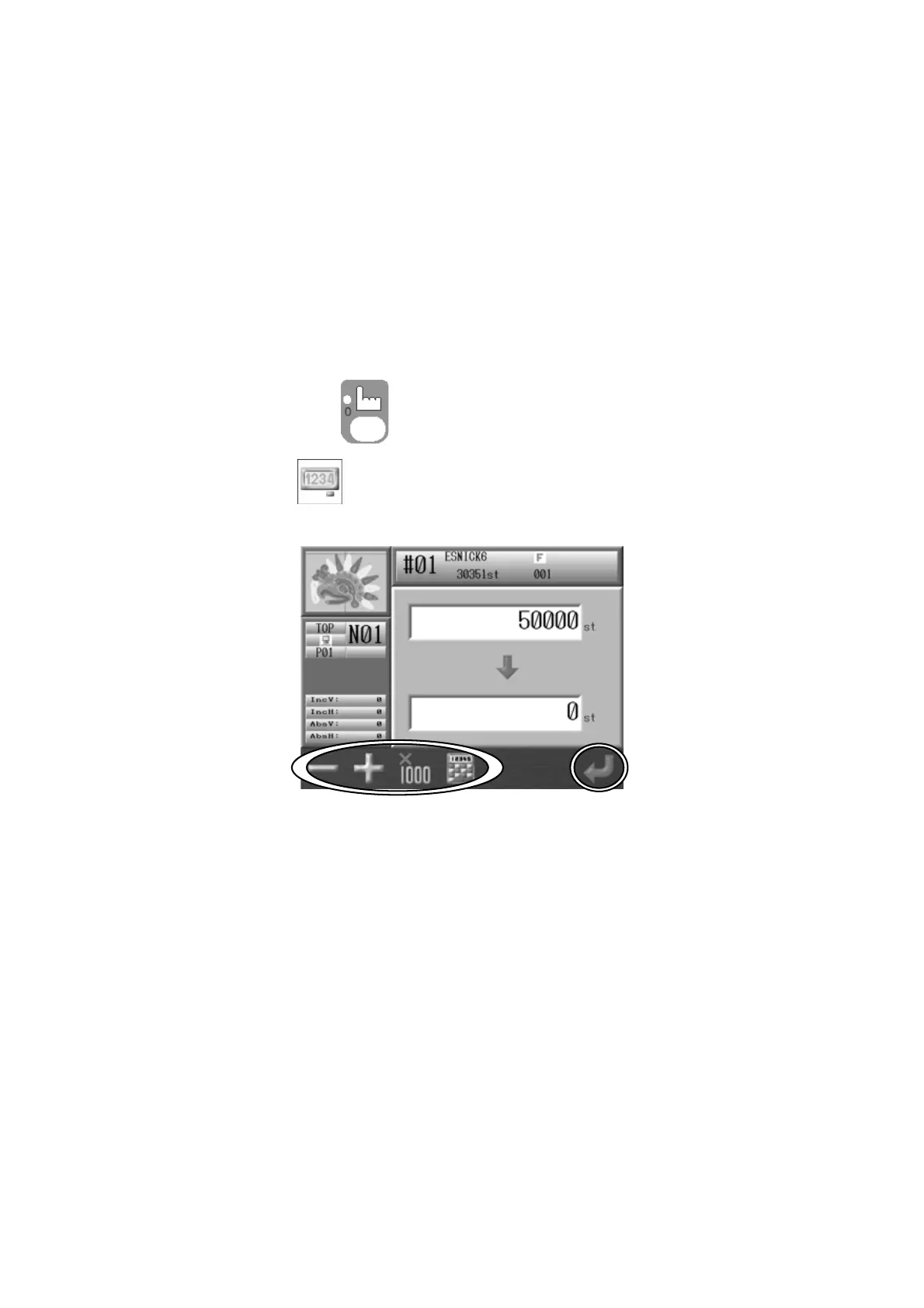
3. The following Bobbin Counter screen displays.
The number on top is the default number.
The number below is the count number.
The default number is the count number previously set.



 To Next Page