Reading Patterns
You must read a pattern into the BENS to store it in the machine’s memory.
Patterns in memory can be sewn or programmed. The three sources that read
patterns to memory are:
•
Built-in Floppy Disk Drive
•
Paper Tape Reader, connected to the reader port
•
Barudan peripheral devices, connected to the serial (COM) port.
The Read menu has a fourth option, Jog, that is used to merge two or more patterns in
memory, with movement between.
Reading Patterns on Disk
The BENS reads disks in FDR, FDR-HD, FMC, Tajima, ZSK, Melco (old), Melco (DOS),
Toyota, and Happy formats. The BENS automatically determines the disk format. It is
not necessary to specify format before reading a disk.
Reading a Pattern from Floppy Disk
1. Open the disk drive cover and insert the
floppy disk.
2.
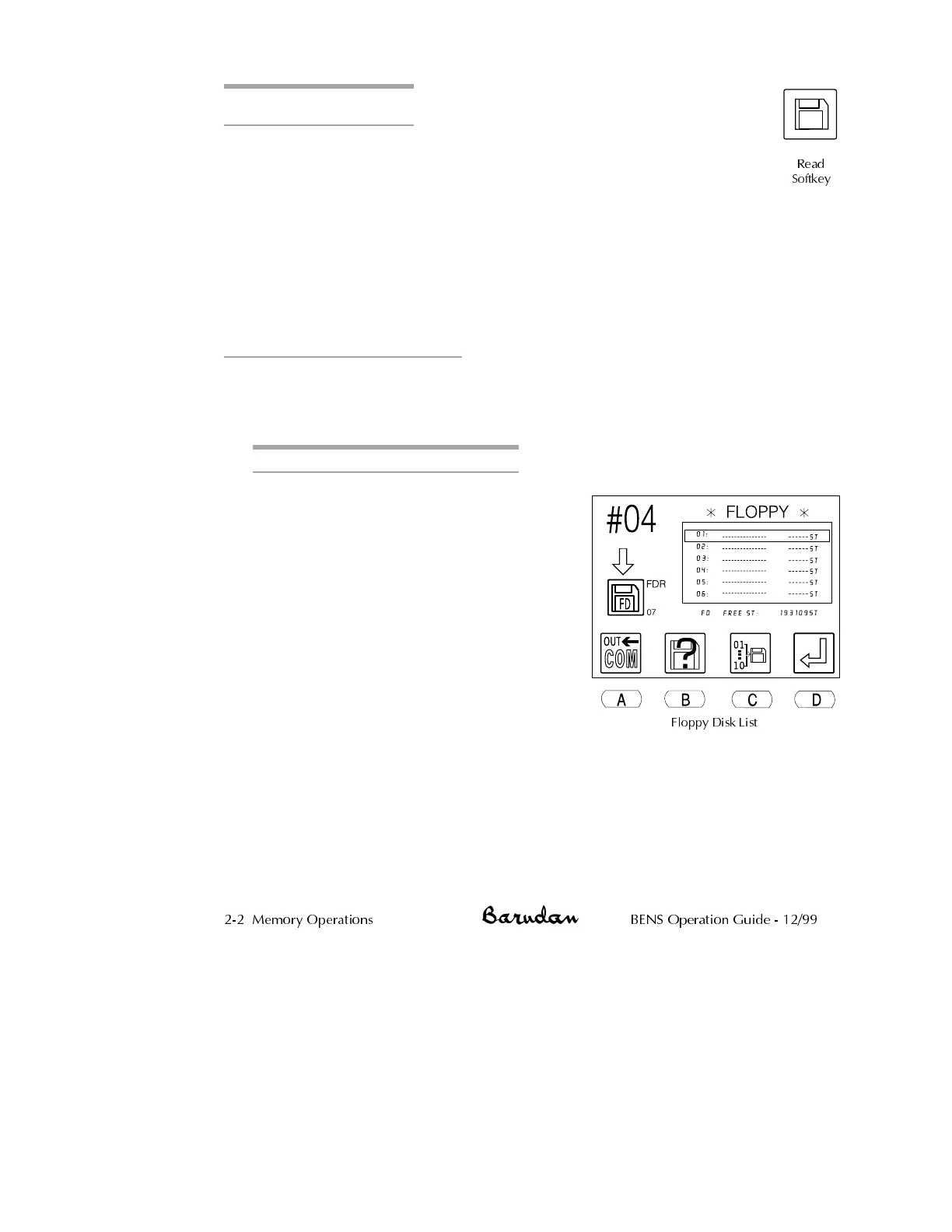
Press the Read softkey. The floppy disk
list displays, showing the patterns on
that disk.
NOTE: If you did not insert a disk in
Step 1, or it is blank, the list does not
show any patterns, and error A30
displays. Insert a disk and press D to clear
the error.
The icon at the top left of the screen
identifies the active device. It should
show the Disk icon, indicating the
built-in 3.5" disk drive. If this is not the
current icon, press A, below the Device
icon, until it displays at the top left. Pressing A toggles through the
device options: Disk, Tape, COM and Jog.
3.
Use the jog keys to select the desired pattern from the list. A box
outline displays around the selected pattern.
•
The up and down jog keys move one pattern at a time.
2-2 Memory Operations BENS Operation Guide - 12/99
Read
Softkey
Floppy Disk List



 To Next Page