To close the Memory output screen without transferring patterns, press
the Memory softkey.
Initialize can also quickly delete the entire contents of a formatted disk.
If you are going to initialize a disk to clear it, use the Floppy list and
Pattern Characteristics screen to verify that you really want to erase
every design on the disk.
Initializing a Previously Formatted Disk
1. Open the disk drive cover and insert the floppy disk.
2.
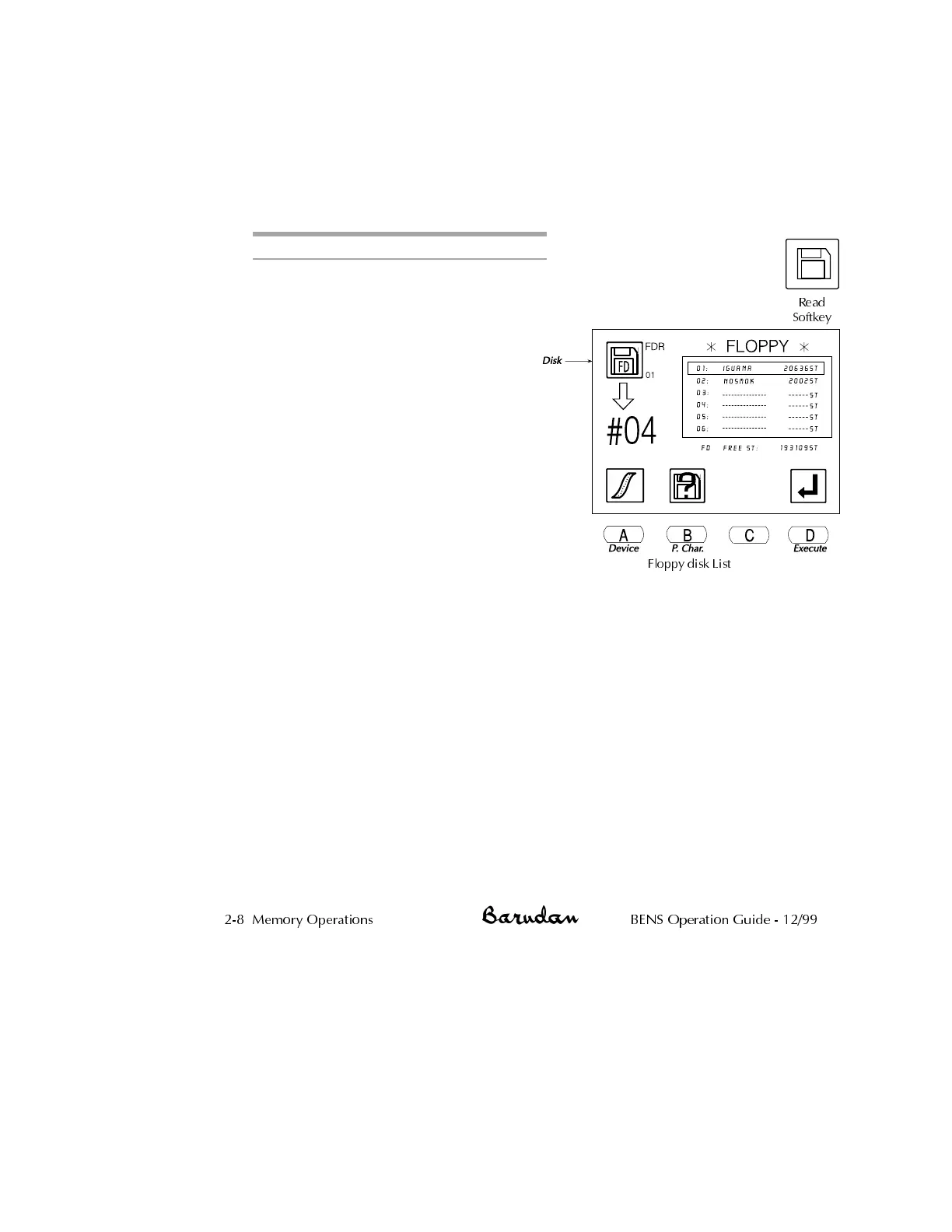
Press the Read softkey.
The icon at the top left of the
screen identifies the active device.
It should show the Disk icon,
indicating the built-in 3.5" disk
drive. If this is not the current icon,
press A, below the Device icon,
until it displays. Pressing A toggles
through the device options: Disk,
Tape, COM and Jog. The floppy
disk list displays.
3.
Press B, below the Pattern
Characteristics icon to open the
pattern characteristics screen. The
initialize icon is now displayed.
4.
Press D, below the Initialize icon. To cancel, press B, below the
Pattern Characteristics icon, returning to the Floppy List. The initialize
screen displays.
5.
Press C, below the Yes icon, to initialize. To cancel and return to the
Pattern Characteristics screen, press D, below the No icon.
During the process, the BENS displays a status screen. When complete,
the Memory output screen displays, to facilitate sending patterns to the
newly formatted disk. See page 2-27 for information on saving patterns
from memory to the floppy disk.
To close the Memory output screen without transferring patterns, press
the Memory softkey.
2-8 Memory Operations BENS Operation Guide - 12/99
Floppy disk List
Read
Softkey



 To Next Page