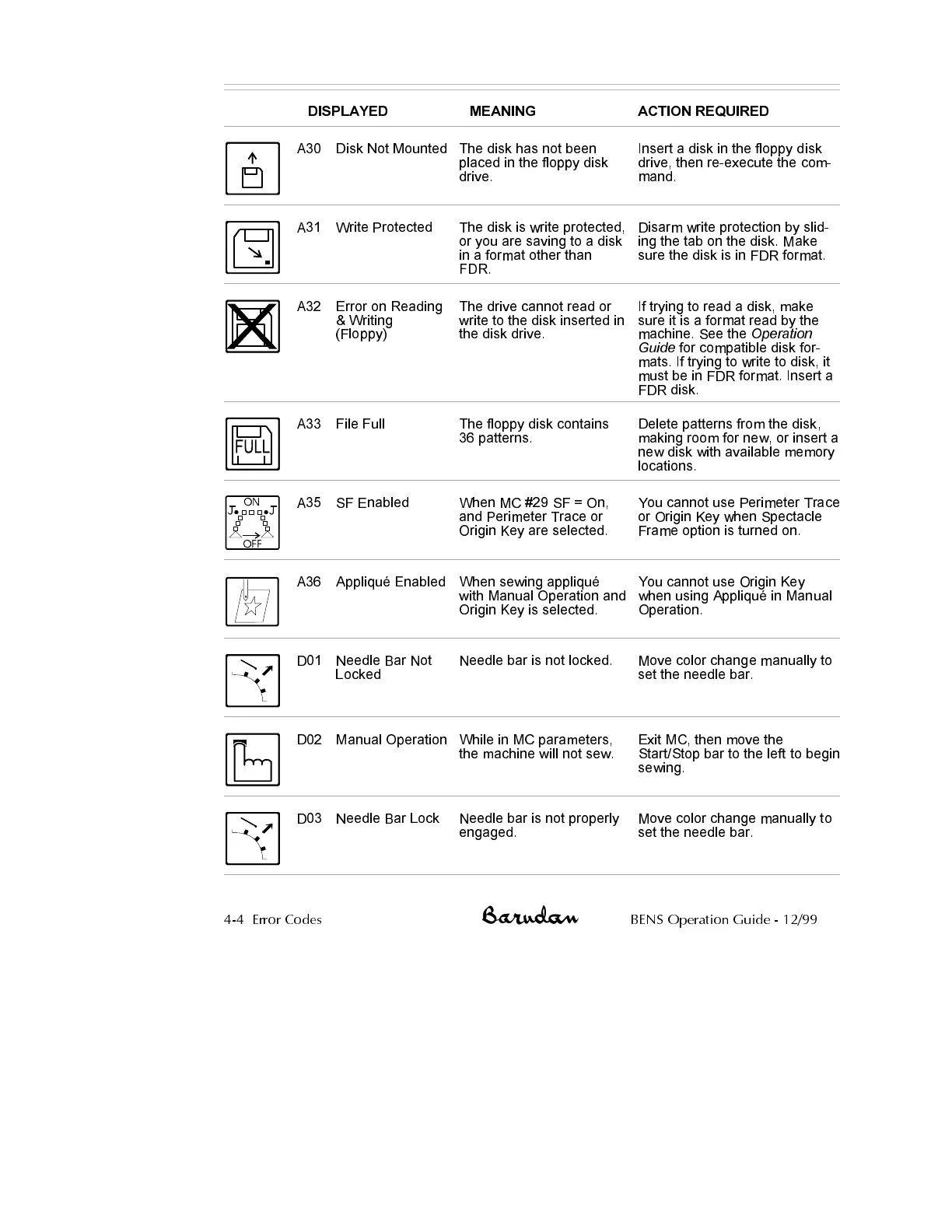
DISPLAYED MEANING ACTION REQUIRED
A30 Disk Not Mounted The disk has not been
placed in the floppy disk
drive.
Insert a disk in the floppy disk
drive, then re-execute the com
-
mand.
A31 Write Protected The disk is write protected,
or you are saving to a disk
in a format other than
FDR.
Disarm write protection by slid
-
ing the tab on the disk. Make
sure the disk is in FDR format.
A32 Error on Reading
& Writing
(Floppy)
The drive cannot read or
write to the disk inserted in
the disk drive.
If trying to read a disk, make
sure it is a format read by the
machine. See the
Operation
Guide
for compatible disk for
-
mats. If trying to write to disk, it
must be in FDR format. Insert a
FDR disk.
A33 File Full The floppy disk contains
36 patterns.
Delete patterns from the disk,
making room for new, or insert a
new disk with available memory
locations.
A35 SF Enabled When MC #29 SF = On,
and Perimeter Trace or
Origin Key are selected.
You cannot use Perimeter Trace
or Origin Key when Spectacle
Frame option is turned on.
A36 Appliqué Enabled When sewing appliqué
with Manual Operation and
Origin Key is selected.
You cannot use Origin Key
when using Appliqué in Manual
Operation.
D01 Needle Bar Not
Locked
Needle bar is not locked. Move color change manually to
set the needle bar.
D02 Manual Operation While in MC parameters,
the machine will not sew.
Exit MC, then move the
Start/Stop bar to the left to begin
sewing.
D03 Needle Bar Lock Needle bar is not properly
engaged.
Move color change manually to
set the needle bar.
4-4 Error Codes BENS Operation Guide - 12/99



 To Next Page